
Features
Seven K-12 device management tools. One platform.
Help desk, asset management, user management, incident tracking, invoicing, self-service knowledgebase, and reporting, all under one login, all sharing the same source of truth. Built by school IT staff in 2012 and trusted by 2,100+ districts across 43 states.
 Ticketing + Routing
Help Desk
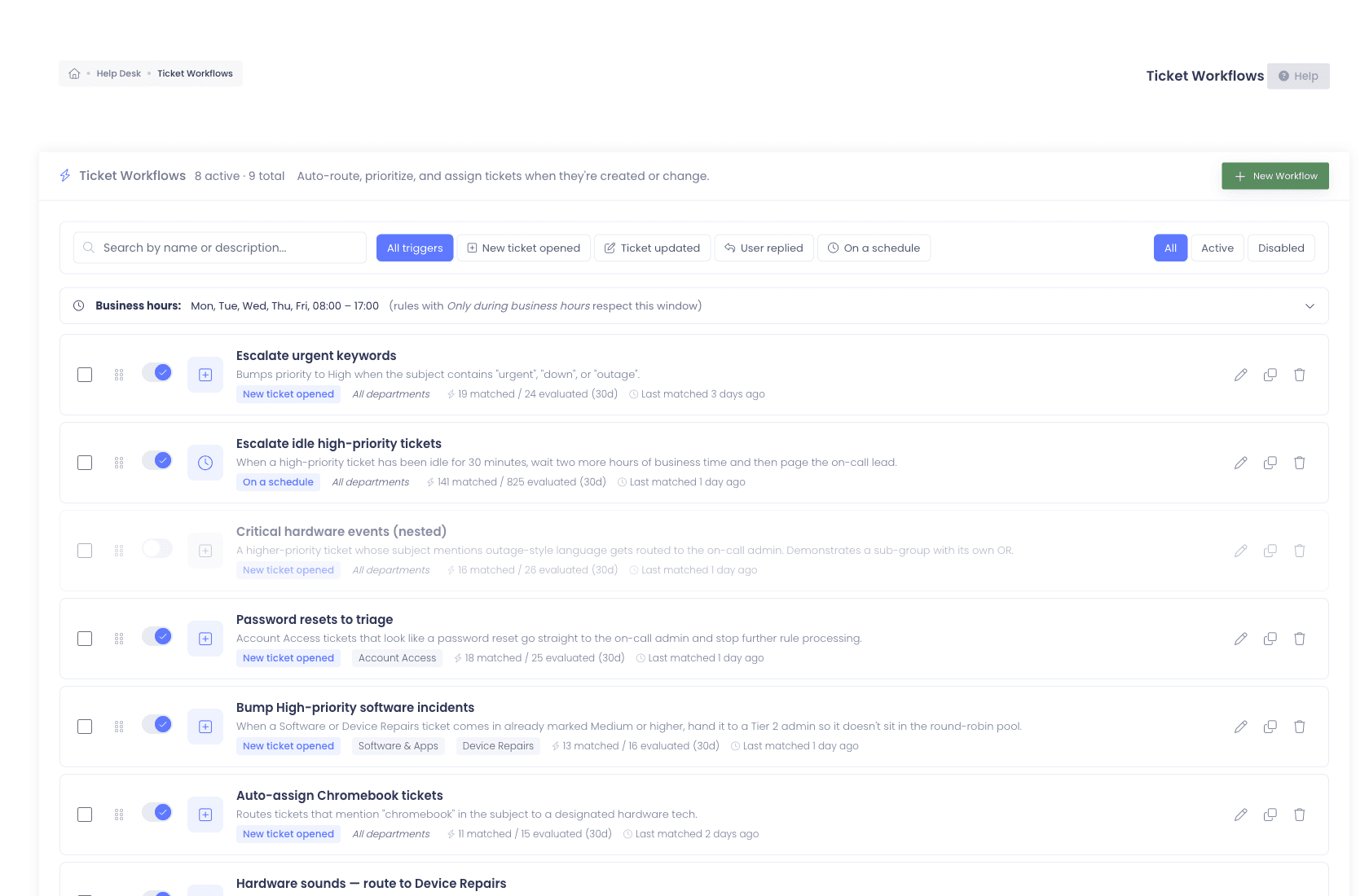
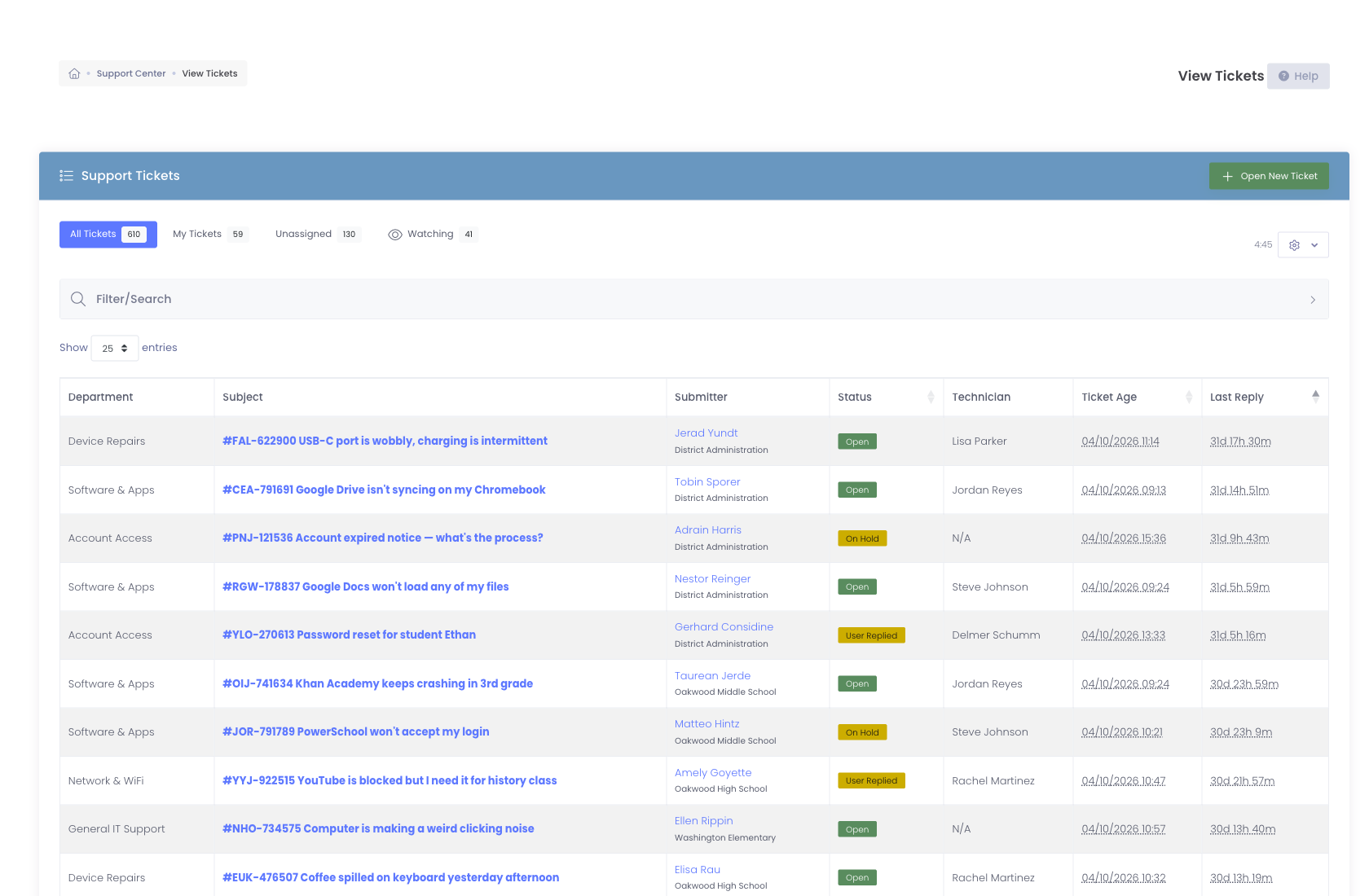
K-12 help desk software with automated ticket routing, device-aware tickets, watchers, @mentions, and email integration with Google Workspace and Microsoft 365.
- Routing Workflows engine (visual builder)
- Out of Office coverage with automatic reassignment
- Student Worker Mode for student technicians
- Email-to-ticket via Google Workspace + M365
 Inventory + Audit
Asset Management
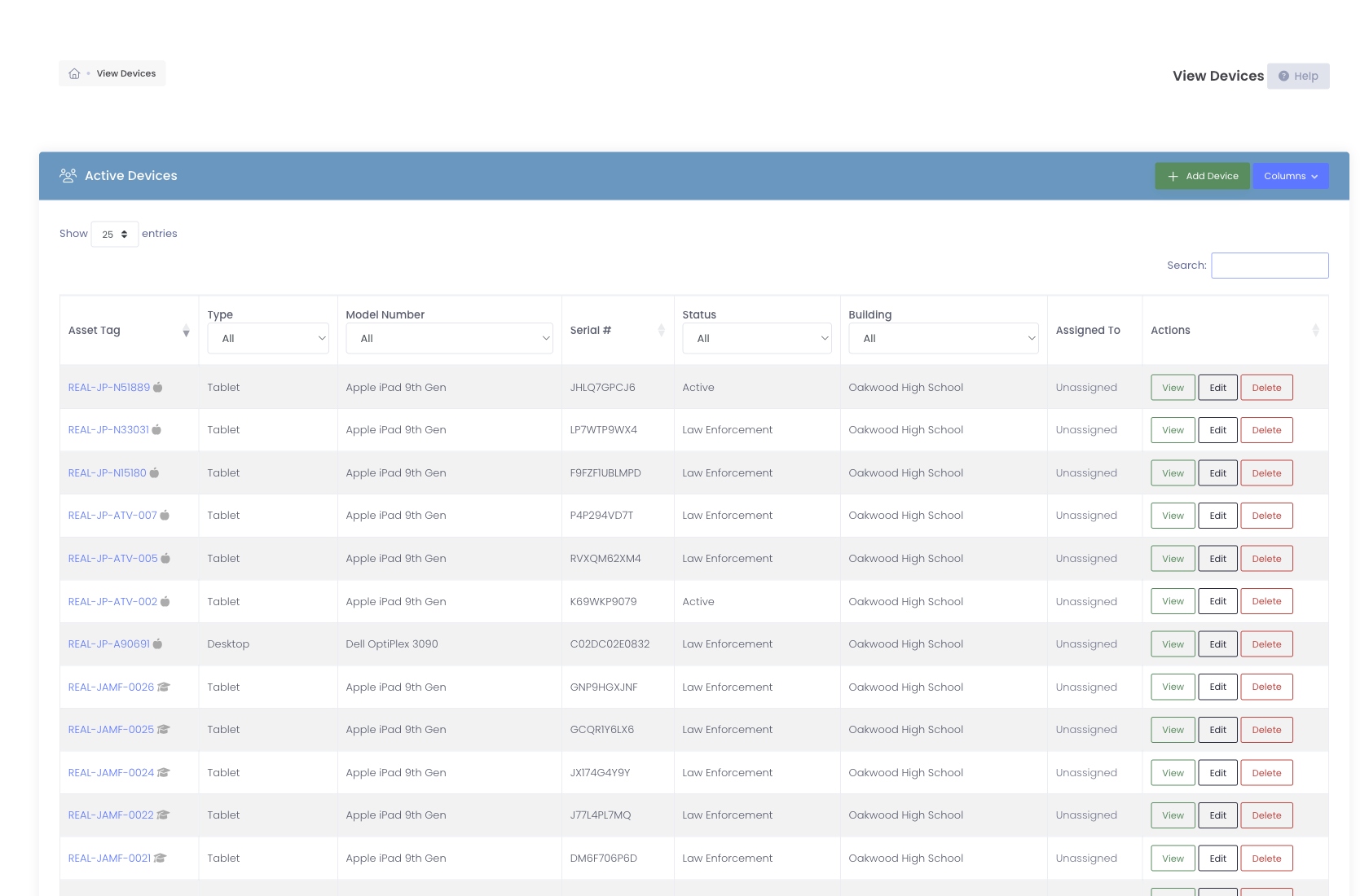
Track every device in your 1:1 program, model, serial, asset tag, custom fields, location, condition, insurance, warranty. Rapid Verify for non-mutating audits. Mobile scanning from any phone.
- Buildings, rooms, locations
- Bulk import + bulk operations
- Rapid Verify + Last Seen tracking
- Insurance + warranty + AppleCare+
 Students + Staff + Guardians
User Management
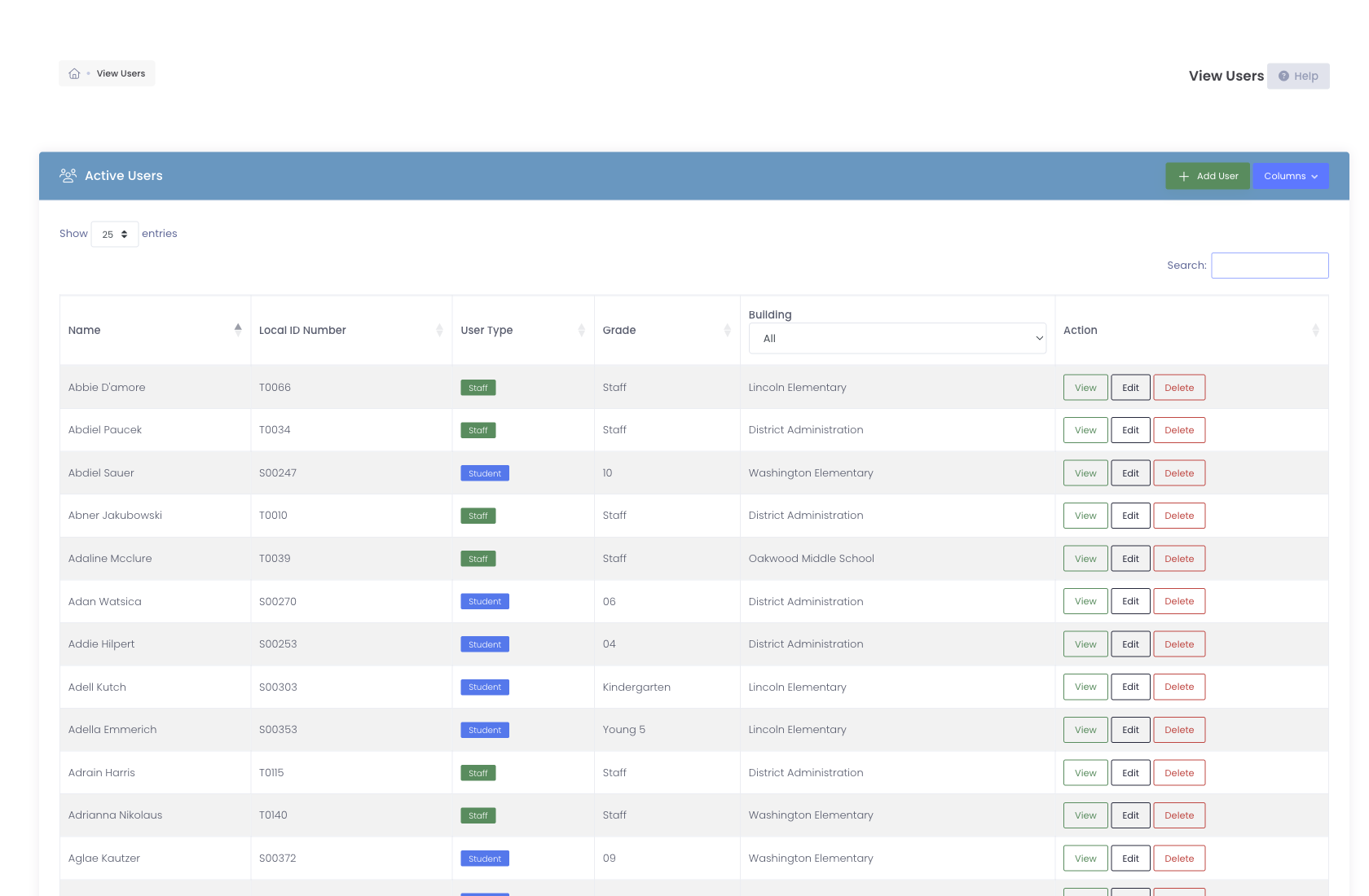
Manage students, staff, and guardians from one place. OneRoster sync, smarter guardian deduplication, custom fields, role-based permissions, SSO via Google, Microsoft 365, or ClassLink.
- OneRoster SIS integration, including Veracross
- Map SIS metadata onto custom fields
- Merge duplicate student and staff records
- Per-role permissions
 Damage + Repair Tracking
Incident Management
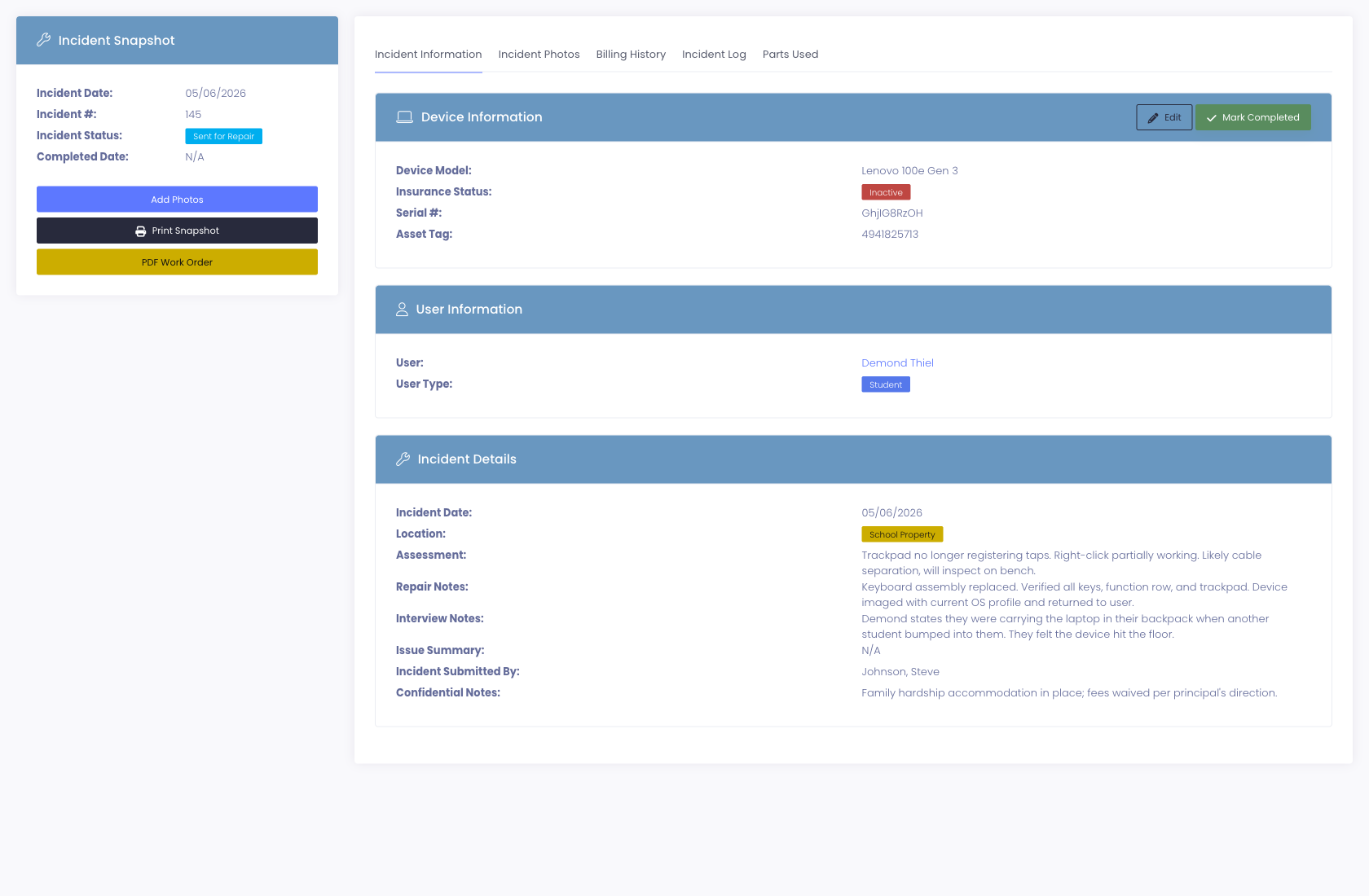
Log device damage, capture photos with capture-and-confirm webcam flow, track repair lifecycle with role-restricted statuses, link incidents to invoices, and preserve repair history across the device lifetime.
- Several devices on one incident, one invoice
- Confidential documents behind their own permission
- Role-restricted status workflow
- Per-device repair history forever
 Family Billing + Recovery
Invoicing + Payments
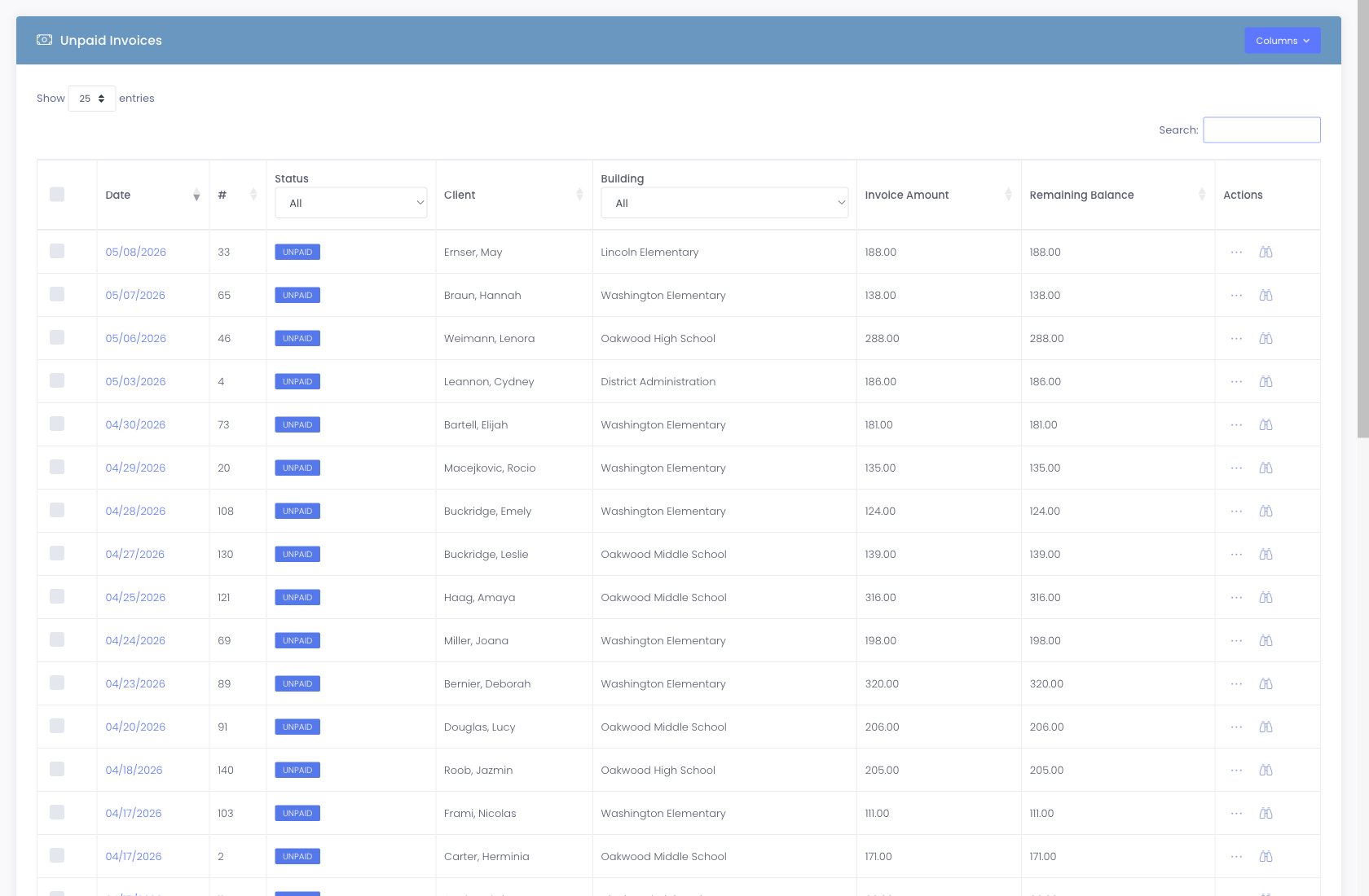
Generate damage and insurance invoices directly from an incident, deliver them to guardians, and accept online payment through the processor your district connects, nine supported. Parents pay through a branded portal, no district staff middleman.
- Incident-to-invoice with one click
- Insurance premiums billed, chased, and auto-cancelled
- Automatic waivers for families who qualify
- Online payment through nine processors
 Knowledgebase + Ticket Deflection
Self-Service Portal
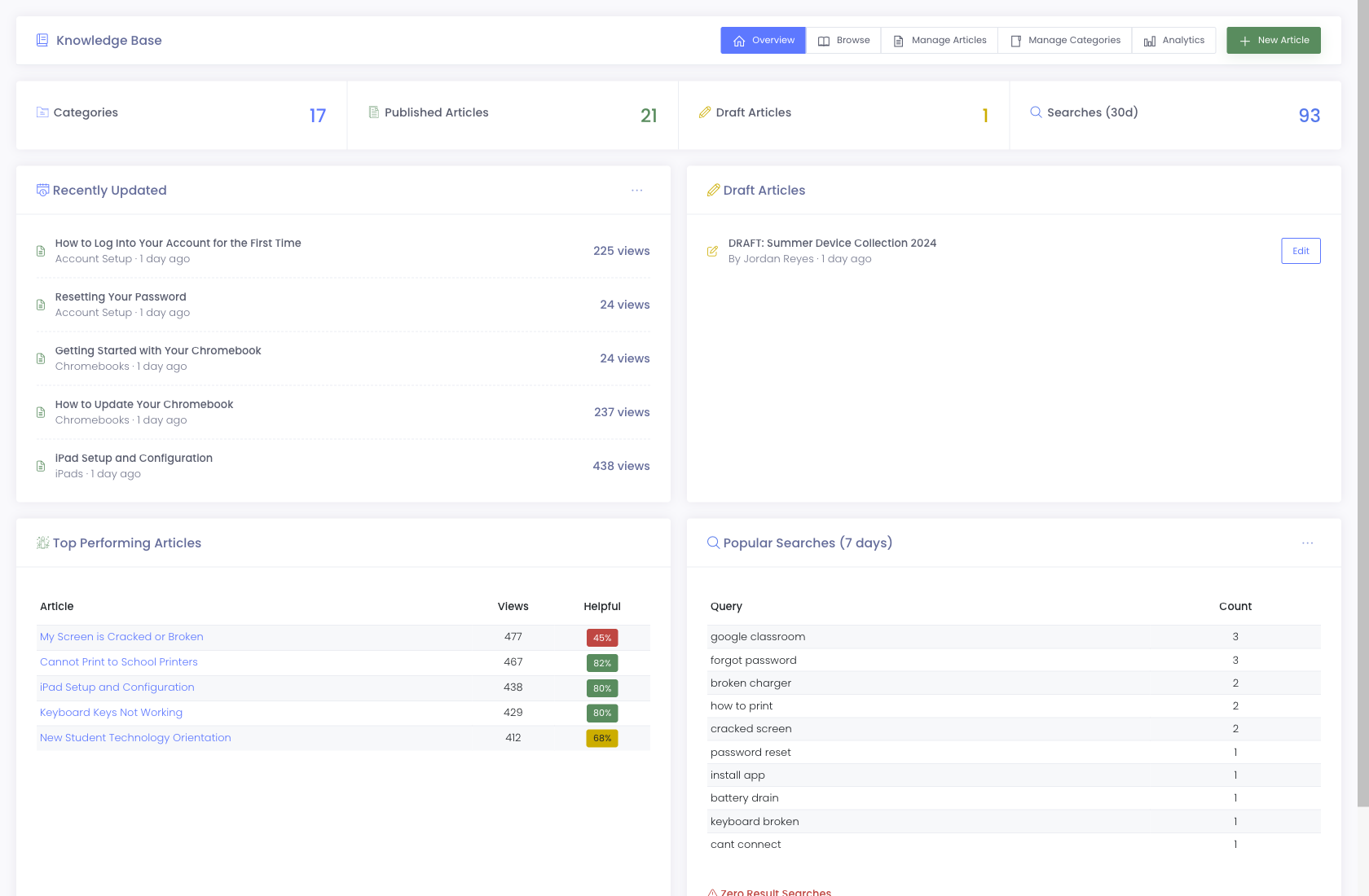
A robust branded knowledgebase with intelligent ticket deflection, as a user starts typing a ticket, the system surfaces relevant KB articles to redirect them to self-serve answers before the ticket ever hits your queue.
- Branded KB with categories + search
- Intelligent deflection during ticket entry
- Article view counts + helpfulness ratings
- Popular-search analytics for content gaps
 Dashboards + Exports
Reporting
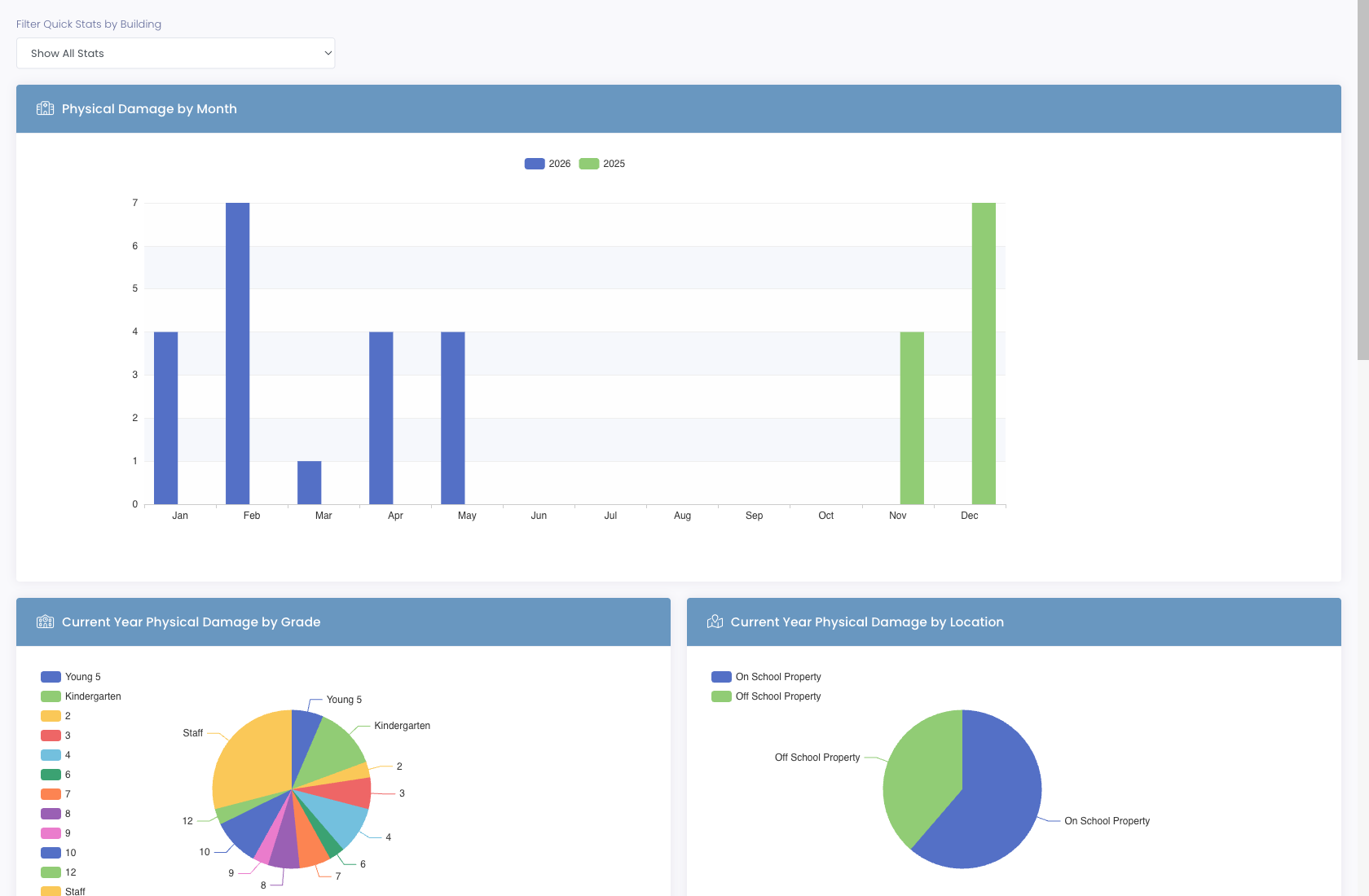
Real-time dashboards for tickets, devices, incidents, and invoices. CSV exports for board reports. Automation Status dashboard tells you what your overnight jobs actually did.
- Per-tech, per-building, per-department breakdowns
- CSV exports for grant accountability
- Automation Status heatmap
- Custom reports + audit logs
One platform, one source of truth
Seven tools your district was paying for, now one platform.
Most school IT teams piece together their device program from six or seven tools, an asset spreadsheet, a help desk, a separate incident tracker, a billing system, a parent payment portal, a standalone knowledgebase, and an MDM console. Each tool has its own login, its own data, its own export format.
We built one platform that collapses all of that. When a student damages a Chromebook, the incident links to the device, the device links to the student, the student is on a lease that links to an invoice, and the parent pays through a branded portal. One click takes you anywhere in the chain. No CSV exports, no syncing services, no "wait, which system has the current data?"
That single-source-of-truth design is why technology directors report saving over an hour a day, and why districts running our platform don't go back to stitching tools together.
And because every part of the platform shares the same data, the automations get smart. Workflows can route help-desk tickets based on the actual device's incident history. The Self-Service Portal can deflect tickets into knowledgebase articles before they ever hit the queue. Reminders can email parents about an upcoming insurance expiry tied to the device the student is currently leasing. The Automation Status dashboard tells you which scheduled jobs ran last night, across help desk, inventory, MDM sync, and invoicing, in one view.
That's what "built for K-12" actually means. Software designed for how a school district's IT team actually operates, not enterprise ITSM with an Education sticker on the box.
Run your 1:1 program from one platform.
Join school districts across 43 states using Manage1to1 to manage devices, help desk tickets, incidents, invoices, and self-service support in one place.