
K-12 user management software that syncs students, staff, and parents from your SIS.
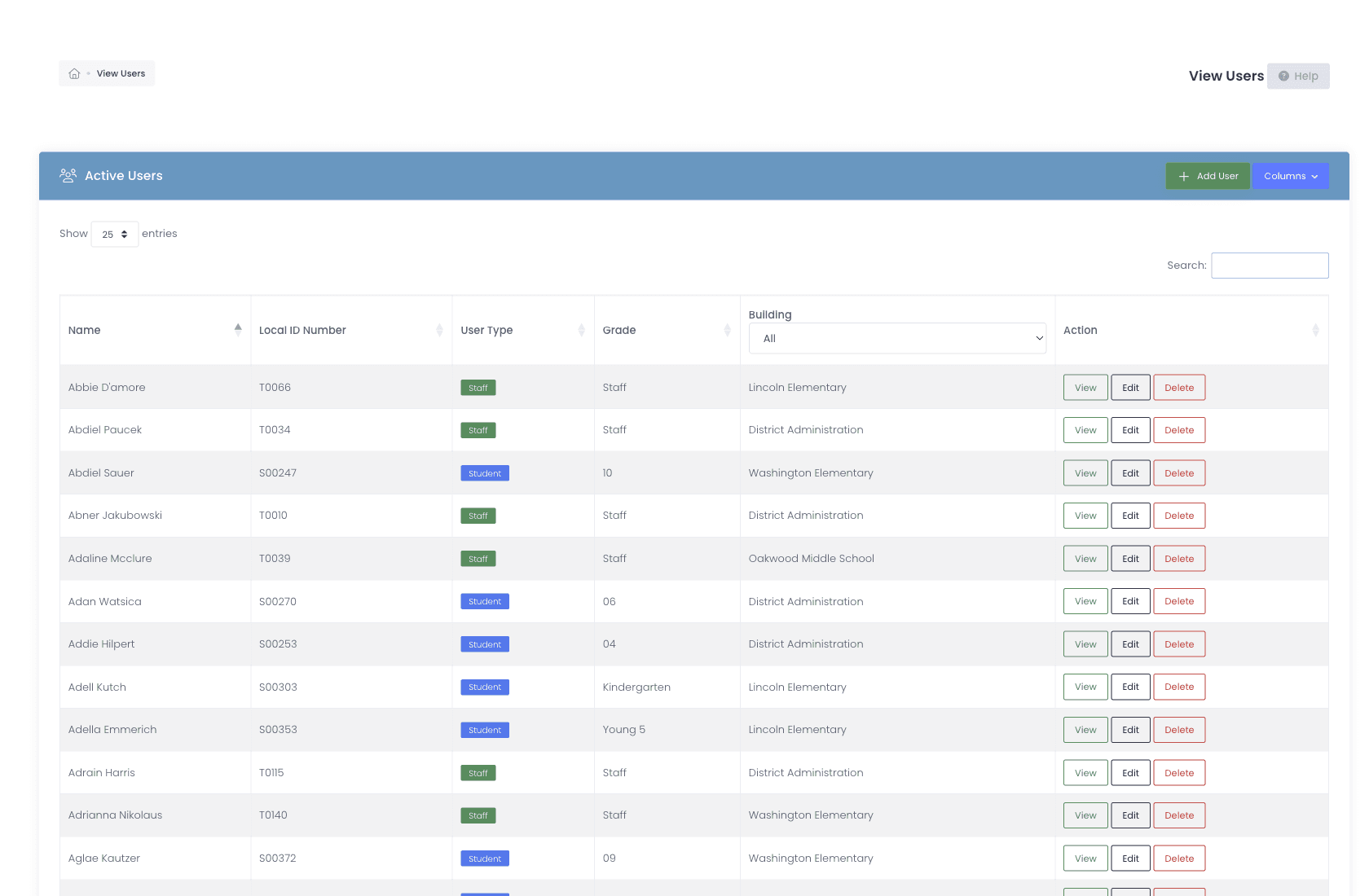
A roster is only useful for as long as it stays true. A student transfers in March and their device is still assigned to the old building. Somebody withdraws in April and keeps an active account all summer. A surname changes and now one person has two records. We pull students, staff, and guardians from your SIS on a schedule, so the roster keeps matching reality without anyone having to remember to run an import.
The mid-year transfer
OneRoster rostering, every major K-12 SIS.
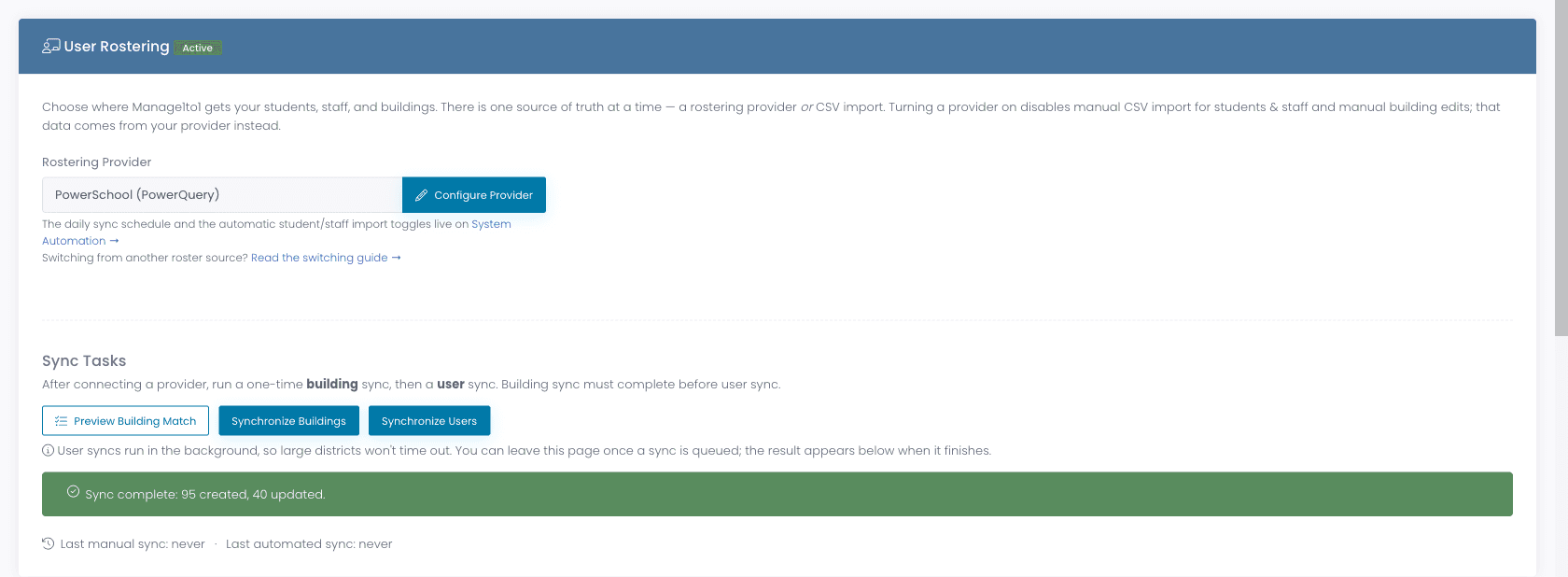
We support OneRoster rostering from the SIS platforms K-12 districts actually use. Rosters sync on a schedule, including mid-year transfers and end-of-year roll-up, so your user list always matches the source of truth in your SIS.
- PowerSchool, Genesis, Infinite Campus, Skyward, ClassLink, and Veracross
- No conventional SIS feed? Roster students and staff straight from Microsoft Entra ID (Azure AD) through Microsoft Graph, using one group for students and one for staff
- Students, staff, grade levels, schools, classes, enrollments
- Classes, sections, and homerooms sync as first-class roster data, so a student’s homeroom comes from your SIS instead of being kept current by hand
- Mid-year transfers + new enrollments sync automatically
- Map any SIS metadata key onto a Manage1to1 custom field, so free/reduced status, cohort, or bus route arrives with the nightly sync
- Guardian records stay current, and a guardian who drops from the feed is removed only if the rostering provider owns them, manual and CSV guardians are kept
- Scales to very large districts, tested past 95,000 students, with background manual sync and a live progress meter
- End-of-year roll-up tooling for the summer transition
- CSV import as a fallback for any SIS not on the list
One more password nobody needs
Sign in with the account they already have.
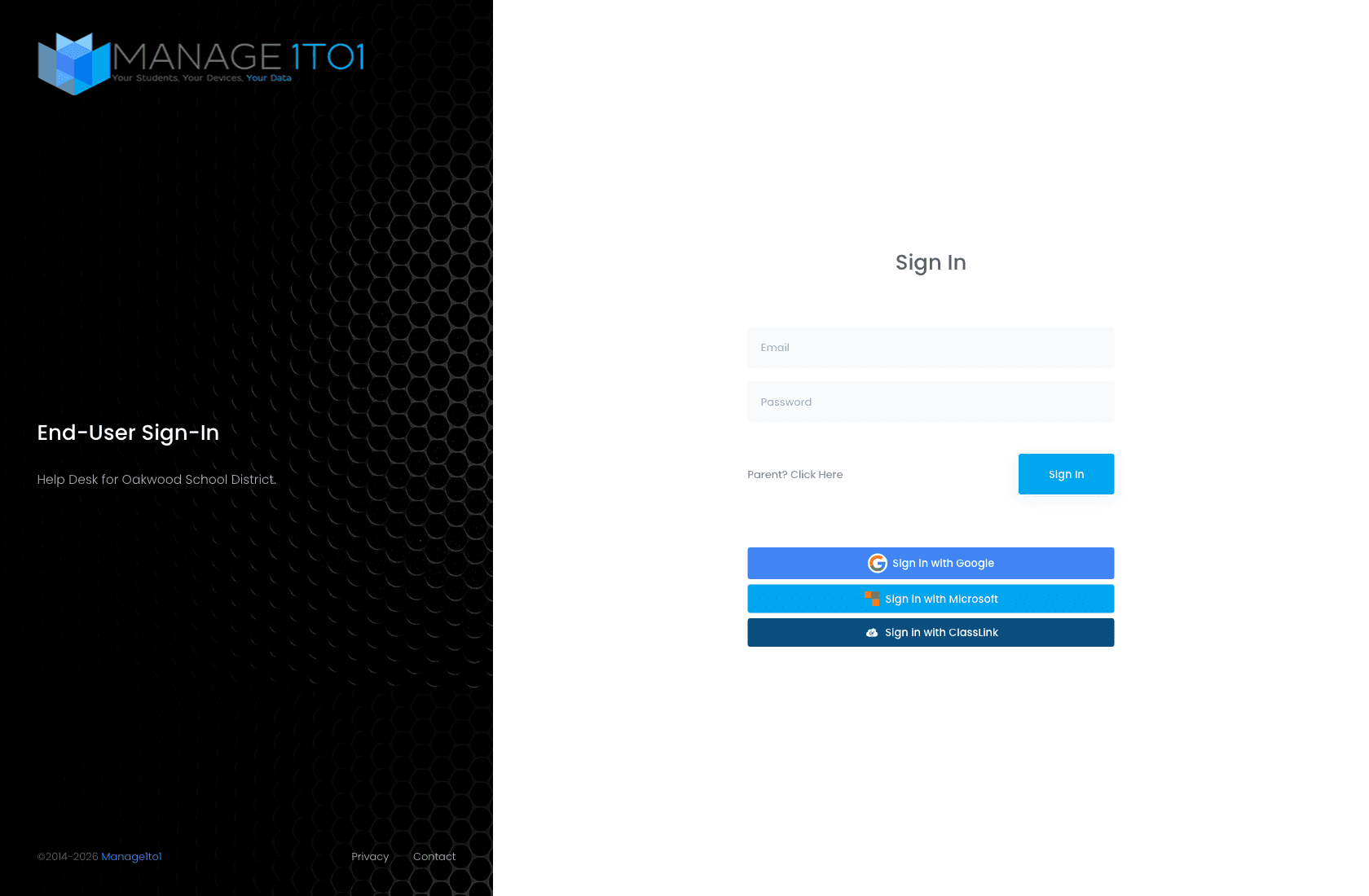
Staff, students, and guardians sign in to Manage1to1 with the same account they already use everywhere else, Google Workspace, Microsoft 365 / Entra ID, or ClassLink. No second password to issue, no separate identity provider, no app-password hack.
- SSO via Google Workspace, Microsoft 365 / Entra ID, or ClassLink
- SAML 2.0 for administrator sign-in (Okta, Entra, OneLogin, ADFS, Ping, Shibboleth), with more than one identity provider per district if staff and contractors sign in separately
- No local Manage1to1 password to issue, reset, or rotate
- Per-role login scoping so students see the student portal and staff see the staff app
- Print a sheet of QR codes carrying login details, so a first grader signs in without typing anything
- Branded sign-in page with your district logo + colors
Who can see which students
Granular access. Per role, per building, per data type.
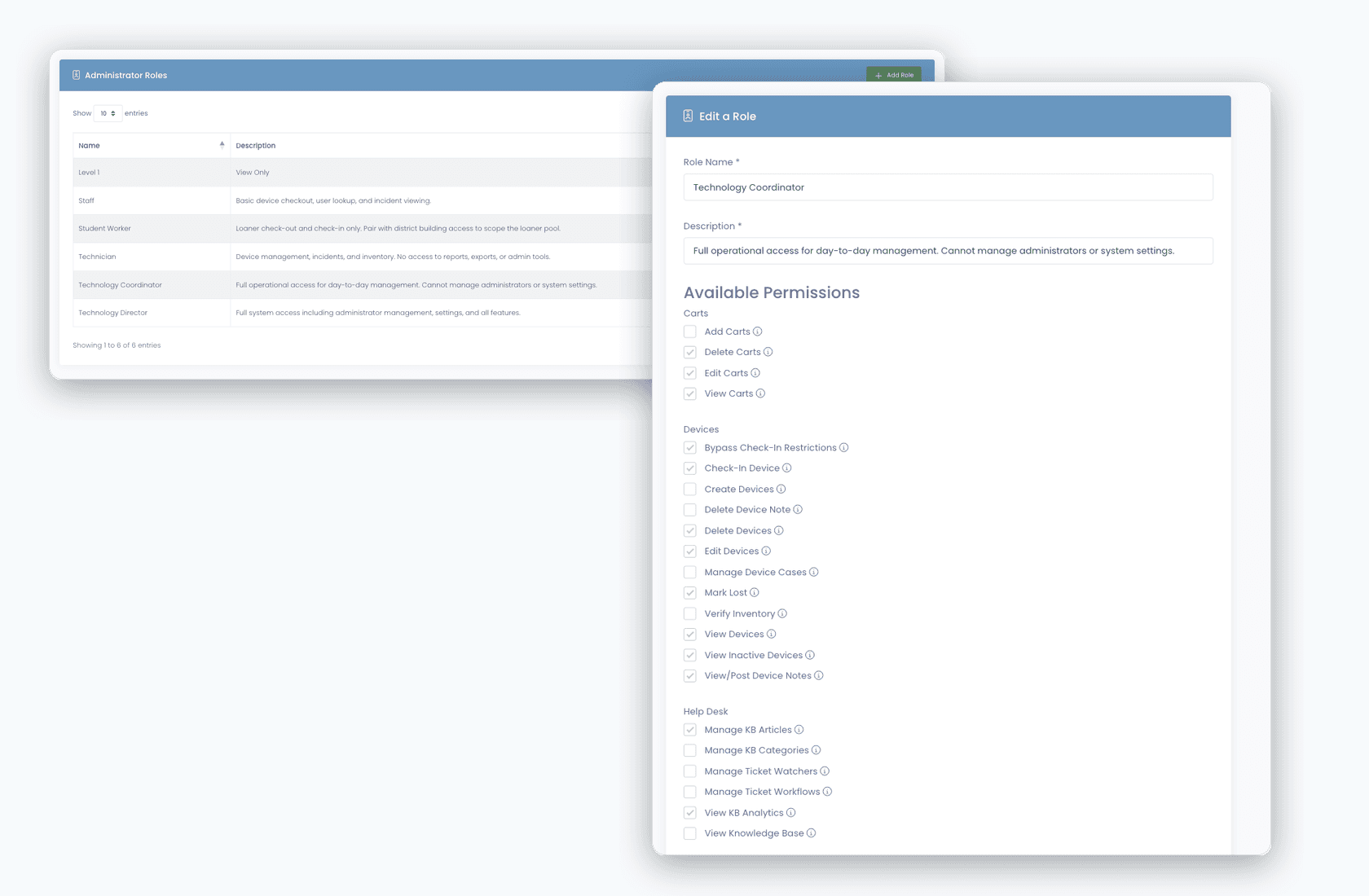
Not every help-desk admin should see HR-confidential tickets. Not every building tech needs to edit insurance programs. Our RBAC lets you scope access to exactly what each role needs, and audits every permission change.
- Roles defined per district, with mix-and-match permission sets
- Per-building access for multi-school districts
- Per-department ticketing visibility
- Role-restricted statuses keep sensitive workflows scoped
- Student Worker Mode flags a role as student technicians, masking their names on customer-facing replies
- View Billing and View Guardians can be switched off per role, hiding a family’s financial tabs and guardian contact details entirely
- Audit log captures every permission change
The same student, twice
One person, one record, even after the SIS changed their ID.
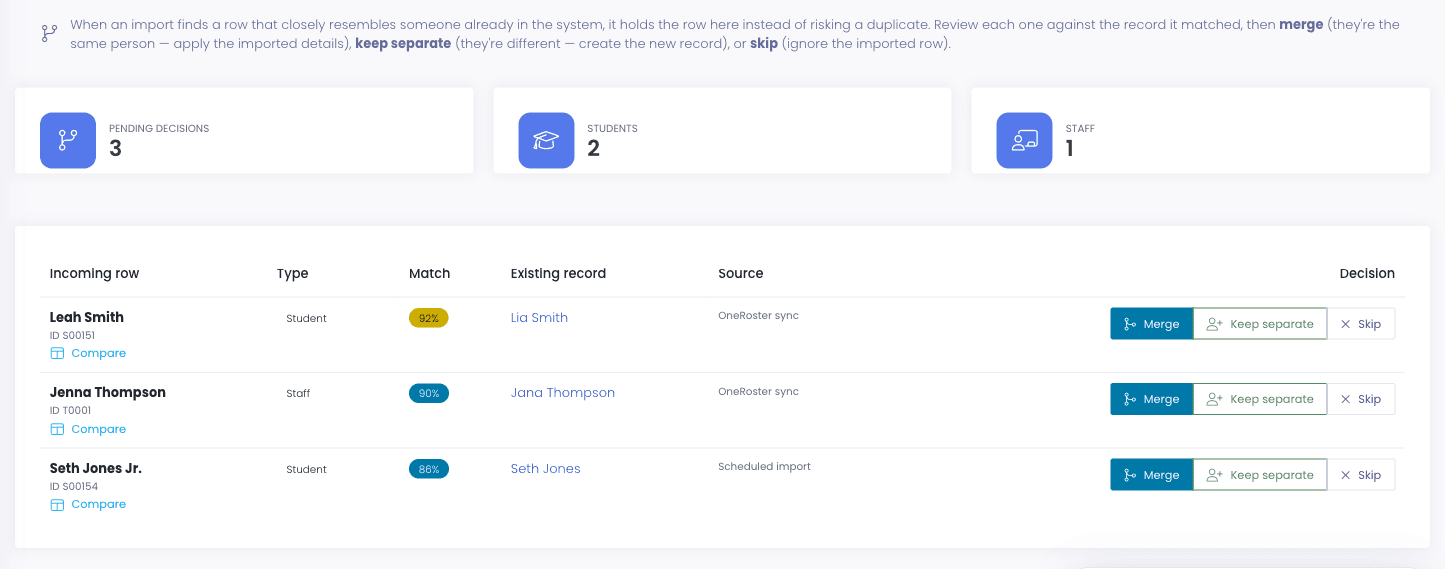
A student ID gets reissued, a staff member is rehired, a name changes after a marriage, and suddenly the same person exists twice. The duplicate is not a cosmetic problem: their device is on one record and their ticket history is on the other. Merging fixes it without anyone hand-editing rows.
- Merge duplicate student or staff records into one, re-pointing devices, incidents, tickets, and billing history to the survivor
- Merging removes the merged-away record for good rather than leaving a shell behind
- A preview-first cleanup utility finds empty duplicate staff accounts created by a changed SIS ID, matched on email
- The cleanup never touches an account that holds real records, so it cannot quietly delete somebody’s history
- Duplicate tickets merge too, so one problem reported three ways becomes one thread
Reaching families
A portal where guardians show up.
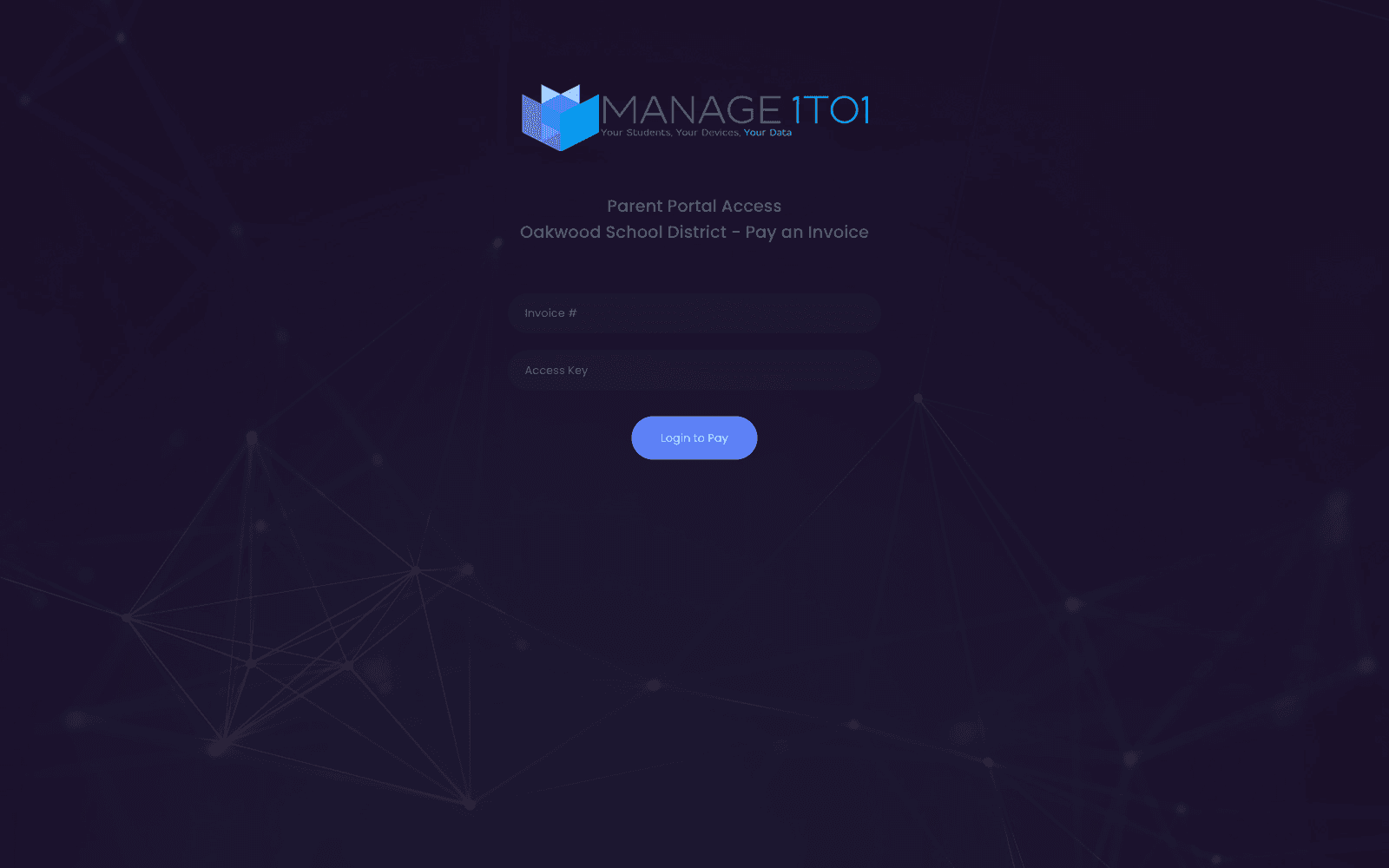
Parents and guardians sign in to a branded Parent Portal to see their student’s assigned devices, view open incidents, and pay damage charges or device fees online, without calling the front office.
- Per-district branding: logo, colors, custom subdomain
- Guardians see every student linked to them via SIS rostering
- Online payment for damage charges + device fees
- Mobile-responsive, works on a phone, Chromebook, or iPad
The last week of June
Year roll-overs without the spreadsheet panic.
June is the worst month of the year for K-12 IT: graduating seniors, mid-year transfers to reconcile, returning devices to inventory, grade promotion. We built the tooling to roll the year forward without manual rebuild.
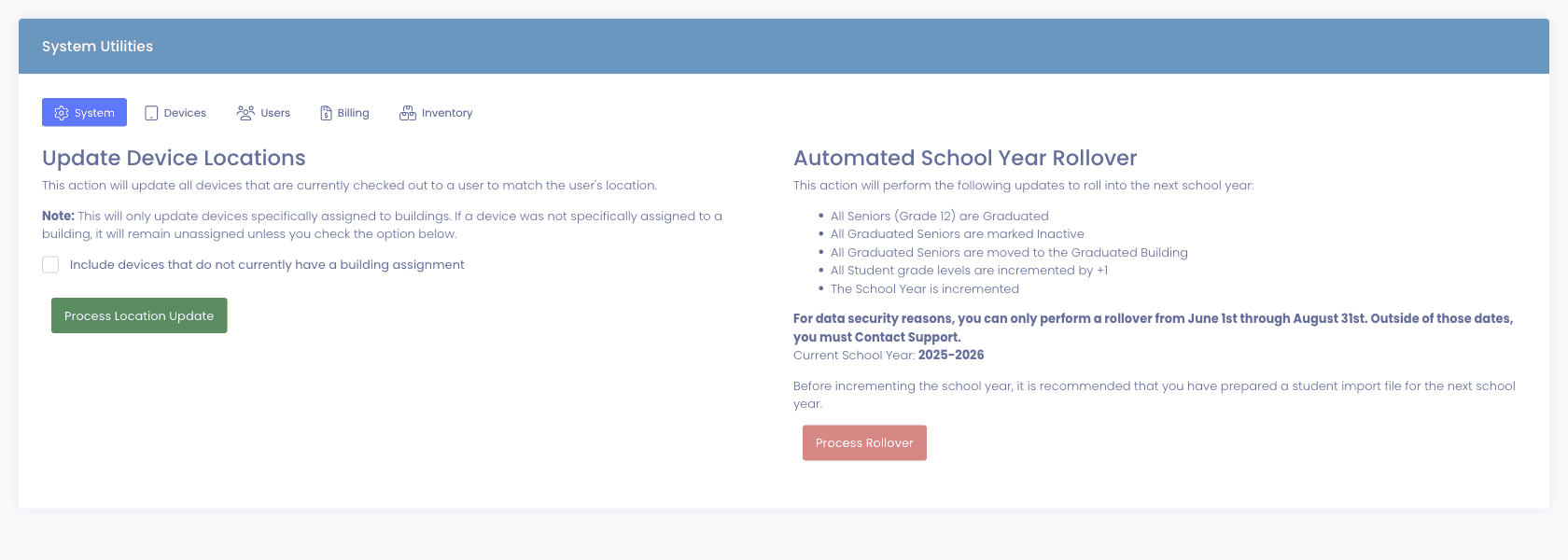
- Increment every student grade level in one click
- Graduate Seniors, mark them inactive, and move them to a Graduated Building
- Increment the school year, current and historical years stay separate
- Rollover is locked to June 1–August 31 by default to prevent mid-year accidents
- Staff who stop appearing in your roster sync can be marked inactive automatically, optionally scoped to specific roster roles, so departed employees do not linger as active accounts
- Classes, teachers, terms and rooms land on a Schedule tab on the student profile, homeroom first, so a technician looking at a broken device can see where that student is supposed to be
- A Classes area under Users lets you browse classes and open any one to see its roster
- Districts without a live class feed can upload OneRoster classes.csv and enrollments.csv, or drop them over sFTP nightly for a hands-off import
- Bulk import student / staff / guardian files separately for the new school year prep
Why schools choose Manage1to1
Built for K-12. Not retrofitted from enterprise IT.
OneRoster rostering, real integrations
We support the SIS platforms K-12 districts actually run: PowerSchool, Genesis, Infinite Campus, Skyward, ClassLink, and Veracross. If yours is different, the vendor-agnostic OneRoster connector covers any conforming SIS, and districts without a usable SIS feed can roster from Microsoft Entra ID instead.
Built for K-12 access patterns
Librarians, building techs, central IT, business office, principals, every role has a permission set that mirrors how schools actually delegate.
SSO that just works
Google Workspace, Microsoft 365 / Entra ID, or ClassLink, pick whichever your district already runs. Staff, students, and guardians all sign in with the same account they use everywhere else, and administrators can sign in through enterprise SAML 2.0.
Audit + accountability
Every permission change and role assignment shows up in the audit log, for compliance, audit, and incident response.
FAQ
Common questions.
- Four things decide whether rostering stays quiet all year. Whether the platform speaks OneRoster 1.1 or 1.2 rather than a one-off connector that breaks when your SIS updates. Whether mid-year transfers and withdrawals flow through automatically instead of needing a manual CSV. Whether non-standard SIS fields, free and reduced status, cohort, bus route, can map onto your own custom fields. And what happens at year rollover, because that is where most districts lose a week. We are ClassLink Rostering certified, PowerSchool is a first-class integration, and the same vendor-agnostic OneRoster connector works against any conforming SIS.
- Yes. Every user profile can generate a printable sheet of QR codes carrying their login details, by default Local ID, username, email, and password. A device camera or scanner app reads the code instead of a young student typing credentials they cannot reliably spell. The sheet prints on a white background so it scans cleanly from paper, and the button stays hidden for any user whose enabled fields have no value.
- Remove the password rather than manage it. We deliberately do not build a parallel local-password system, because single sign-on through Google Workspace, Microsoft 365, or ClassLink means there is no separate Manage1to1 password for a student to forget. Authentication and resets stay with your identity provider. Rostering does the other half: accounts provision and deprovision from the SIS on a schedule, so an account does not quietly break when a student transfers buildings mid-year and generate a ticket nobody can diagnose.
- Yes. We support OneRoster rostering from PowerSchool. Students, staff, enrollments, classes, and grade levels sync on a configurable schedule, and mid-year changes flow through within the next sync window.
- All supported via OneRoster. Rosters sync on a schedule alongside PowerSchool, students, staff, enrollments, classes, and grade levels all flow through.
- Yes. Veracross districts roster students and staff directly, with a guided setup preset rather than a blank connection form. It matters most for the independent and private schools that run Veracross as their system of record and usually find themselves outside the SIS list on K-12 device-management tools.
- Yes, if your on-premises Active Directory is synchronized to Microsoft Entra ID (Azure AD) with Azure AD Connect, which is the common arrangement. Manage1to1 reads your directory through Microsoft Graph with nothing to install on-site. Entra has no concept of student versus staff, so you point Manage1to1 at one Entra group for students and one for staff, nested groups included, and membership decides the role. It is a genuine alternative to a SIS feed rather than a fallback import.
- Yes. Classes, sections, and homerooms come across from your rostering provider as first-class roster data, and a student’s homeroom shows on their profile below their grade. It is optional and off by default, turning it on never changes how students and staff sync, and the class sync runs in the background so a large district does not time out. Because the homeroom is read from your provider, a wrong one gets fixed in your SIS and flows through on the next sync rather than being corrected in two places.
- Yes, through OneRoster metadata mapping. Bind a Manage1to1 custom field to a SIS metadata key and the nightly sync keeps it current. Districts most often use it for economically disadvantaged / free-reduced status, which then drives automatic fee waivers, but cohort, bus route, or any other value your SIS publishes works the same way.
- Yes. User Merge collapses duplicates into a single person and safely re-points their devices, incidents, tickets, and billing history to the surviving record, then removes the merged-away one. For the specific case of empty duplicate staff accounts created when an SIS ID changed, there is a preview-first cleanup utility that matches on email and never touches an account holding real records. You see what it will do before it does it.
- Google Workspace, Microsoft 365 / Entra ID, and ClassLink, for staff, students, and guardians alike. If your district sign-on situation is different, get in touch and we will tell you honestly whether Manage1to1 fits.
- No. We do not manage local student passwords, your identity provider (Google Workspace, Microsoft 365, or ClassLink) handles authentication, and password resets live there. We intentionally do not build a parallel local-password system because SSO removes the need.
- Roles are defined per district with permission sets across tickets, devices, users, incidents, billing, reports, and configuration. You can scope access per building and per data type. We ship sensible defaults (Tech Director, Building Tech, Librarian, Business Office) that most districts use as-is.
- Grade promotion, senior graduation, device-return workflows, and tagging of devices not returned all live in the end-of-year tooling. The roll-up captures last year's state for state reports and financial close before the new year flips.
See what fits your district
Sync your users. Forget about it.
Tell us which SIS you run, which identity provider your district uses, and how you handle student password resets today. We will reply with a quote, a rostering plan, and an honest read on what the user-management module does and doesn’t do. Our entire team is former K-12, we will not pitch features that are not real.
- Quote tailored to your enrollment + SLA tier
- Migration plan from your current help-desk / asset tool
- Integration map for your MDM, SIS, and payment processor
- Honest answers, our team is all former K-12, we know what the product does and doesn’t do
Prefer the shared demo first? Try it at manage1to1.com/demo.