
School inventory and asset management that can prove where every device went.
Most districts can tell you roughly how many devices they own. When the business office asks which student had the cracked Chromebook in March, or whether it was still under warranty, the honest answer is usually a spreadsheet and a good guess. Every checkout, repair, transfer, and coverage record lives on one device profile, so the answer takes seconds and holds up when somebody checks it.
One record, not four systems
Every question about a device has one answer.
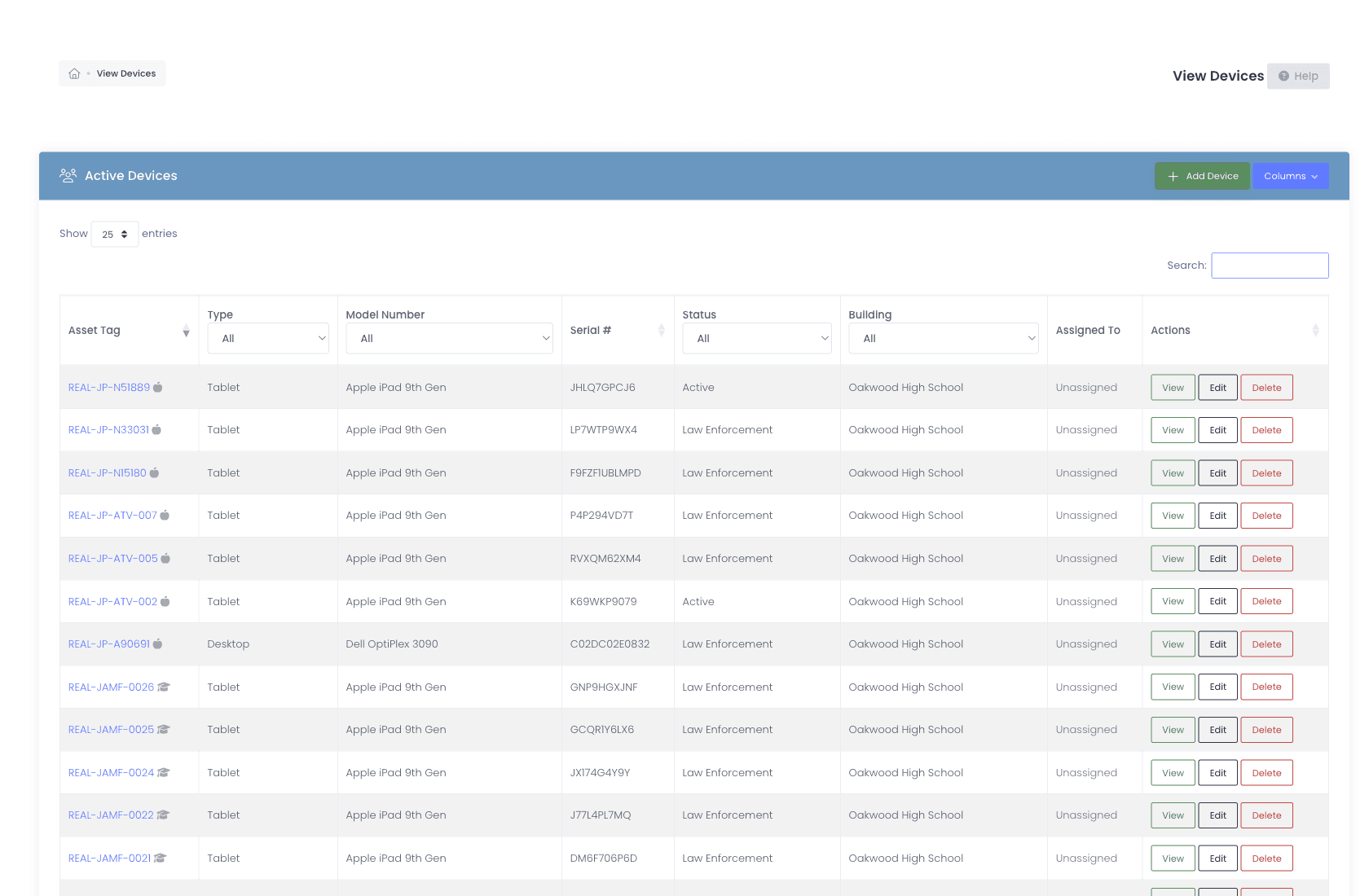
A parent disputes a damage bill. Answering it today means the asset spreadsheet for the serial, the MDM console for who had it, the help desk for the repair, and the insurance form for whether it was covered. Four systems, four chances for them to disagree with each other. We keep all of it on the device profile and linked for the life of the device, so the answer is one screen and it is defensible.
- Device information: brand, model, serial, asset tag, purchase date, custom fields
- Current checkout, who has it now, when it was issued
- Full checkout history, every prior assignment, location, condition
- Incident history with photos, repair notes, and resolution
- Manufacturer warranty, third-party insurance, AppleCare+ tracked as separate, first-class records
- Live MDM sync data, last check-in, OU, enrollment state
- Asset category hierarchy (Laptop → Chromebook, Tablet → iPad) instead of a flat list
- Parent / child device nesting so cases, chargers, and keyboards travel with the laptop they belong to
Back-to-school rollout
Hand out 8,000 devices in two weeks and keep the paper trail.
Rollout is the fortnight your process either holds or quietly falls apart. Long lines, temporary helpers who have never seen the system, and a signature requirement somebody will forget under pressure. Checkout is barcode-driven and fast enough to keep the line moving, and the flags that matter, an open balance, lapsed insurance, a do-not-lend note, surface before the device leaves the table rather than in September.
- Rapid Check-In and Rapid Check-Out screens optimized for cart-side use
- Scan asset tags from any phone, no USB scanner required
- Digital e-signature capture with per-policy scope (student, parent, staff signers; per-building or grade-range)
- Custom Field Alerts pop relevant flags (open balance, "do not lend", insurance lapsed) before the transaction completes
- Condition snapshots and custom intake forms
- Checkout runs in one modal flow, so a technician stays on a single screen through the whole hand-out
- Print a student label or an asset tag on demand, so a replacement tag does not mean re-running a batch
- Bulk operations for whole-grade rollouts and end-of-year returns
- Replacement thresholds warn at checkout when a user has already been issued the same accessory or device type too many times in your chosen window, before another charger walks out the door
- Buildings map to the locations in your MDM and stay aligned, so where a device sits in JAMF Pro, JAMF School, Google or SCCM matches where it actually lives
- Optionally set a device’s building to its user’s building on every check-out, leaving cart and room check-outs alone
- Download a device export, edit it, and import it straight back; the importer reads the export’s own headers, so no renaming columns and no retyping models or buildings
- Late return tracking + automated reminder workflows

Loaners
Forty-seven loaners are out. You should be able to name them.
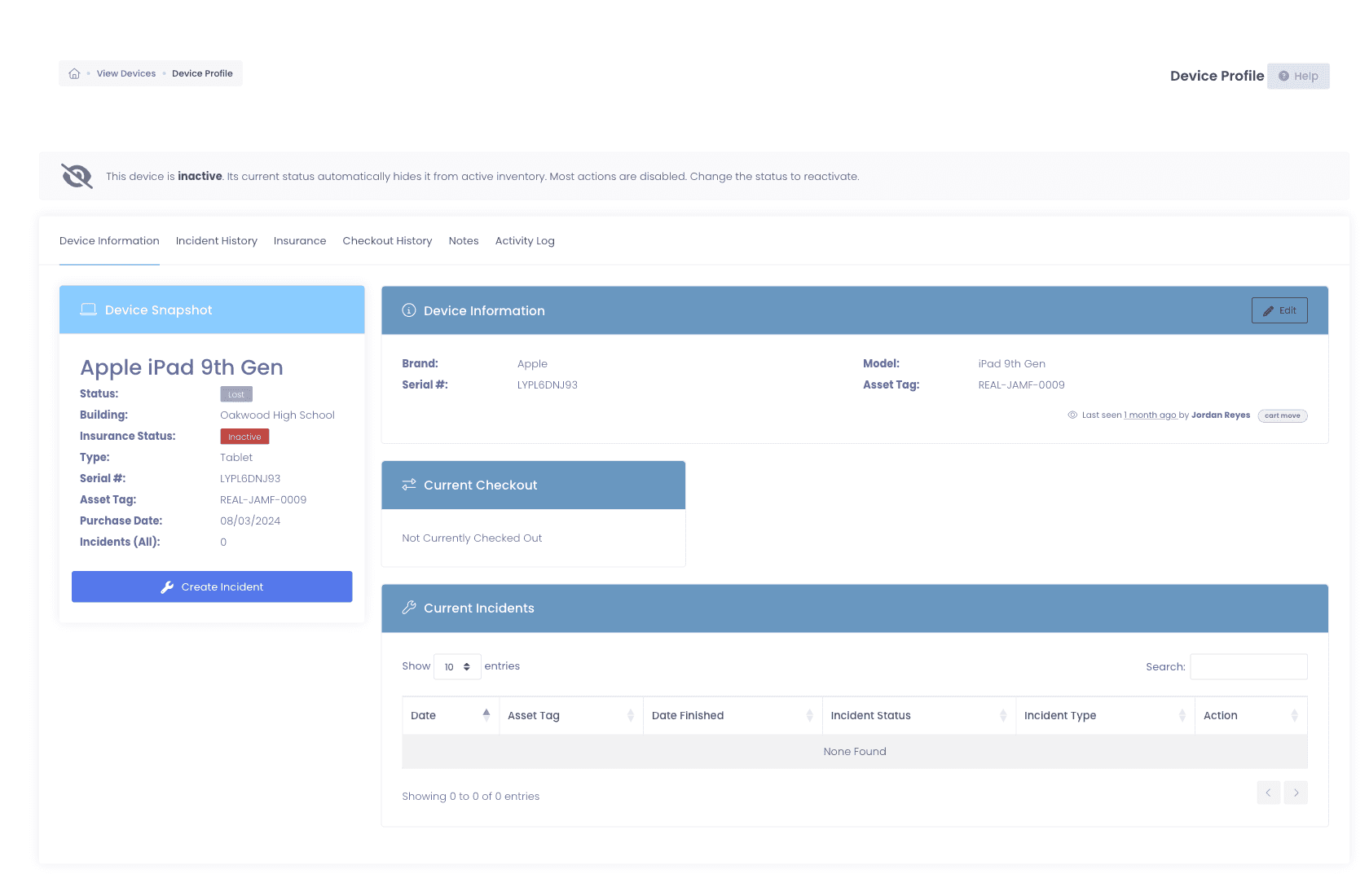
A loaner program stays simple right up to the point where nobody can say which devices are out, who has them, or how long they have been gone. We track each one from checkout through overdue to return, and the reminders reach the student, the guardian, or the building admin without anyone remembering to send them.
- Loaner-specific check-out flow with expected-return date
- Active loaner dashboard with overdue + due-soon at-a-glance
- Automated reminder cadence, pre-due, due, overdue, escalated
- Linked to the support ticket that triggered the loaner
Scanning
Your techs already carry a scanner. It is their phone.
A USB scanner tethered to a laptop on a cart is the reason inventory happens one closet at a time. Any phone with a rear camera does the same job standing in the middle of a classroom, so the counting happens where the devices are instead of where the hardware is plugged in.
- Reads any barcode or QR code your district uses, no format pre-configuration
- Auto-submits the form on a successful read so you can keep moving
- Only appears on touch devices with a camera, desktops with USB scanners are unchanged
- Rapid Check-In, Rapid Check-Out, Rapid Verify, and roll-call cart scans are all built to be worked from a phone
- Install it to the home screen and it opens in its own window, without the browser chrome, like any other app on the device
- It is a live connection rather than an offline app, so a closet with no signal is still a closet with no signal
The number you report in June
Your device count should survive a board question.
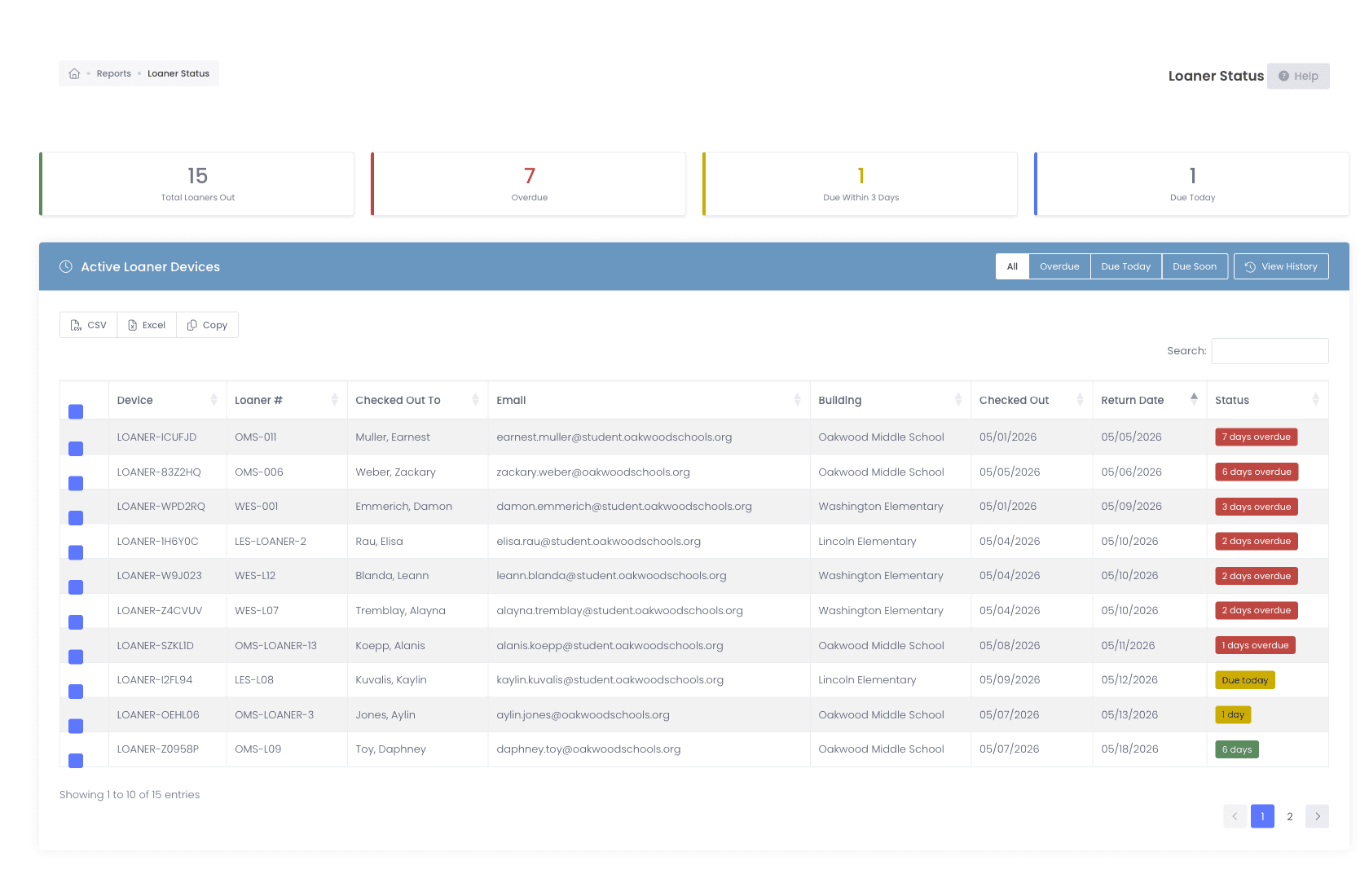
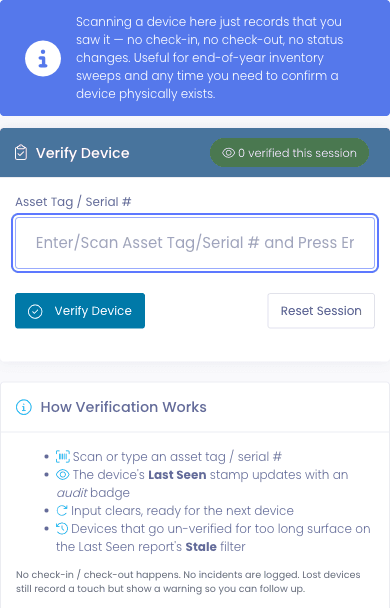
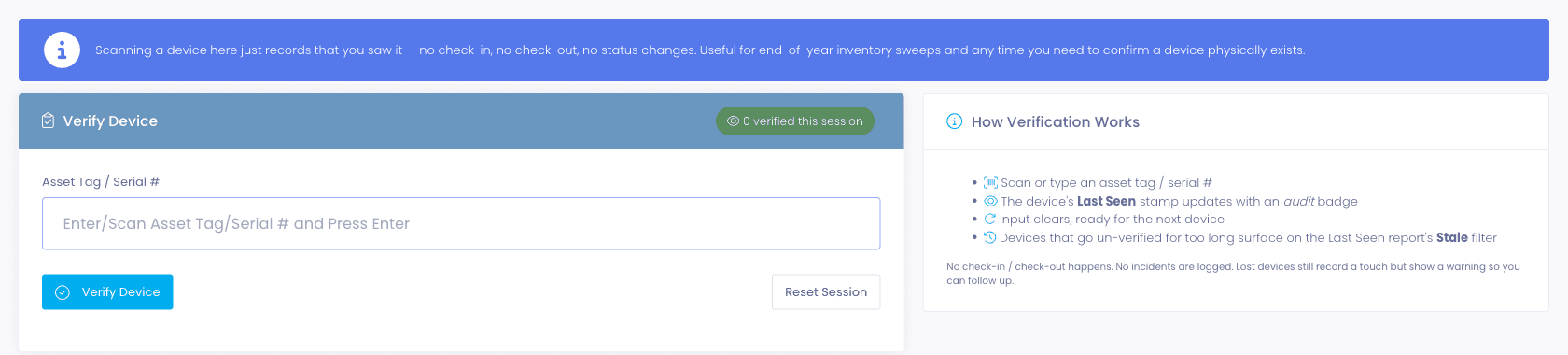
Most Tech Directors have reported a device count they could not completely defend. The spreadsheet said four thousand, the real number was somewhere near it, and nobody wanted to find out how near. Rapid Verify records that someone physically laid eyes on a device without checking it in or out, so the June number gets built one verified scan at a time instead of reconstructed at the deadline.
- Rapid Verify scan flow with a live session tally
- Stale filter (3, 6, 12, 18+ months, custom) surfaces unseen devices
- Per-building thresholds and a dedicated Verify Inventory permission
Carts and locations
A cart moves. Thirty device records should not need touching.
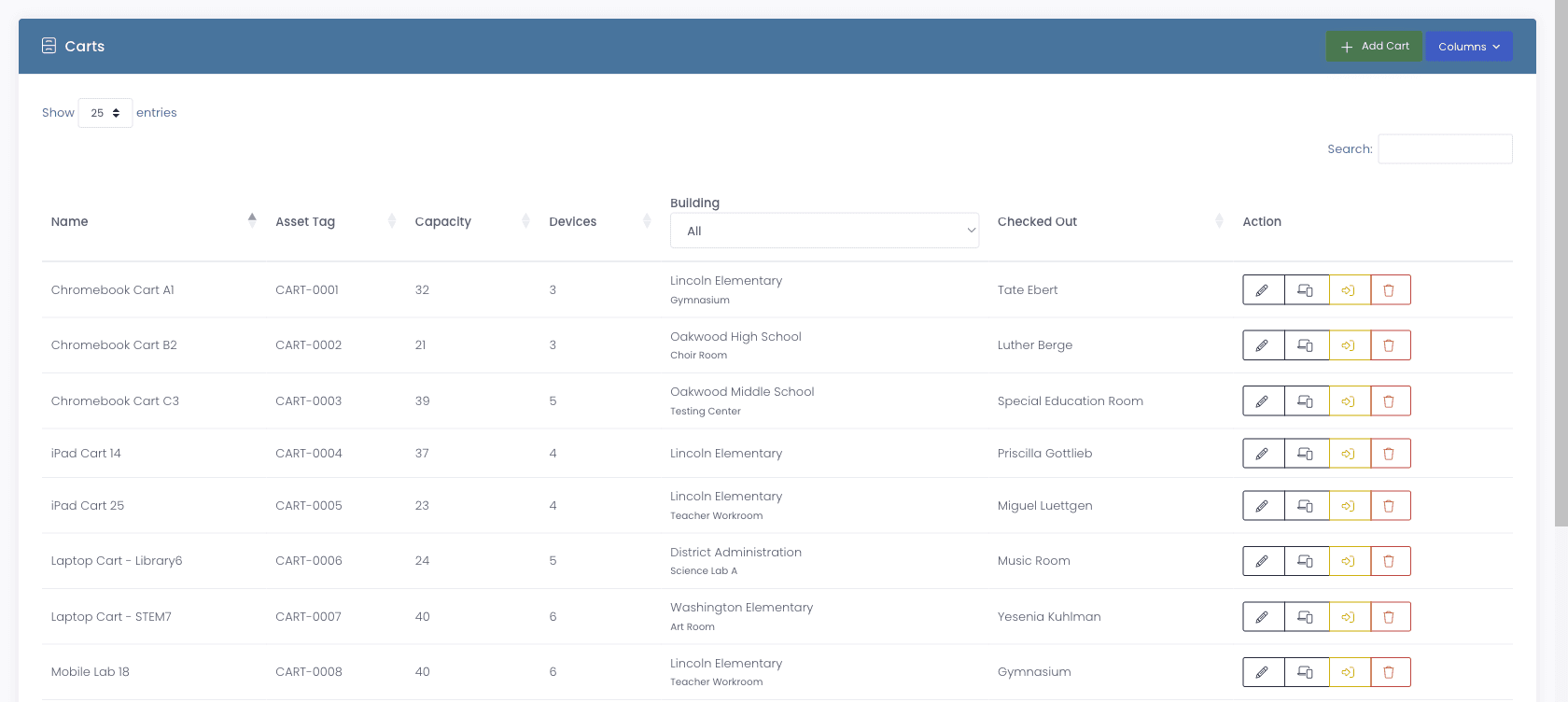
A cart's home location now drives the building and room of every device on the cart, and they stay in sync automatically. Move the cart with the Move Cart flow and the destination cascades to every device on it in one operation. While the cart is on lease its home location locks, so the two cannot drift apart in the middle of a rotation.
- Carts have a Home Building and Home Room, locked while on an active lease
- Move Cart flow validates the destination and updates every device on the cart at once
- Cart Checkout History on every cart profile shows who moved it, when, and where
- Warehouse location type holds devices that live off-campus (depot stock, end-of-life inventory, district loaners)
- Roll-call scan a cart or a room to confirm every device that should be there is, with anything missing called out, so a morning cart check is fast and certain
- Building and room are dated objects with history, investigations, reporting, and onboarding all see who was responsible when
- Teacher-to-room rollover bulk-reassigns staff to new rooms at year start without manual close-outs
The stockroom
Which shelf is it on?
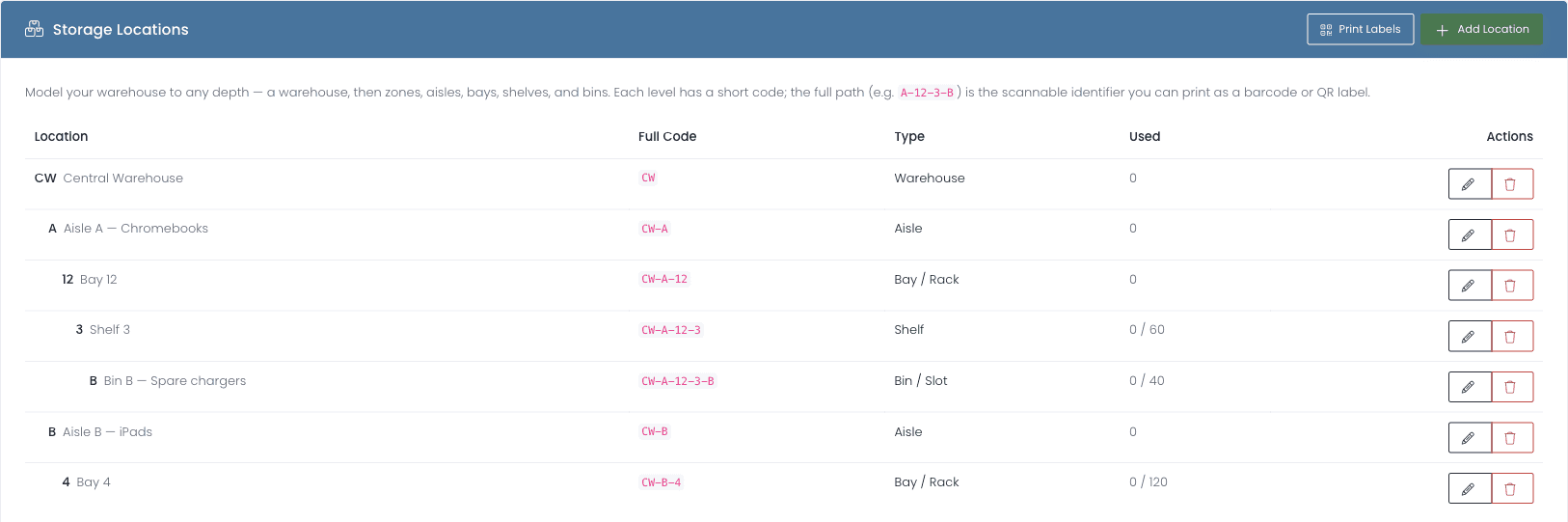
A warehouse is rarely one big room, and “it is in the warehouse somewhere” is not an inventory system. Model yours to whatever depth matches the real space and every level gets a short code, so the full path is a scannable identifier you can print and stick on the shelf.
- Nest a warehouse into zones, aisles, bays, shelves, and bins, or any subset, with no fixed set of levels imposed on you
- Each level carries a short code and the full path joins into one scannable identifier, CW-A-12-3-B
- Print those codes as barcode or QR labels straight from the locations list
- Set an optional capacity per location and see how full each one is at a glance
- Store a device against a specific spot so retrieving it is a lookup rather than a search
- Cycle-count one location to reconcile the shelf against the record, and the location locks against new stores until the count finishes
Coverage
Stop buying replacements for devices you already paid to cover.
Manufacturer warranty, third-party insurance, and AppleCare+ are three different things with three different rules, and districts lose real money treating them as one column on a spreadsheet. We hold each as its own record on the device, put the status badge where a technician will actually see it, and send the expiry reminder before coverage lapses rather than after.
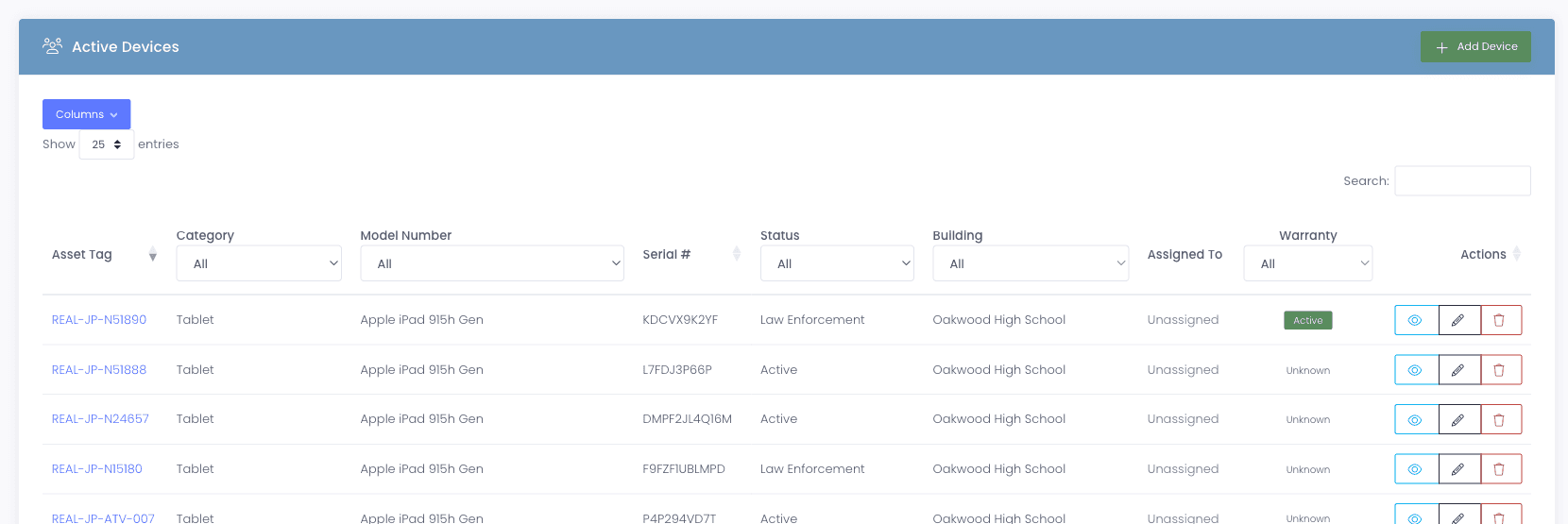
- Dedicated Warranty section with provider, dates, and a status badge (active, expiring, expired)
- Insurance program with co-pay, coverage percentage, maximum, and claim-cap rules
- Expiry reminders email both the user and any guardian on file before coverage lapses
Reporting
The numbers other people are going to ask you for.
Closing out a year means producing figures for people who never sign in to your system: the business office, the board, a state audit trail. Every report exports to CSV ready to attach, and the Devices Not in MDM report catches the gap between what your MDM believes and what your inventory says before somebody else finds it.
- Asset inventory by building, room, model, status, condition, warehouse
- Devices Not in MDM report, one pass against every connected MDM
- Assignment Sign-Off report, everything currently assigned to one staff member or one room, printable as a sign-off sheet for a start-of-year handout or an end-of-year return
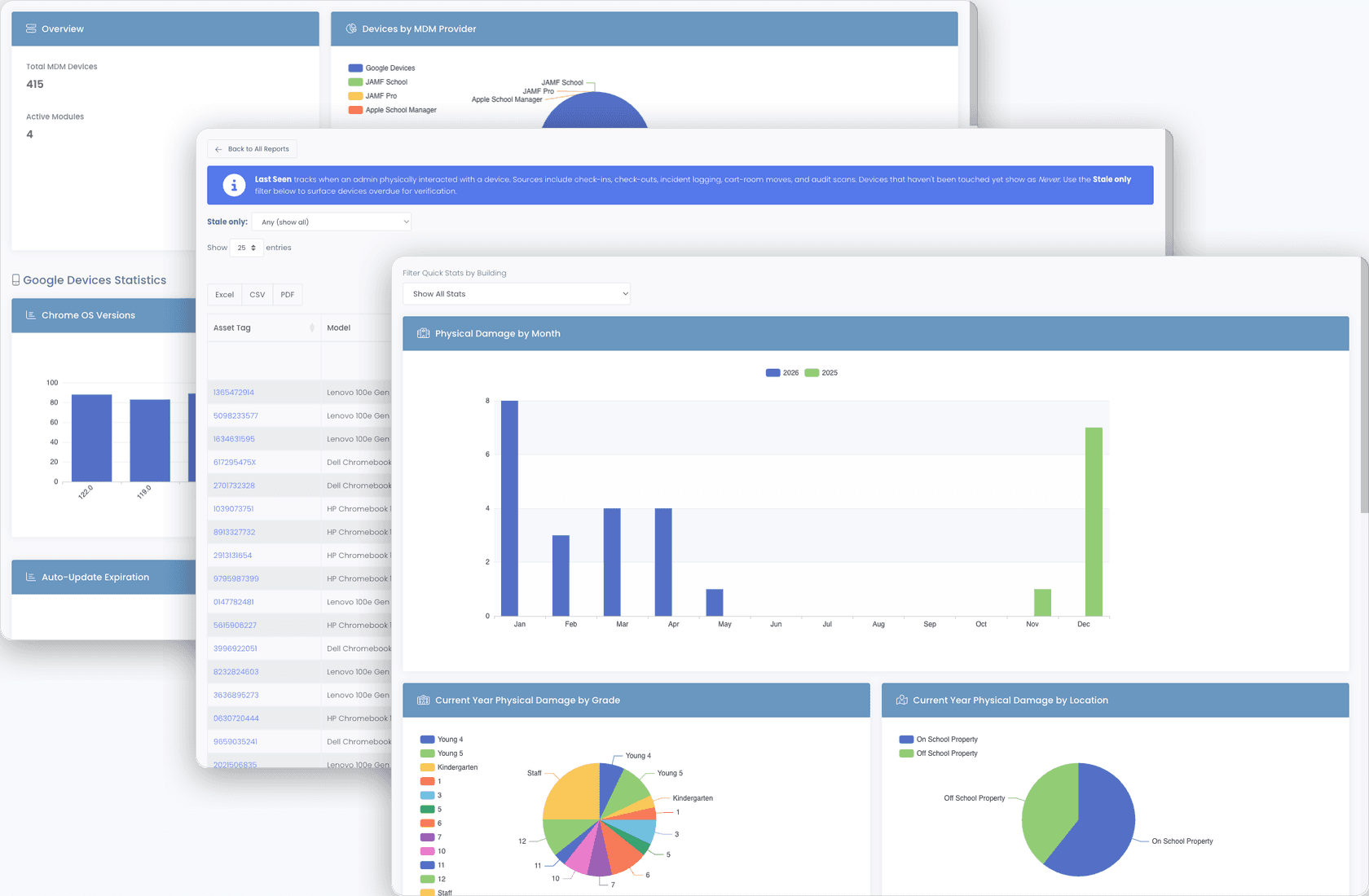
- Lost / damaged / repaired counts by year, building, grade
- Custom Dashboard Widgets, pick a data source, filter, choose a chart type, pin it to any dashboard
- CSV export every report; CSV import for bulk updates
- Custom fields supported everywhere reports run
Why schools choose Manage1to1
Built for K-12. Not retrofitted from enterprise IT.
Every platform, not just Chromebooks
Chromebooks, iPads, Macs, and Windows laptops on one asset record, syncing from Google Workspace, JAMF Pro, JAMF School, Apple School Manager, Microsoft Intune, Microsoft SCCM, and FileWave. A tracker that only understands one platform leaves the rest of your fleet on a spreadsheet.
Ticket, device, incident, invoice. One record.
The repair that started as a ticket stays attached to the device, and the damage charge lands on the family invoice from the same record. Nothing is exported between two vendors and reconciled later.
MDM-aware, not MDM-replacing
Your MDM stays the source of truth for policy and enrollment. We read from it on a schedule and own the physical history, so the asset record reflects the live device rather than a stale export.
The bill does not grow with the fleet
Unlimited devices and unlimited admins. Per-student pricing means adding a thousand Chromebooks or five technicians does not change what you pay.
Still comparing
Weighing us against IncidentIQ or One to One Plus?
Most districts arriving here are already running something, or already hold a quote from someone else. We publish our pricing, and we have written up how we differ from each of them without pretending they are bad products.
FAQ
Common questions.
- Corporate ITAM stops at inventory and warranty. K-12 asset management solutions have to go further in three specific directions. They have to follow a device through a student, not an employee, which means checkout and return cycles tied to enrollment, mid-year transfers, and graduation rather than a hire date. They have to carry damage as a financial event, because a district bills a family and a company does not. And they have to hold accessories and repair parts separately from devices, since a charger issued to a student and a replacement screen consumed by your bench are counted, stocked, and paid for in completely different ways. Asset management software for schools that misses any of the three pushes the missing part back onto a spreadsheet.
- We pull device inventory from your MDM via the MDM's API on a configurable schedule. For JAMF Pro and JAMF School, that includes hardware identifiers, last check-in, assigned user, OU placement, and extension attributes. For Google Workspace Chrome Device Console, it covers serials, annotated user, OU, and enrollment state. The asset record always reflects the live MDM data, no manual reconciliation.
- Yes. CSV import handles new devices and bulk updates. Map your columns to Manage1to1 fields (including custom fields), preview the import, and commit. If something goes wrong, the audit log shows exactly what changed.
- Yes, every device, regardless of platform. We sync from multiple MDMs simultaneously: Google Workspace for Chromebooks, JAMF Pro, JAMF School, or Apple School Manager for Macs and iPads, and Microsoft Intune or Microsoft SCCM for Windows and Surface fleets. FileWave covers districts running one cross-platform MDM across all of it. One asset record per device with platform-aware metadata, and any device an MDM does not cover can still be tracked via CSV import.
- Buildings, rooms, carts, and warehouses are first-class objects. A device's location can be tied to any of them, and a cart's home location automatically drives the building and room of every device on the cart. Room responsibility is tracked with start and end dates, so you have a dated history of who was responsible for a room and when, useful for incident investigations and onboarding a replacement teacher.
- Open an incident from the device profile, capture photos and notes, and link it to insurance if covered. When a replacement device arrives, you reassign the user to the new serial, the incident history stays attached to the original device record so the trail is preserved, and the new device starts its own clean history.
- For most districts, a complete physical audit goes from a week of cross-referenced spreadsheets to roughly half a day of walking and a morning of follow-up. Rapid Verify lets a tech scan every device they touch without checking it in or out, and the Stale filter surfaces every device nobody has scanned in your chosen window (3, 6, 12, or 18+ months). Per-building thresholds give each campus its own target so the report stops generating noise.
- Yes. A warehouse is rarely one big room, so you model yours as whatever nesting matches the real space: zones, aisles, bays, shelves, bins, or any subset. Each location gets a short scannable code and an optional capacity, devices are stored against a specific spot, and you can cycle-count one location to reconcile what is physically on the shelf against what the system thinks is there. The point is that finding a device in the stockroom stops being a search.
- Roll-call scan it. Scan the devices actually present in the cart or room and Manage1to1 reports what is accounted for and what is missing, which turns a morning cart check into a couple of minutes with a phone instead of a count against a printed list. It is a different job from Rapid Verify, which stamps Last Seen across a whole audit sweep; roll call answers a narrower question about one container.
- Yes, with replacement thresholds. Manage1to1 counts per user how many times each accessory or device type has been lost or replaced within a rolling window you set, say three chargers in twelve months, and raises a warning both on the user profile and at the moment a tech goes to issue another one. The tech can still proceed; the point is that a repeat loss gets a deliberate decision instead of being handed over automatically because nobody remembered the last two.
- Yes, per accessory. Most accessories are fine counted by quantity, because one charger is interchangeable with the next. For the ones worth following individually, switch on serial tracking and each physical unit gets its own record. Issuing one then asks which unit you are handing over, so the history shows exactly which serial went to which person, and a district-wide unit search answers "where is CHG-2026-001234 right now?" with either its current holder or its stock location. Returns, losses, and recoveries follow the specific unit, and your on-hand counts stay correct without anyone recounting a shelf.
- For the MDMs that support it, yes, from the device or its ticket rather than a separate console. Intune covers Lock, Restart, and Retire for cloud-managed Windows and Surface. SCCM covers lock, restart, force an inventory, and wipe for on-premises Windows, though SCCM is poll-based, so each action is queued and runs at the agent’s next check-in and the panel shows you when that last was. JAMF School and Apple School Manager support restart and update inventory. The point is not to replace your MDM, it is that a technician working a ticket should not have to go find another tool to act on the device the ticket is about.
- Yes. Signature Policies let you require a digital signature on Rapid Check-Out, Lease Check-Out, or Warehouse Transfer Receipt, scoped to a specific recipient role (student, staff, or both) and optionally filtered to particular buildings or grade ranges. The signature is drawn on screen by touch or mouse, stored against the transaction, and visible on the lease history record and the user profile.
- There is no separate app to install from an app store, and you do not need one. Manage1to1 runs in the browser on a phone or tablet, and the flows a technician actually uses in a hallway (Rapid Check-In, Rapid Check-Out, Rapid Verify, and roll-call cart scans) are built to be worked at that size. If you want it to behave like an app, install it to the home screen and it opens in its own window without the browser address bar, appears in the app switcher, and updates itself. One honest limit: it is a live connection to your district instance rather than an offline app, so it needs signal. A basement closet with no coverage is still a basement closet with no coverage.
- Yes. Open Manage1to1 on any phone or tablet with a rear camera, tap Scan Asset Tag on Rapid Check-In, Rapid Check-Out, or Rapid Verify, point at the barcode, and the value drops into the form. It reads standard 1D codes (Code 128, Code 39, EAN, UPC) and 2D codes (QR, Datamatrix). On a desktop with a USB scanner the button never appears, so the camera workflow does not get in the way.
- We wrote a buyer's guide for this exact question, covering 10 questions to ask any vendor (pricing transparency, integration fees, mid-year change policy, renewal terms) and 5 things to verify live in a demo. Read Asset Management Software for Schools: How to Evaluate Platforms You Won't Regret in 24 Months.
See what fits your district
Take control of your 1:1 device fleet.
Tell us about your fleet, student count, device mix, current MDM, and your end-of-year audit pain. We will reply with a quote, a migration plan, and an honest read on what the asset module does and doesn’t do. Our entire team is former K-12, we will not pitch features that are not real.
- Quote tailored to your enrollment + SLA tier
- Migration plan from your current help-desk / asset tool
- Integration map for your MDM, SIS, and payment processor
- Honest answers, our team is all former K-12, we know what the product does and doesn’t do
Prefer the shared demo first? Try it at manage1to1.com/demo.