
K-12 incident management software for damage tracking that never loses context.
A student hands over a cracked Chromebook. Before anyone can decide who pays, somebody has to establish whether this is the first time, whether it is covered, and what the last repair cost. Photos, repair history, insurance status, and the replacement queue all stay attached to the device for life, so the next damage call opens with the answer already on screen.
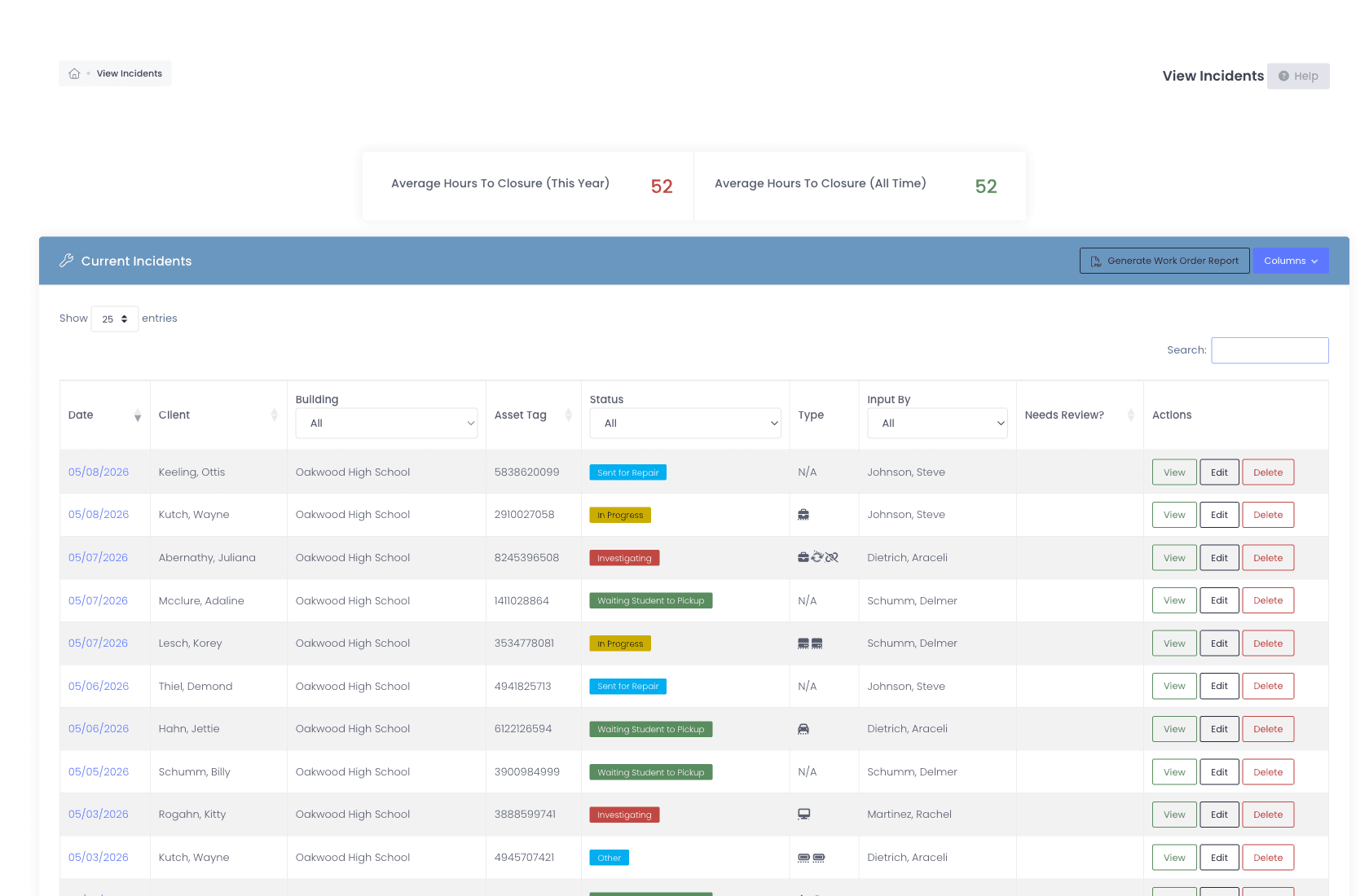
The damage call
From damage report to resolution, on one screen.
Every incident links to the device, the user, and (if applicable) the support ticket that triggered it. Photos and notes attach directly to the device profile, so when the same Chromebook walks in three months later, you have every prior repair in front of you.
- Open an incident from a ticket, device profile, or directly
- Photos attach via phone camera or file upload, straight to the device profile
- Per-incident status with workflow-driven transitions
- Restricted statuses lock "Awaiting Parts" or "Vendor Repair" to the team that actually handles them, while everyone else sees the standard set
- Linked support ticket, linked device, linked user, never disconnected
- Notes thread visible on the device profile for the device’s lifetime
- Confidential document attachments (police reports, insurance paperwork, signed statements) visible only to administrators cleared for confidential incident data
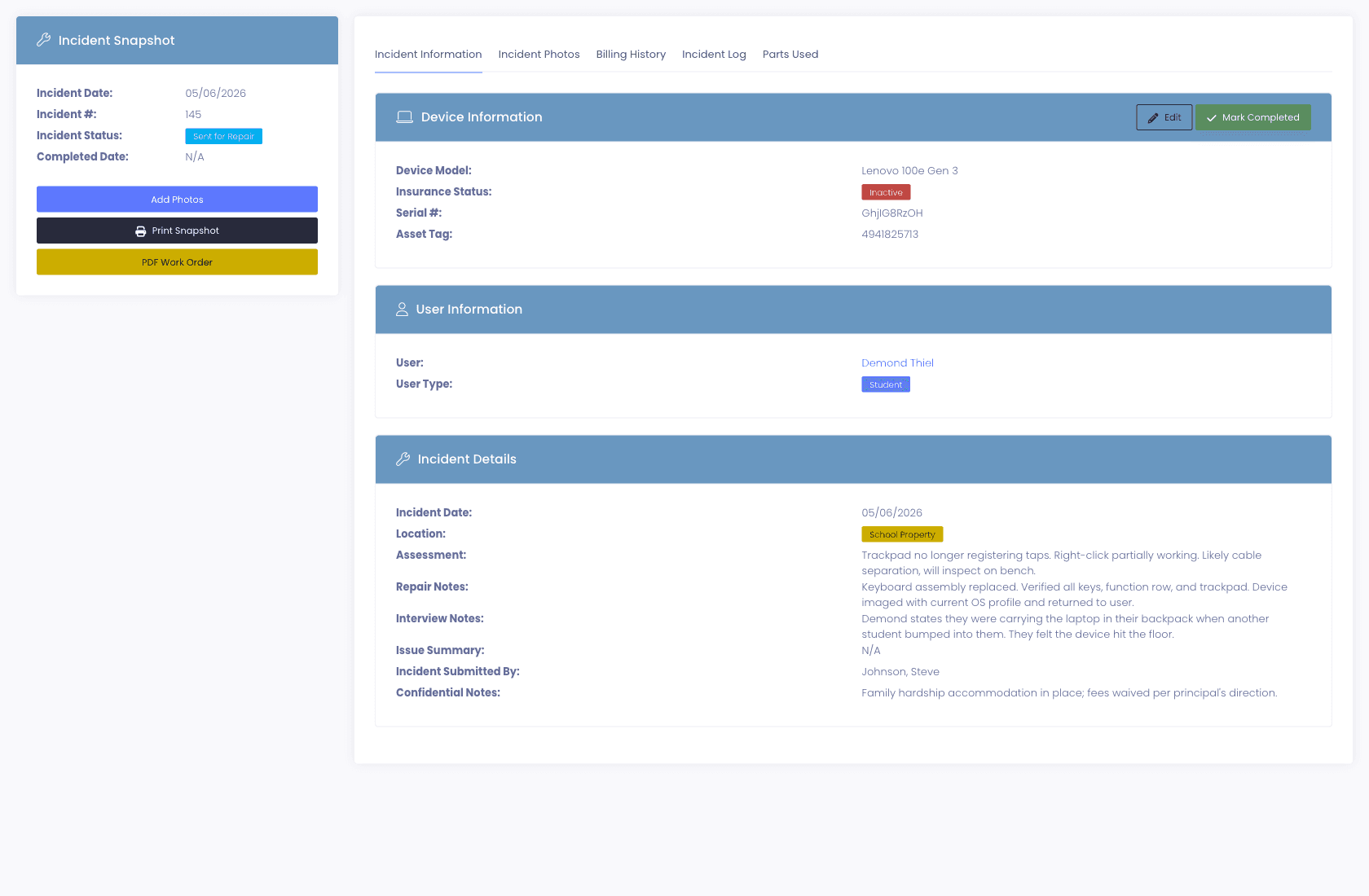
One backpack, two devices
One drop event. One incident. However many devices it broke.
A backpack goes down the stairs and takes the laptop and the charger with it. Filing that as two incidents doubles the paperwork, splits the family’s bill in half, and makes the damage report say two events happened when one did. An incident can now carry as many devices as it needs to.
- Attach several devices to a single incident, each with its own condition and damage flags
- Per-device repair status, so the charger can be closed out while the laptop is still at the vendor
- Photos tag to the specific device they show, not just to the incident
- The whole incident still bills onto one invoice, with a line per device
- Single-device incidents behave exactly as they always have, nothing to relearn
What the family actually owes
Coverage applied at the moment of the incident.
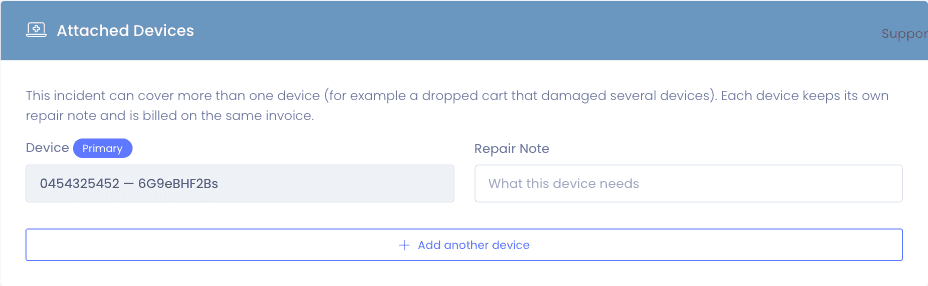
When you apply insurance to a damage incident, we walk through your policy rules (percentage absorbed, maximum coverage, co-pay) to compute what the policy pays and what the family owes. The calculation happens in front of you, not later in a reconciliation spreadsheet.
- Coverage decision shows what insurance absorbs and what the family owes, before the repair starts
- Policy model: co-pay, coverage percentage, maximum, and per-policy claim cap
- Assigning a policy creates a payable premium, and an unpaid one auto-cancels the coverage after your window
- Students flagged in your SIS as economically disadvantaged are waived before any premium is created
- AppleCare+ syncs from Apple School Manager with no manual upkeep
Proof, six months later
Photos that follow the device, not the ticket.
Damage photos attached to a ticket get lost when the ticket closes. Damage photos attached to the device profile are there forever, so the same crack on the same screen reported next semester triggers the right conversation.
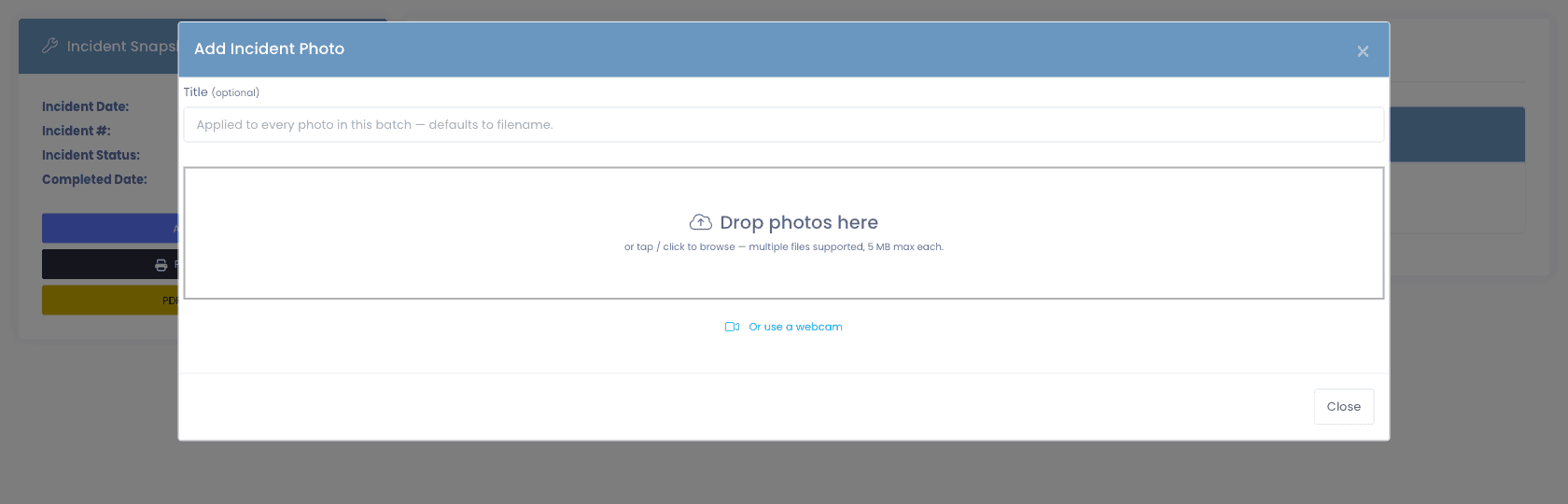
- Drop photos in, tap to browse, or capture from a webcam with a capture-and-confirm preview before committing
- Proper preview aspect ratio so faces and labels are not squashed
- Multiple files per upload, up to 5 MB each
- Photos attach to the device profile, not the ticket, they survive closure
- On a multi-device incident, tag each photo to the device it actually shows
- Incident photos are served only to staff authorized to see them, not to anyone holding the link
- Browse incident photos visually from the device profile next time it walks in
- When a device is replaced under warranty or insurance, the original keeps its full incident and repair history and the new serial starts clean, so neither record inherits the other’s noise
The third cracked screen
The pattern, surfaced before the next ticket opens.
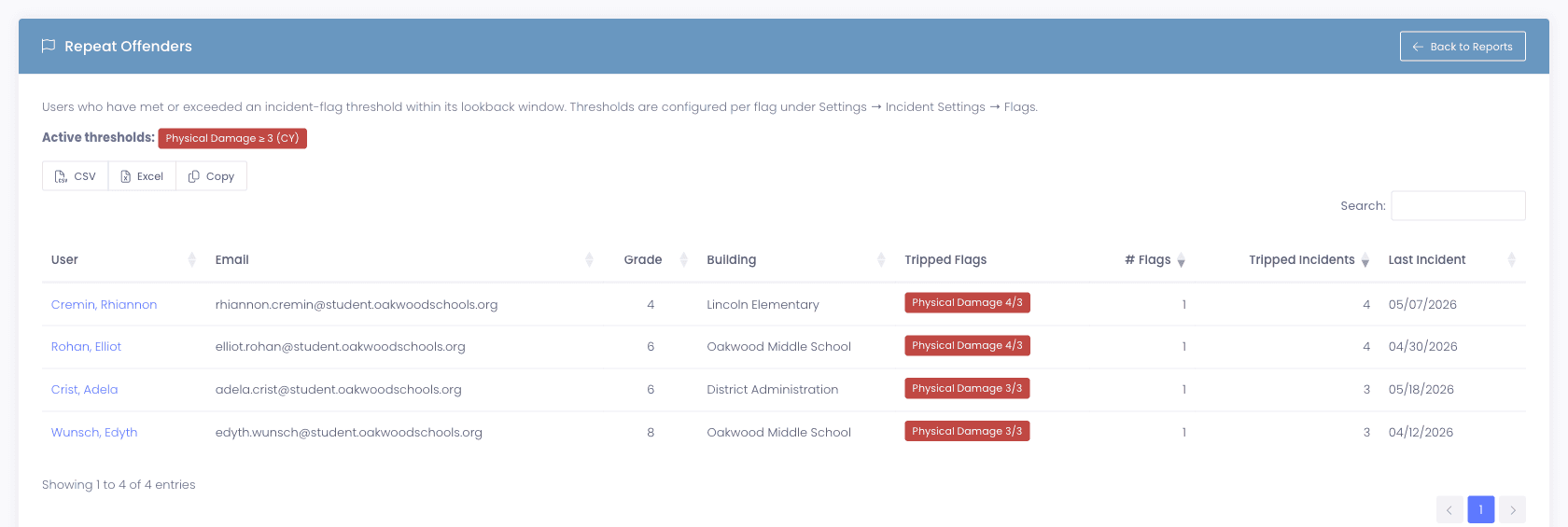
Per-flag thresholds catch repeat damage incidents the moment the count crosses your line, badge the user on their profile, and feed a dedicated report your admin team and business office can pull on demand.
- Per-flag thresholds and a configurable counting window
- Automatic badging on the user profile, visible at intake
- Dedicated Repeat Offenders report, exportable, filterable, district-wide
Billing the family
Damage charges, handled in the same workflow.
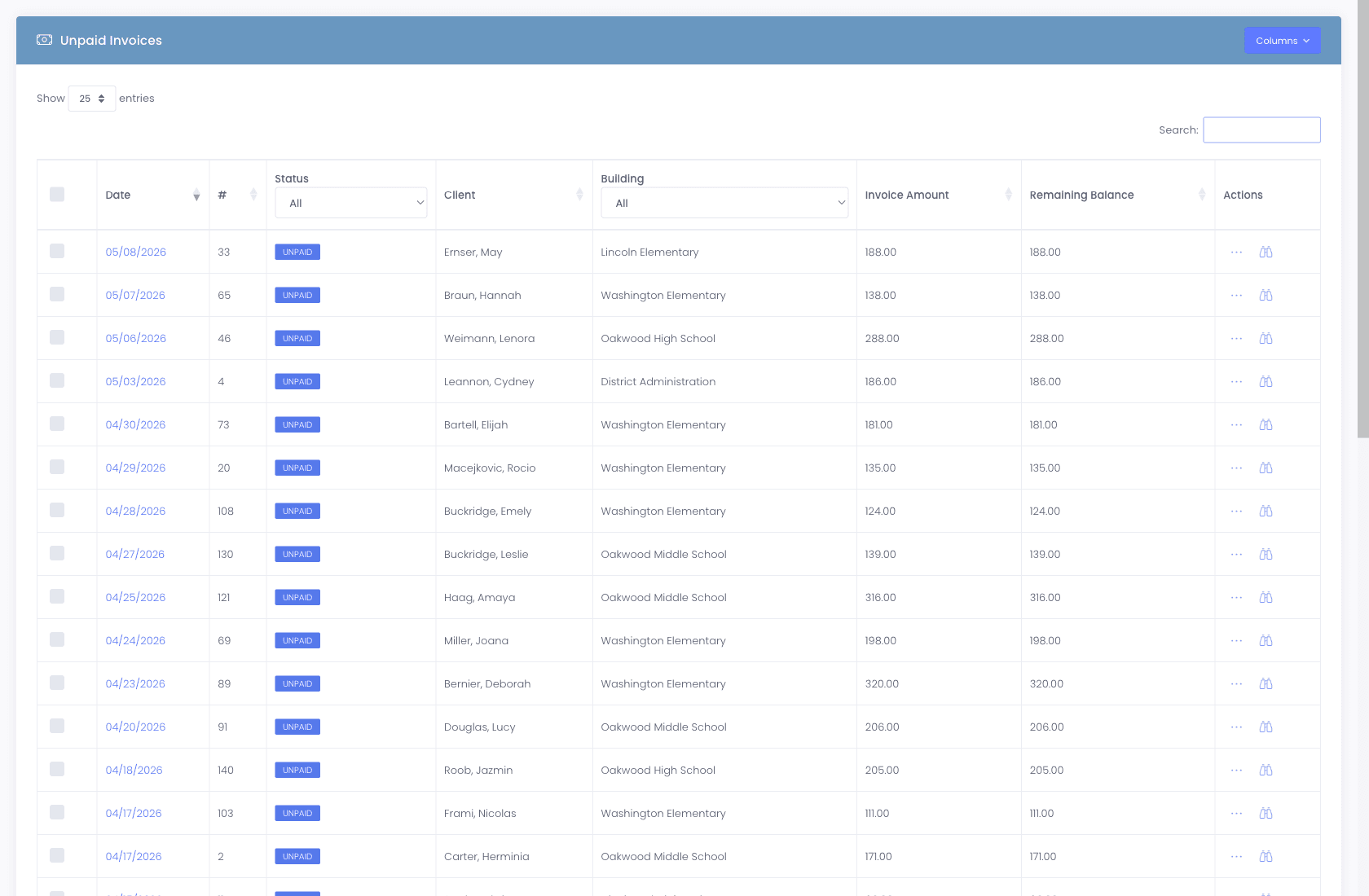
When a damage charge needs to be billed to a family, we handle it in one place: invoice tied to the incident, the family pays online through the Parent Portal, and the payment reconciles back to the incident automatically. No spreadsheet bookkeeping, no chasing paper invoices, no family wondering who they paid.
- One-click invoice creation from an incident
- Parent portal access, families pay without a phone call
- Nine payment processors, bring your own
- Invoice status tied to the incident, no manual reconciliation
- Partial payments + payment plans supported
Budget season
Damage trends that inform next year’s budget.
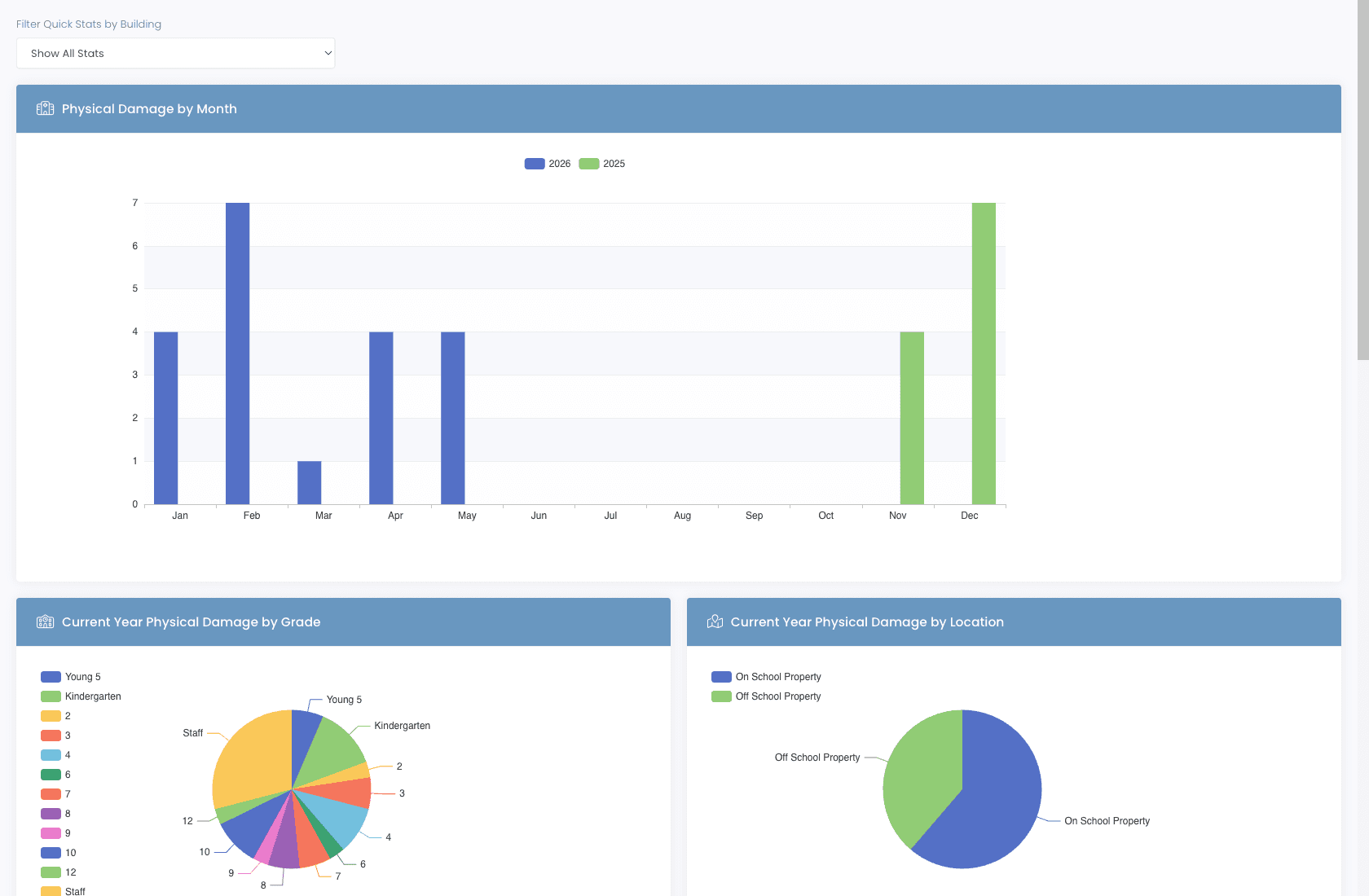
Which models break the most? Which buildings? Which grades? Which incident types result in the most damage recovery? Manage1to1's reporting answers all of these, for the board meeting, the budget cycle, and the procurement decision.
- Average hours to closure, trended over time
- Incidents by Type report with trend lines across any selected date range
- Repeat Offenders report, flagged users with their tripped flags, building, grade, and last incident date
- Incident type breakdowns, cracked screen, lost charger, etc.
- Damage recovery rate by building, grade, model
- Total cost recovered vs. covered vs. waived
- CSV exports for board reports and budget defense
Why schools choose Manage1to1
Built for K-12. Not retrofitted from enterprise IT.
Linked to your help desk
Open an incident directly from a ticket. The repair conversation lives where the original problem was reported.
Linked to your invoicing
Charge a family with one click. Online payment. Auto-reconciliation. No spreadsheet bookkeeping.
Linked to your insurance program
Coverage status surfaces in the workflow, so families, policies, and district costs are split before the repair starts.
Lifetime device history
Every repair, every photo, every note attaches to the device. Closing a ticket doesn't erase the trail.
FAQ
Common questions.
- Look for three properties. Repair history has to live on the device record rather than on a ticket, because tickets get closed and archived while the device keeps accumulating history for years. Manufacturer warranty, third-party insurance, and AppleCare+ have to be separate records with their own dates and rules, since conflating them is how districts pay twice for a repair already covered. And coverage has to be evaluated as of the incident date, not today, or a claim filed in June against a March incident gets priced wrong. We hold all three as first-class records on the device and compute the policy split, what coverage pays and what the family owes, at the moment the incident is logged.
- A support ticket is a request for help. An incident is a physical event affecting a specific device, a cracked screen, a lost charger, water damage. Tickets can spawn incidents (and link to them); incidents track the repair workflow, insurance status, and any associated invoice.
- Yes. The incident-to-invoice workflow generates an invoice tied to the incident, makes it available in the parent portal, accepts online payment via whichever processor your district has connected, and reconciles the payment back to the incident automatically.
- The new serial syncs in through Apple School Manager. You reassign the user to the replacement, the original device record keeps its full incident history, and the new device starts a clean history under the same user, so the trail is preserved without inheriting noise.
- We don't integrate with specific insurance vendors, and you don't need us to. You configure your district's insurance program with its real-world coverage rules (co-pay, coverage percentage, coverage maximum, max claims per policy term), and we apply those rules per incident automatically. Worth Avenue, Securranty, a self-insured pool, or any other program, the tracking workflow is the same.
- Each Incident Flag (Physical Damage, Screen, Battery, Wireless, or any custom flag your district uses) has a configurable threshold and counting window. When a user's flag count crosses the threshold within the window, they're automatically marked as a Repeat Offender, badged on their profile and included in the Repeat Offenders report, with their tripped flags, building, grade, and last incident date. The Physical Damage flag ships with a default threshold of 3 incidents in the current school year; every flag is configurable independently.
- You reassign the user to the new serial when it arrives, and the two records stay separate on purpose. The original device keeps its full incident and repair history, which is what you need if anyone asks later what happened to it, and the new device starts clean rather than inheriting damage it was never involved in. For AppleCare+ replacements the new serial syncs through Apple School Manager, so the device record updates without anyone retyping it.
- Yes. Attach as many devices as the event actually involved, each carrying its own condition flags, damage detail, and repair status. The charger can be closed out while the laptop is still with the vendor. Photos tag to the specific device they show, and the whole incident bills onto a single invoice with a line per device, so the family gets one bill for one event instead of two bills that look unrelated. Single-device incidents are unchanged.
- On the incident, as a confidential document. Confidential attachments are separate from ordinary incident files and are visible only to administrators who hold permission to see confidential incident data, so a theft report or a signed statement is not sitting in front of every building tech who opens the record. Known file types preview in the browser; anything else offers a download.
- Yes. Each incident status can be locked to one or more administrator roles. Useful for keeping statuses like "Awaiting Parts," "Vendor Repair," or "Insurance Claim" reserved to the team that actually handles them, while everyone else still sees the standard set. Roles not on the allow-list don't see the status in the picker, can't transition tickets into it, and can't use it as a filter. SuperAdmins bypass the restriction so emergency overrides stay frictionless.
- For the life of the device record. Closed incidents remain accessible from the device profile indefinitely so the next repair has full context. Archived/sunset devices retain their history per district retention policy.
See what fits your district
Turn damage chaos into a clean workflow.
Tell us about your incident volume, your insurance program, and which payment processor your district uses today. We will reply with a quote, a migration plan, and an honest read on what the incident workflow does and doesn’t do. Our entire team is former K-12, we will not pitch features that are not real.
- Quote tailored to your enrollment + SLA tier
- Migration plan from your current help-desk / asset tool
- Integration map for your MDM, SIS, and payment processor
- Honest answers, our team is all former K-12, we know what the product does and doesn’t do
Prefer the shared demo first? Try it at manage1to1.com/demo.