
If the third damage incident is still a surprise, something’s gone wrong.
Every IT department has the student who’s broken three Chromebooks this semester and somehow still surprises the tech at intake. Manage1to1 catches the pattern automatically, badges the user on their profile, and feeds a dedicated report your admin team and business office can pull on demand. The next ticket starts with "let’s look at the pattern," not with "bad luck again."
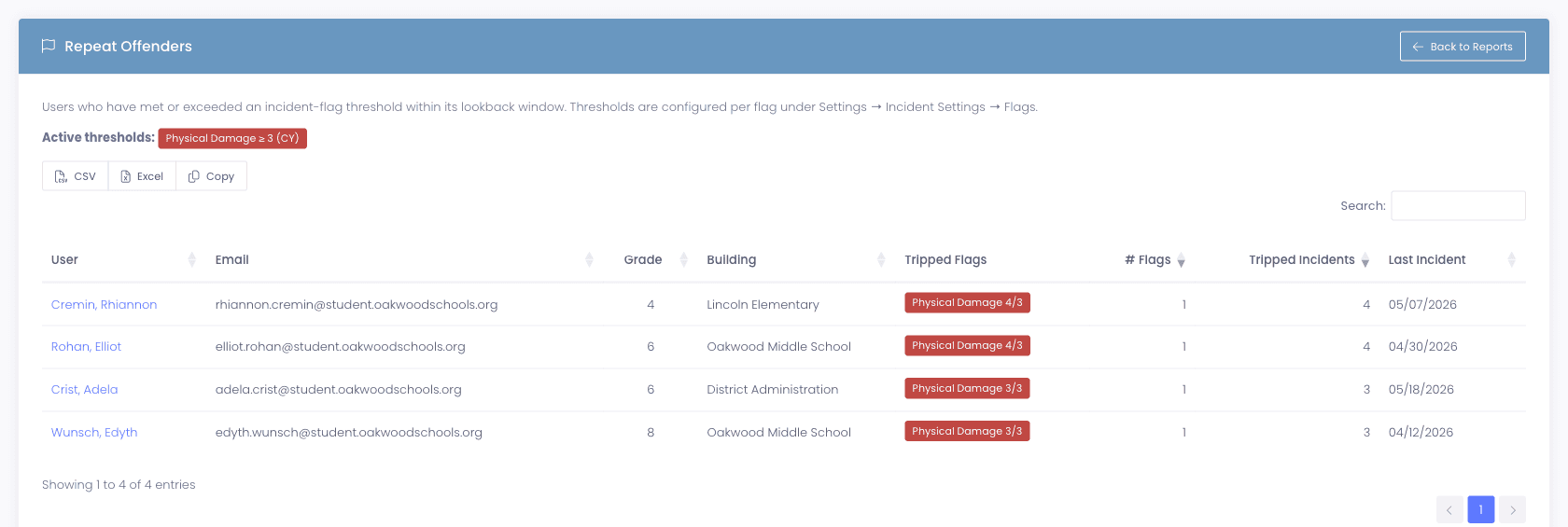
Repeat Offenders report
A district-wide view, exportable on demand.
The Repeat Offenders report lists every currently flagged user with their tripped flags, building, grade, and last incident date. Sort it, filter it, export it to CSV for the business office or the building admin or whoever’s advising on insurance billing. Pull it once a month, pull it after a damage spike, pull it before a board meeting where someone’s going to ask the question.
- Searchable and sortable by building, grade, flag, incident count, and last incident date
- Exportable to CSV or Excel, or copy-paste rows into board documents
- Drill into any user for the full incident history and the flags that tripped
- Active thresholds pill at the top shows which flags currently feed the report
Why schools choose Manage1to1
Built for K-12. Not retrofitted from enterprise IT.
Different damage types, different thresholds
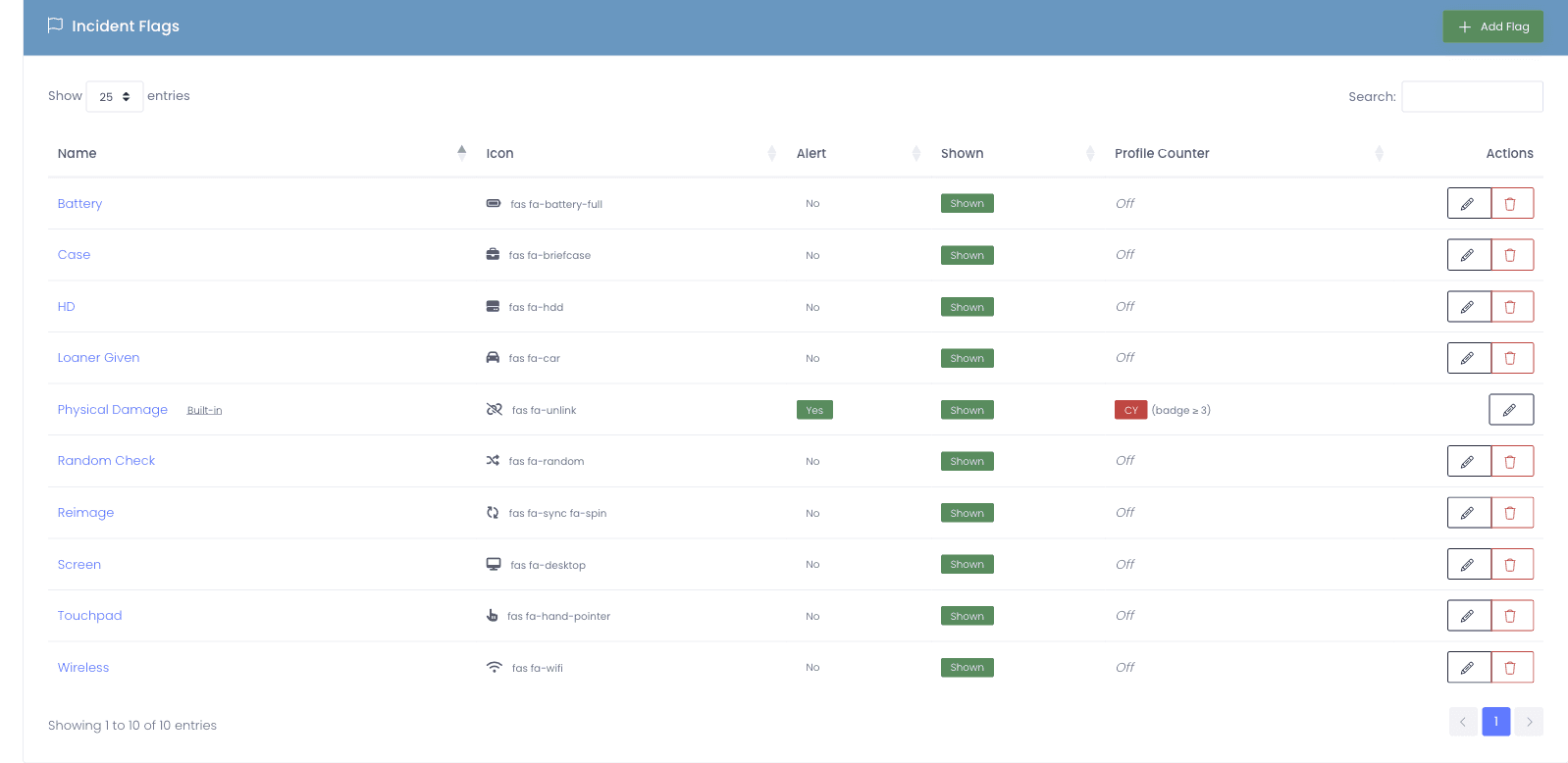
Set the threshold on every flag your district uses. The system reflects how you actually think about repeat incidents.
The badge appears as soon as the count tips
No nightly cron, no admin checklist. The moment the count crosses the threshold inside the window, the badge is there.
The label stays inside the admin tools
Students don’t see it. Parents don’t see it. It never appears on receipts, invoices, or family-facing email.
Context with the badge, not just a label
The badge always shows the underlying incidents and tripped flags, so the next conversation is informed instead of just labeled.
FAQ
Common questions.
- Each Incident Flag has a configurable threshold count and a counting window. When a user’s incident count on that flag crosses the threshold within the window, the Repeat Offender badge appears on their profile automatically and they show up in the Repeat Offenders report. The badge clears as soon as enough incidents age out of the window to bring the count back below the threshold.
- Current school year (resets at your configured school-year boundary), last 90 days, last 180 days, last 365 days, or a custom day count. Different flags can use different windows, so your Physical Damage flag can roll on the school year while a custom Liquid Spill flag uses last 180 days, for example.
- No. The badge is visible only to admins inside the admin tools. It never appears on the self-service portal, the parent portal, receipts, invoices, or any family-facing email. Students and guardians see the same incident records they always have. The badge is an admin-side cue to look at the pattern, nothing more.
- Yes, and that’s the point. A district that allows five lost chargers but only three cracked screens can set those thresholds independently. Thresholds are configured per flag in Settings, Incidents. Disable threshold tracking entirely on flags where it doesn’t apply, like a flag used purely for tagging.
- The badge recomputes automatically. If a user was flagged because they hit three Physical Damage incidents in the school year, and the school year resets, their count drops back to zero and the badge clears the next time the system recomputes. No manual flag-clearing required.
- Yes. The Workflows engine supports user-level conditions, so you can route a ticket differently when the requester is a flagged Repeat Offender. Add a building principal as a watcher, send the ticket to an Insurance Claim queue, attach a templated internal note, or any combination. The badge is data the system can act on, not just a visual cue.
See what fits your district
Surface the pattern before the next ticket opens.
Tell us about your incident volume, the flags your district uses, and the kind of repeat-damage report you’d actually pull. We’ll reply with a quote, a migration plan, and a sample Repeat Offenders roster against your real data.
- Quote tailored to your enrollment + SLA tier
- Migration plan from your current help-desk / asset tool
- Integration map for your MDM, SIS, and payment processor
- Honest answers, our team is all former K-12, we know what the product does and doesn’t do
Prefer the shared demo first? Try it at manage1to1.com/demo.