
July 14, 2026 · Manage1to1
Inventory Management Software for Schools: From Spreadsheets to a Single Source of Truth
Why generic asset trackers fail K-12 device fleets, what inventory management software for schools must actually do, and how to move off spreadsheets for good.
Every district's device inventory starts in a spreadsheet.
It works, right up until it doesn't. One tab per building, a few thousand Chromebooks, a column for asset tags, and a color code only one person understands. Then a student transfers in October, three devices come back cracked, a building tech updates the wrong copy, and by spring nobody can say with confidence how many devices you own or where they are. Inventory management software for schools exists to end that spiral, but most of what you find when you search for it was not built for the problem you actually have.
Run the search and you get two kinds of results: generic warehouse and asset-tracking tools designed to count boxes in a stockroom, and student information systems that manage rosters, not devices. Neither one is built for a 1:1 device fleet that lives in students' hands and moves all year. Here is what actually matters when you evaluate inventory management software for schools, and how to get from the spreadsheet to a single source of truth you can trust in an audit.
Why generic inventory software fails a school district
A generic asset tracker treats every item as an interchangeable "asset." It can tell you a laptop exists. It cannot tell you which seventh grader has it, which guardian is responsible for the cracked screen, or that the device is due back at the end of the year.
K-12 device inventory is different in three ways that break generic tools:
- Devices belong to people, and those people change. A device is checked out to a student, tied to a guardian for billing, and reassigned every August. Generic inventory has no concept of a checkout, a roster, or a school-year rollover.
- The fleet is in motion all year. Mid-year transfers, loaners, repairs, and replacements mean the inventory is never static. A tool that assumes a fixed stockroom count is wrong by the second week of school.
- The record has to carry history. Who had the device last, what broke, what it cost, whether it is under warranty. That history is the whole job, and a spreadsheet cell cannot hold it.
This is also why a student information system is not the answer. Your SIS is the source of truth for who your students are. It was never meant to track a serial number through three years of repairs. The two systems should talk, not do each other's jobs.
The hidden cost of the spreadsheet
The spreadsheet feels free because nobody line-items it. The cost is real, it is just spread across your team in ways that never show up on an invoice.
It shows up as the hours a technician spends every month exporting a report from the MDM and eyeballing it against the sheet to find what changed. It shows up as the devices that quietly go missing, checked out to a student who withdrew, never returned, never flagged, because no system was watching the roster. And it shows up hardest at audit time, when the number on the spreadsheet and the number on the shelves do not match and there is no history to explain the gap.
None of that is a spreadsheet failing at its job. A spreadsheet is a good spreadsheet. It is just the wrong tool for a fleet of moving parts tied to thousands of students.
What inventory management software for schools actually needs to do
Strip away the feature lists and the real requirement is simple: one record per device that stays accurate on its own.
That record should carry everything a technician or director needs without opening a second system:
- Who has the device now, who had it before, and the full checkout history
- The building, room, or cart it belongs to
- Every incident, repair, and photo tied to that specific serial number
- Warranty and insurance status, so you know what is covered before you authorize a repair
- Live sync data from your MDM, so enrollment state and last check-in match reality
That is the core of our K-12 asset management software: the device, the student, the history, and the money all live on one record instead of scattered across a spreadsheet, a repair log, and a billing folder. When a help desk ticket comes in referencing an asset tag, the whole story is already attached, no cross-referencing required.
From spreadsheets to a single source of truth
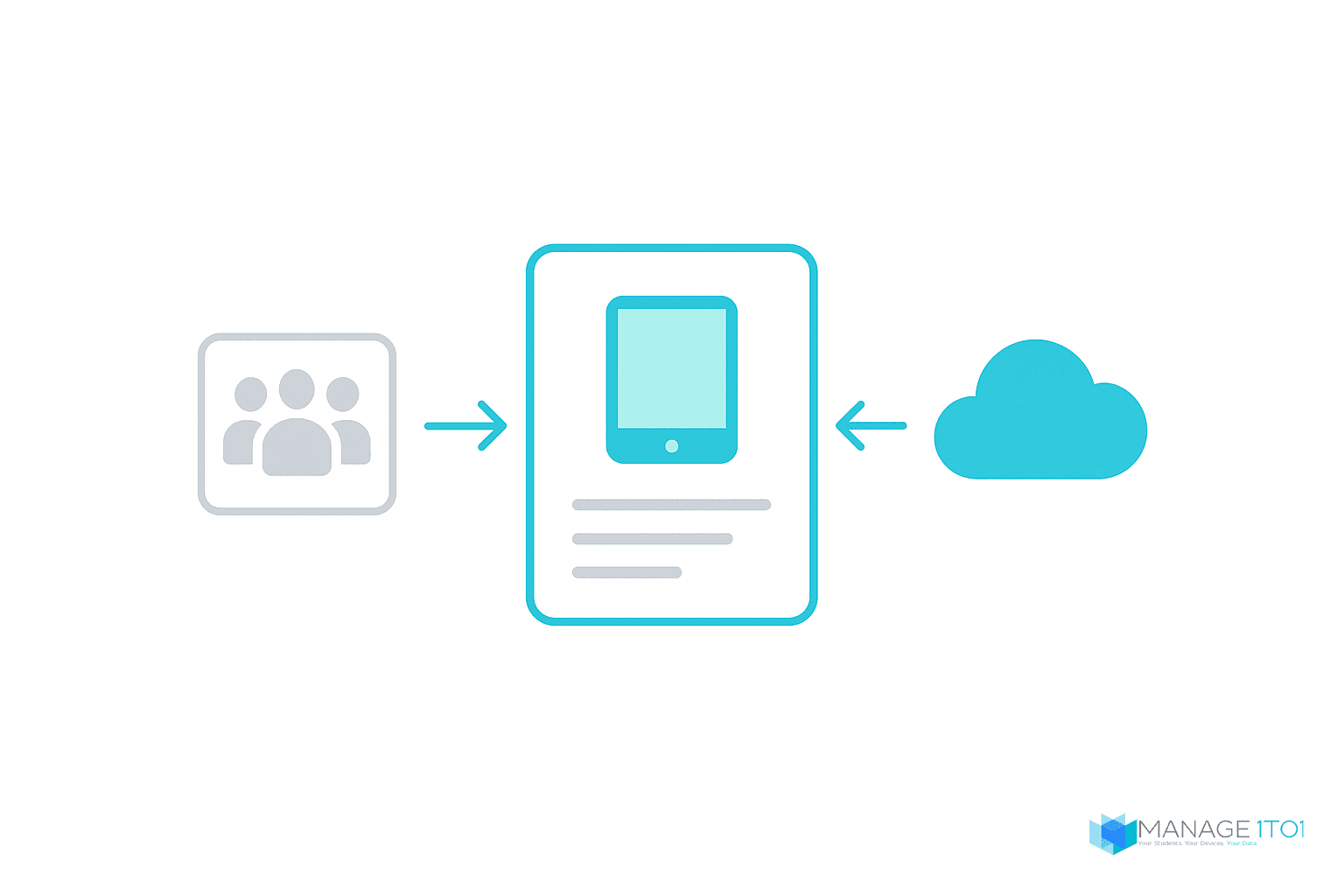
A spreadsheet is a snapshot. The moment you save it, it starts drifting from reality. A single source of truth is different: it updates itself from the systems that already know the answer.
Two connections do most of the work. Your SIS keeps the roster current, so students, staff, and enrollment changes flow in without a manual import. Your MDM keeps the device side current, so enrollment status and last sync reflect the live device. We connect to the SIS and MDM platforms districts already run, including PowerSchool, vendor-agnostic OneRoster, Google Workspace, JAMF, and Microsoft SCCM for Windows fleets.
The payoff is that reconciliation stops being a task. You are not exporting a report from the MDM and pasting it next to last month's spreadsheet to hunt for differences. The differences surface on their own, and the inventory is right because it is fed by the systems that are already right.
There is a guardrail worth knowing about here. Sync is one-directional by default, so nothing from your MDM silently becomes inventory. Unmatched devices land in a review queue and only become records when you approve them, which keeps retired and staging devices from leaking into your counts.
Inventory tracking that covers more than the laptop
Most inventory tracking software for schools stops at the device, which is where districts get caught out. The laptop is one line on the packing slip. The charger, the stylus, the hard case, the screen protector, and the headphones went out with it, and every one of them gets lost, replaced, and paid for during the year.
We treat those as their own records rather than a note on a device. Accessories carry a catalog of the items your district actually issues, stock levels at each warehouse and tech office, and a per-user issuance log with accept, decline, and lost status. When the same student loses a fourth charger, a replacement-threshold warning surfaces on their profile instead of living in a technician's memory.
Repair parts are tracked separately again, because screens, keyboards, and motherboards are consumed by your bench rather than issued to a student. Keeping them apart means your parts-on-hand count stays honest and a repair does not quietly draw down the accessory stock a building is relying on.
For a school district inventory tracking system, that separation is the difference between knowing you own two thousand devices and knowing what it will cost to keep them running through May.
How to audit thousands of devices without a fire drill
Ask any K-12 technology director where the spreadsheet finally breaks and they will say the same thing: the annual inventory audit. Counting a few thousand devices by hand, building by building, is where the gap between the spreadsheet and reality becomes a very long week.
To manage school inventory at scale, you verify continuously instead of once a year. Our Rapid Verify audit workflow lets a technician confirm a device in seconds, scanning down a cart or a classroom set, with every scan written to an audit trail you can hand to your business office. You can also pull a random set of devices for spot inspection, which turns the audit from an annual scramble into a repeatable process you run all year.
When the audit is continuous, the number you report in June is one you can defend, because it was built one verified scan at a time instead of reconstructed from memory at the deadline.
FAQ
How do schools manage inventory?
Most schools start by tracking devices in spreadsheets, then move to dedicated K-12 device management software as their 1:1 program grows past a few hundred devices. The software keeps one record per device, ties it to the student and guardian, syncs with the SIS and MDM, and replaces manual spreadsheet reconciliation with a system that updates itself.
What is the best inventory management software for schools?
The best fit for a 1:1 program is device-management software built for K-12, not a generic asset tracker or a student information system. Look for per-device checkout history, guardian billing, SIS and MDM sync, warranty and insurance tracking, and a fast audit workflow. Generic warehouse tools miss the student and checkout layer, and an SIS misses the device-history layer.
What should inventory tracking software for schools track besides devices?
Accessories and repair parts, held as separate records rather than notes on a device. Chargers, styluses, cases, screen protectors, and headphones are issued to students and go missing at their own rate, so they need stock levels per location and an issuance log per user. Repair components like screens and keyboards are consumed by your bench instead, so they belong in a separate parts count. A system that tracks only the laptop will tell you what you own and nothing about what it costs to keep running.
Is a student information system the same as inventory software?
No. A student information system manages your roster: students, staff, schedules, and enrollment. Inventory or device-management software manages the physical devices and their history. The two should integrate so your device records stay in sync with your roster, but neither one replaces the other.
What software do most schools use to track devices?
It varies widely, from spreadsheets to generic asset trackers to purpose-built K-12 device management. Districts running 1:1 programs increasingly move to software that connects device inventory, help desk, and repair billing in one place, so a device's whole life sits on a single record.
Get off the spreadsheet
If your inventory still lives in a spreadsheet, you already know its limits. You feel them every August and every audit. The question is not whether it will break, it is how much of your team's time you want to spend patching it.
Moving to a single source of truth is less disruptive than most directors expect, because the device records build themselves from the SIS and MDM you already run. You bring the students and the devices, and the system keeps them in step.
Our inventory and asset management page walks through what that actually looks like day to day, from barcode check-out to the audit worklist, and our pricing is published rather than quote-only.
See what your inventory looks like when it stops being a spreadsheet. Book a demo and we will walk through it with your kind of fleet in mind.