
May 20, 2026 · Manage1to1
The 90-Day Summer K-12 Help Desk Migration Timeline That Protects Your Fall Go-Live
Your help desk renewal just landed and it's already May. Here's the 90-day summer migration timeline that protects your fall go-live without skeleton crew chaos.
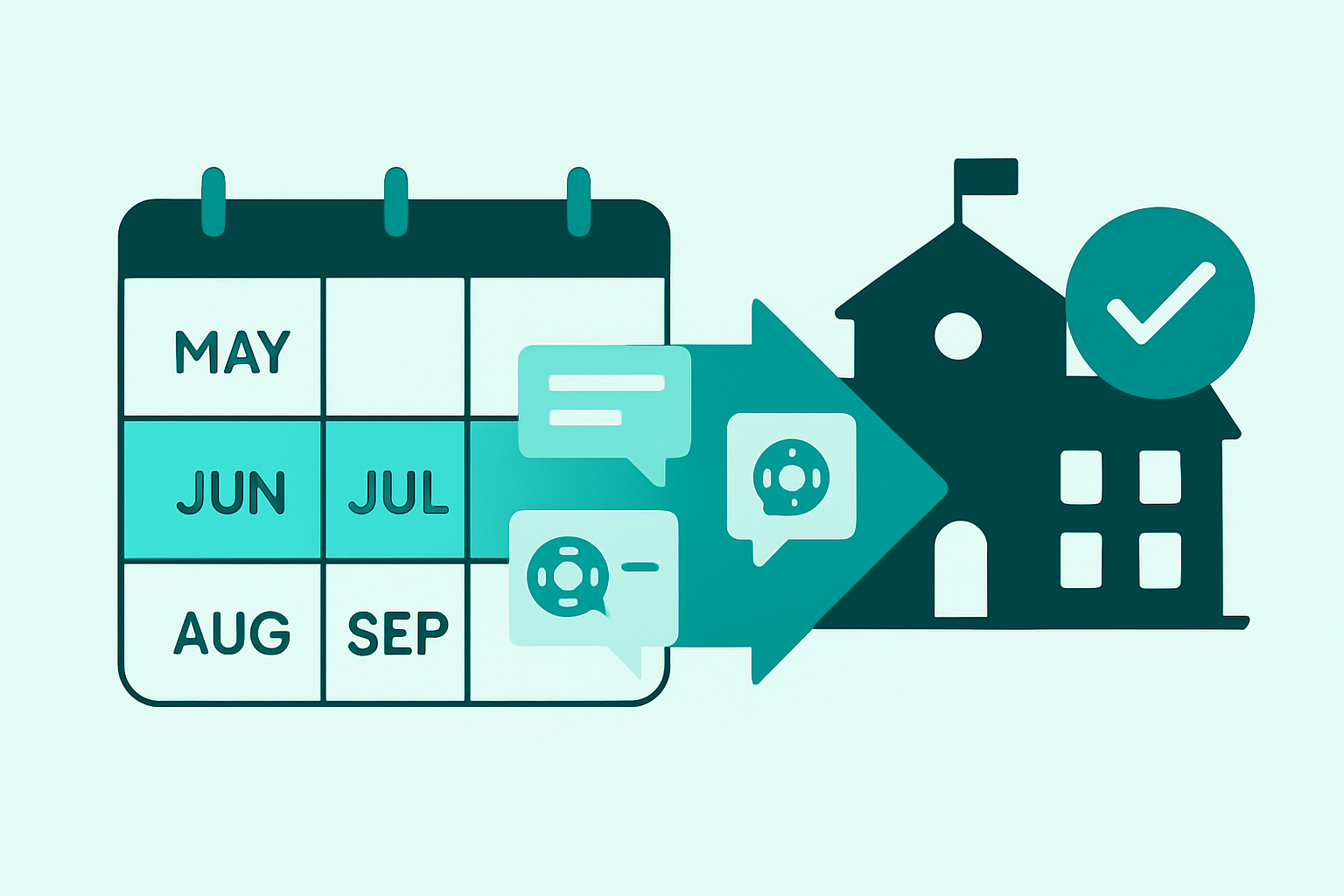

Your IncidentIQ or OneToOnePlus renewal just hit your inbox with a sticker-shock increase, but it's already May. You've got 90 days until students return, your help desk staff is running skeleton crew in July, and the last thing you need is a botched migration that leaves you fielding Chromebook tickets in a half-configured system.
The question isn't whether you should switch. It's whether you can pull off a summer k-12 help desk migration without risking September chaos.
The short answer: yes, if you start now and you have a vendor who knows how to execute fast. The long answer requires understanding the K-12 academic calendar realities that make summer the only viable window, the 90-day phased timeline that gets you live before device deployment, and what a migration actually looks like when someone else handles the heavy lifting.
Full transparency: we're Manage1to1, and we've handled this exact migration for many of the 2,100+ districts on the platform, switching from IncidentIQ and OneToOnePlus. This guide walks through the summer migration window from a practitioner perspective, then explains how we handle the heavy lifting if you decide to make the jump.
Why Summer Is the Only Realistic K-12 Help Desk Migration Window
Migrating help desk software mid-year sounds tempting when you're frustrated with your current platform. But in K-12, the academic calendar dictates everything, and summer is the only window where the operational risk is manageable.
What Is the Best Time to Migrate Help Desk Software for Schools?
Summer break is the only realistic window for K-12 help desk migration. Active ticket volume collapses, devices are collected for imaging, and SIS rosters reset before fall. Migrating mid-year risks data sync issues during peak support season. Plan for a 90-day timeline from June 1 to August go-live.
The Three Calendar Realities That Make August Your Deadline
First, ticket volume collapses in June and July. During the school year, your help desk runs at peak load with teachers, students, and parents all submitting issues. In summer, that drops to a trickle. This low-volume window is when you can run parallel systems, test workflows, and train staff without the pressure of a full queue.
Second, device collection and deployment cycles align perfectly with data migration needs. Chromebooks and iPads come back for summer imaging in late May and early June. Your asset records are most accurate right after collection and right before deployment, making this the cleanest sync point for asset management data.
Third, SIS roster resets happen over summer. PowerSchool, Infinite Campus, and Skyward all finalize next year's enrollments between June and August. If you migrate your help desk during this window, your SIS integration goes live with fresh, accurate rosters instead of trying to sync mid-year when student schedules are constantly changing.
The 90-Day Pre-Migration Planning Timeline (May Through August)
A summer school IT migration isn't a single cutover event. It's a phased project with four distinct stages, each with its own deliverables and decision points.
Phase 1: May to Mid-June (Vendor Selection + Contract)
This is the evaluation and commitment window. You're comparing your current platform (IncidentIQ, OneToOnePlus, or another incumbent) against alternatives, running pricing estimator comparisons for 5-year total cost of ownership, and scheduling vendor demos to see how data migration and integrations actually work.
By mid-June, you need a signed contract and a kickoff call scheduled. Waiting until July to finalize vendor selection leaves no buffer for the configuration and training phases that follow.
Phase 2: Mid-June to Mid-July (Data Export + System Configuration)
This is when your historical ticket data, asset records, and custom field mappings get exported from IncidentIQ or OneToOnePlus and prepped for import. At the same time, your new help desk gets configured with location hierarchies, user roles, and ticket categories.
The goal: have a fully configured system ready for staff training by mid-July, so you're not learning the platform while also troubleshooting data imports. Your old system stays live during this phase, so there's no risk to ongoing summer support operations.
Phase 3: Mid-July to Early August (Staff Training + Parallel Testing)
Your help desk staff needs hands-on time with the new platform before students return. This phase is when they submit test tickets, run asset lookups, test parent portal access through the Self-Service Portal, and get comfortable with the interface.
Parallel testing means your team can compare the new system's ticket routing, notification triggers, and reporting against your current platform while ticket volume is still low. You're validating that workflows match expectations before the fall rush hits.
Phase 4: Early August (Cutover + Go-Live Before Device Deployment)
Cutover should happen by August 1-7, giving you two to three weeks of live operation before students return and device deployment starts. This is when your new help desk becomes the system of record, SSO gets switched over, and your old platform moves to read-only archive status.
Late August cutover (the week of August 20 or later) leaves no room for adjustment if something doesn't work as expected. Early August gives you breathing room to stabilize workflows before the ticket flood starts.
What You Actually Need to Migrate (And What You Should Leave Behind)
One of the biggest anxieties tech directors express about switching school help desk software is data loss. But not all data deserves to migrate, and summer is the perfect time to audit what you actually use versus what's just taking up database space. We covered the full data-category breakdown in The K-12 Device Management Migration Data Checklist.
Historical Ticket Data: How Much Do You Really Need?
Most districts keep one to two years of ticket history for reference and archive the rest as read-only CSV exports. If you're migrating this summer, pulling over the last 18 to 24 months of tickets gives you recent trends for reporting without carrying five years of "Chromebook won't charge" tickets that have no operational value.
Your vendor should let you define the lookback window. Districts coming from IncidentIQ often choose 18 months because that covers a full device refresh cycle and gives meaningful year-over-year comparisons.
Asset Records, Custom Fields, and the Taxonomy Rebuild Opportunity
Here's the insight most districts miss: your current IncidentIQ or OneToOnePlus implementation probably has bloated custom fields and ticket types because they were configured by a vendor during initial setup or inherited from previous staff who are no longer with the district.
Summer migration is your chance to simplify. Do you really need 47 custom fields on your device records, or can you collapse that to 12 fields that actually get used in reports? Are all 23 of your ticket categories still relevant, or are half of them legacy holdovers that generate three tickets per year?
When you migrate asset management data, you get to redesign your taxonomy instead of just porting it over. The best vendors will audit your current setup and recommend what to keep, what to merge, and what to retire.
SIS Integration Mapping and User Hierarchies
Your help desk needs to sync with PowerSchool, Infinite Campus, Skyward, or whichever SIS you run so that student and staff rosters stay current without manual CSV uploads. Summer roster resets make this the cleanest sync window because you're not trying to map mid-year schedule changes or transfer students.
The integration setup includes field mapping (which SIS field corresponds to which help desk field), sync frequency (nightly, weekly), and user hierarchy construction (how buildings, grade levels, and homerooms map to your ticketing structure). This configuration happens during Phase 2, and the initial sync should complete before staff training starts in mid-July.
How Manage1to1 Handles the Heavy Lifting for Districts Switching from IncidentIQ and OneToOnePlus
Many of the 2,100+ districts on Manage1to1 came from IncidentIQ or OneToOnePlus. Most go live in about two weeks from contract signature. Here's what we handle so you don't have to project-manage the whole thing yourself.
The Migration Team You Get (All Former K-12 IT)
Every employee at Manage1to1 is former K-12 IT. We're not a venture-backed SaaS company with outsourced support teams learning your workflows from a script. We're employee-owned (ESOP structure), and we've all lived through the August panic of a botched rollout.
That matters during migration because your implementation specialist understands why early August cutover is non-negotiable, why SSO needs to work before staff training, and why your loaner pool configuration can't wait until October. There's no translation layer between "how schools actually work" and "what the software can do."
Data Import and Integration Sync (SIS, MDM, SSO)
We coordinate the data export process with IncidentIQ or OneToOnePlus, including any API access requests (which often have a vendor-side lead time, so we start early). Once we have your historical tickets and asset records, we map your custom fields to our schema and flag anything that doesn't translate cleanly so you can decide whether to keep it or simplify.
SIS integration setup covers PowerSchool, Infinite Campus, Skyward, ClassLink Rostering, and OneRoster. We configure nightly roster syncs, map your building and grade-level hierarchies, and test the integration before go-live so students and staff appear in the correct locations from day one.
MDM sync includes JAMF Pro, JAMF School, Google Workspace (Chrome Device Console), and Apple School Manager. Devices pull into asset records with serial numbers, models, and assignment status automatically. The Self-Service Portal uses this data to let students and staff see which device is assigned to them, submit repair requests, and check loaner availability.
SSO configuration happens in Phase 2 so staff can log in with their existing Google or ClassLink credentials during training. No separate username and password to remember, no password reset tickets the first week of school.
Two-Week Go-Live vs. Multi-Month IIQ Onboarding
IncidentIQ implementations often run several months and include onboarding fees that aren't always surfaced until after contract signature. We don't charge setup fees, and our go-live timeline is typically about two weeks from contract signature to staff training.
That's possible because we're not trying to upsell you on separate premium apps for AUP/policy acceptance, custom forms, or family online payments. Everything is included in our all-inclusive pricing, so there's no mid-implementation conversation about which modules you want to add.
No Setup Fees, No Modular Pricing Surprises
Districts switching from IncidentIQ consistently mention two pain points: modular pricing that forces you to choose between features you thought were standard, and annual price escalators (typically 3% per year) that compound over a five-year contract.
We publish flat per-student published pricing with no annual increases. The price you see in year one is the price you pay in year five. You can run a full 5-year cost comparison using our pricing estimator to see exactly what that looks like for your district size.
We also sign district SaaS Agreements and Data Privacy Agreements (DPAs) that comply with NY Ed Law 2-d and state student data Bills of Rights. Many vendors refuse to sign district paper because their legal teams don't want to deviate from standard terms. We do it as standard practice because that's what K-12 procurement requires.
IncidentIQ's ownership structure shifted twice in recent years (JMI Equity in 2021, Cove Hill Partners in 2024). Private equity ownership often brings pressure to increase revenue per customer, which shows up as modular pricing and renewal increases. We're employee-owned, so there's no external investor demanding margin expansion at your expense.
Cutover Strategy: Preventing the August Scramble When IT Staff Is Minimal
Going live right before school starts is the part that keeps tech directors up at night, especially when help desk staff is skeleton crew and device deployment is happening simultaneously. The key is planning cutover for early August, not late August.
Why Early August Cutover Beats Late August Panic
If you go live August 1-7, you have two to three weeks to stabilize workflows, adjust ticket routing rules, and fix any integration quirks before students return. Help desk staff can submit real tickets, test parent portal access, and validate that SSO works without the pressure of an active back-to-school ticket queue.
Late August cutover (August 20 or later) leaves no buffer. If something doesn't work as expected (an SIS sync runs slower than anticipated, a notification trigger doesn't fire correctly, a custom report needs adjustment), you're troubleshooting it while also managing fall device deployment and fielding the usual August rush of "I forgot my password" tickets.
Parallel Testing with Staff Before Students Return
During the first week of August, your help desk staff should run the new system in parallel with limited real-world use. They submit test tickets, run asset lookups, check loaner availability, and validate that email notifications are going to the right people.
This isn't a formal UAT process with scripted test cases. It's hands-on operational validation that the platform works the way you configured it. If something feels off, there's still time to adjust before students show up.
The First Week Backup Plan
Most vendors (Manage1to1 included) provide elevated support during the first two weeks post-cutover. That means faster response times, direct access to your implementation specialist, and proactive check-ins to catch issues early.
Your old IncidentIQ or OneToOnePlus system can remain accessible in read-only mode during August if you need to reference historical ticket details or pull a report that didn't migrate. Think of it as insurance, not a crutch. By mid-September, you won't need it anymore.
Stakeholder Coordination: Who Needs to Be Involved and When
Help desk migration isn't just an IT project. It touches SIS administration, front-office workflows, and parent communication. Looping in the right people at the right time prevents last-minute surprises.
Your help desk staff need to be involved in taxonomy design and training from mid-June through mid-July. They're the ones who will live in the platform daily, so their input on ticket categories, user roles, and workflow routing matters. Don't design the system in a vacuum and then hand it to them in August.
Your SIS admin needs to coordinate roster export and sync timing in late June. If you run PowerSchool, Infinite Campus, or Skyward, the SIS admin controls API access and field visibility. Get them involved early so the integration setup doesn't stall waiting for credentials or permissions.
Principals and front-office staff need a heads-up about the portal URL change and any SSO adjustments in early August. If your district uses the help desk for facility work orders or staff IT requests (not just student device support), building administrators need to know where to send people when the old portal stops working.
Your outgoing vendor (IncidentIQ or OneToOnePlus) account rep needs a formal data export request in early June. Most vendors require a support ticket submission and a turnaround window of a week or more, especially if you're requesting API access for automated export. Don't wait until July to ask, or you'll push your entire timeline back.
Your incoming vendor (Manage1to1, if you choose us) should be looped in for a kickoff call by early June. That's when we map out your specific migration timeline, confirm which integrations need setup, and schedule staff training for mid-July.
FAQ
What is the best help desk software for K-12 schools?
The best help desk software for K-12 depends on whether you need device-specific features (loaner tracking, repair workflows, parent self-service) or just generic ticketing. Platforms built specifically for school IT (like Manage1to1) include asset management, fee tracking, and SIS integration out of the box. Generic help desk tools (Zendesk, Freshdesk) require heavy customization to handle Chromebook repairs and student rosters.
How long does it take to migrate help desk software?
For K-12 districts, plan on roughly 60 to 90 days from vendor selection to go-live. That includes contract signature, data export from your old system, configuration and integration setup, staff training, and cutover. Districts switching to Manage1to1 from IncidentIQ or OneToOnePlus typically go live in about two weeks once the contract is signed, but the full evaluation and planning window before that takes several weeks.
Can we migrate help desk software mid-year, or does it have to be summer?
You can technically migrate mid-year, but the operational risk is much higher. Ticket volume during the school year is 4-5x higher than summer, so you're learning a new platform while managing a full support queue. SIS roster syncs are also messier mid-year because student schedules change constantly. Summer gives you low ticket volume, stable rosters, and time to train staff before the fall rush.
What happens to our old ticket data when we switch help desk platforms?
Most districts migrate one to two years of historical ticket data for reporting and reference. Older tickets get exported as read-only CSV archives that you can store on your file server or in Google Drive. Your vendor should give you the option to define the lookback window so you're not paying to migrate five years of tickets you'll never reference.
Do we need to involve our SIS vendor in the help desk migration?
You don't need your SIS vendor's permission, but you do need your SIS admin's help. The integration between your help desk and PowerSchool, Infinite Campus, or Skyward requires API credentials, field mapping, and sync scheduling. Your SIS admin controls that access. Loop them in during Phase 2 (mid-June to mid-July) so the roster sync is ready before staff training starts.
Make the Summer Window Work
Summer migration is feasible if you start in May or early June, commit to a phased timeline, and work with a vendor who's done this enough times to know where the bottlenecks are. We've migrated many of the 2,100+ districts on Manage1to1 from IncidentIQ and OneToOnePlus, and the pattern is consistent: districts who start evaluation in May go live by early August without drama. Districts who wait until late June end up in August scramble mode. For the actual 14-day migration sequence we run, see Moving from IncidentIQ or One to One Plus to Manage1to1, and to evaluate your help desk replacement options the way we recommend Tech Directors do, Help Desk Software for Schools: A K-12 Tech Director's Buying Guide walks through the seven questions to ask every vendor.
The window is closing fast. If you're staring at an IncidentIQ or OneToOnePlus renewal with pricing that doesn't make sense, and you know summer is the only realistic time to make a move, this is the decision point.
We sign district SaaS Agreements and DPAs that comply with NY Ed Law 2-d and state Bills of Rights. Our hosting meets SOC 2+, PCI Merchant, CSA Star Level 1, and ISO/IEC 27001:2022 standards, with TLS 1.3-only encryption. You can review our full compliance and security documentation before you commit.
If your renewal is up and you're evaluating an IncidentIQ alternative or OneToOnePlus alternative, we can walk through your specific migration timeline and data scope in a 30-minute call. Book a demo, or run a 5-year cost comparison using our pricing estimator. We'll map out the timeline, answer your questions about SIS and MDM integrations, and show you what the first two weeks post-cutover look like. Migration season starts now. Let's make sure you're live before students show up in August.