
A cracked screen arrives Monday. Who pays, and how do you prove it?
Every district with a 1:1 program ends up billing families for damage, and almost every district does it across four disconnected places: the ticket, the spreadsheet, the insurance paperwork, and whatever the business office uses for invoices. This is the same workflow run on one record, start to finish.
Where it breaks today
The billing is not the hard part. Proving it is.
Charging a family is straightforward right up until somebody disputes it. Then you need to show which student had the device on the day it broke, what the damage actually was, whether coverage applied at that moment, and how the amount was calculated. If those four facts live in four systems, the answer takes a morning to assemble and still comes with a caveat. That is how districts end up quietly writing off damage they were entitled to recover.
- A parent disputes a charge and nobody can produce the photo, the date, or the assignment history in one place
- Coverage gets checked against today rather than the incident date, so a policy that had lapsed still gets applied, or an active one gets missed
- Manufacturer warranty, third-party insurance, and AppleCare+ are treated as one field, so the district pays for a repair that was already covered
- Repeat damage is invisible until a technician happens to remember the student, usually on the third device
- The invoice lives somewhere the help desk cannot see, so nobody knows whether it was ever paid
The workflow
How it actually runs.
- 1Step 1 of 7
The damage is logged against the device, not a ticket
The device comes back broken, whether it arrives through a ticket, a walk-in at the office, or a technician spotting it on a cart. The incident opens from the device profile, so it attaches to the asset record rather than to a ticket that will be closed and archived in a fortnight. The device keeps its incident history for as long as the district owns it.
- Opened from the device profile, tied to the serial rather than to a conversation
- The student currently assigned is already on the record, no lookup needed
- Damage type, condition, and notes captured in the same pass
Manage1to1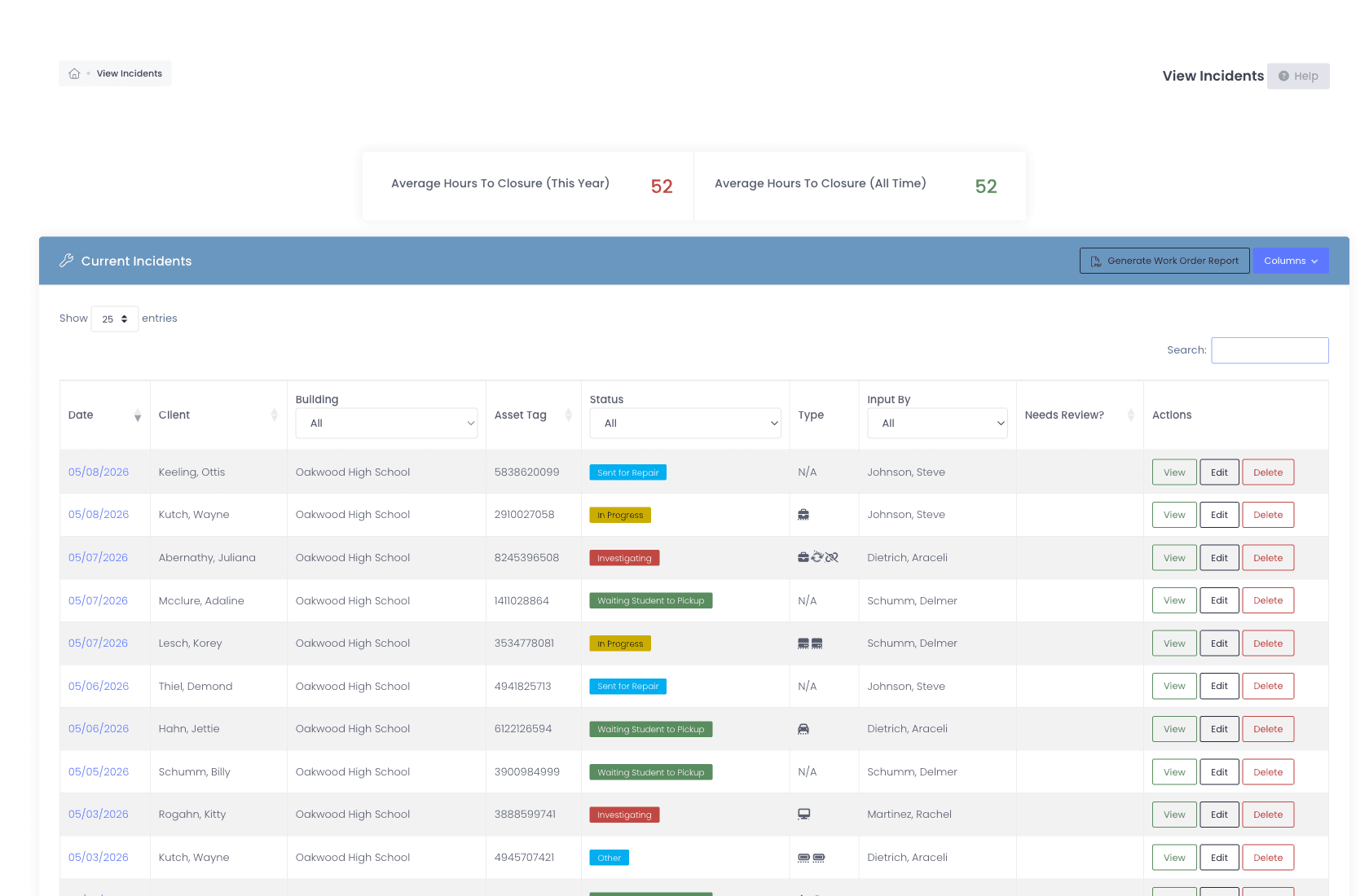
- 2Step 2 of 7
Photos are captured while the device is in front of you
Photographic evidence is worth having at the moment of intake and nearly impossible to reconstruct afterwards. Photos upload straight onto the incident and stay attached to the device record, which is what a disputed charge actually turns on months later. Police reports and insurance claim forms attach in the same place.
- Photos attach to the incident and follow the device, not the ticket
- Confidential documents such as police reports have their own restricted area
- Everything stays retrievable long after the ticket has closed
Manage1to1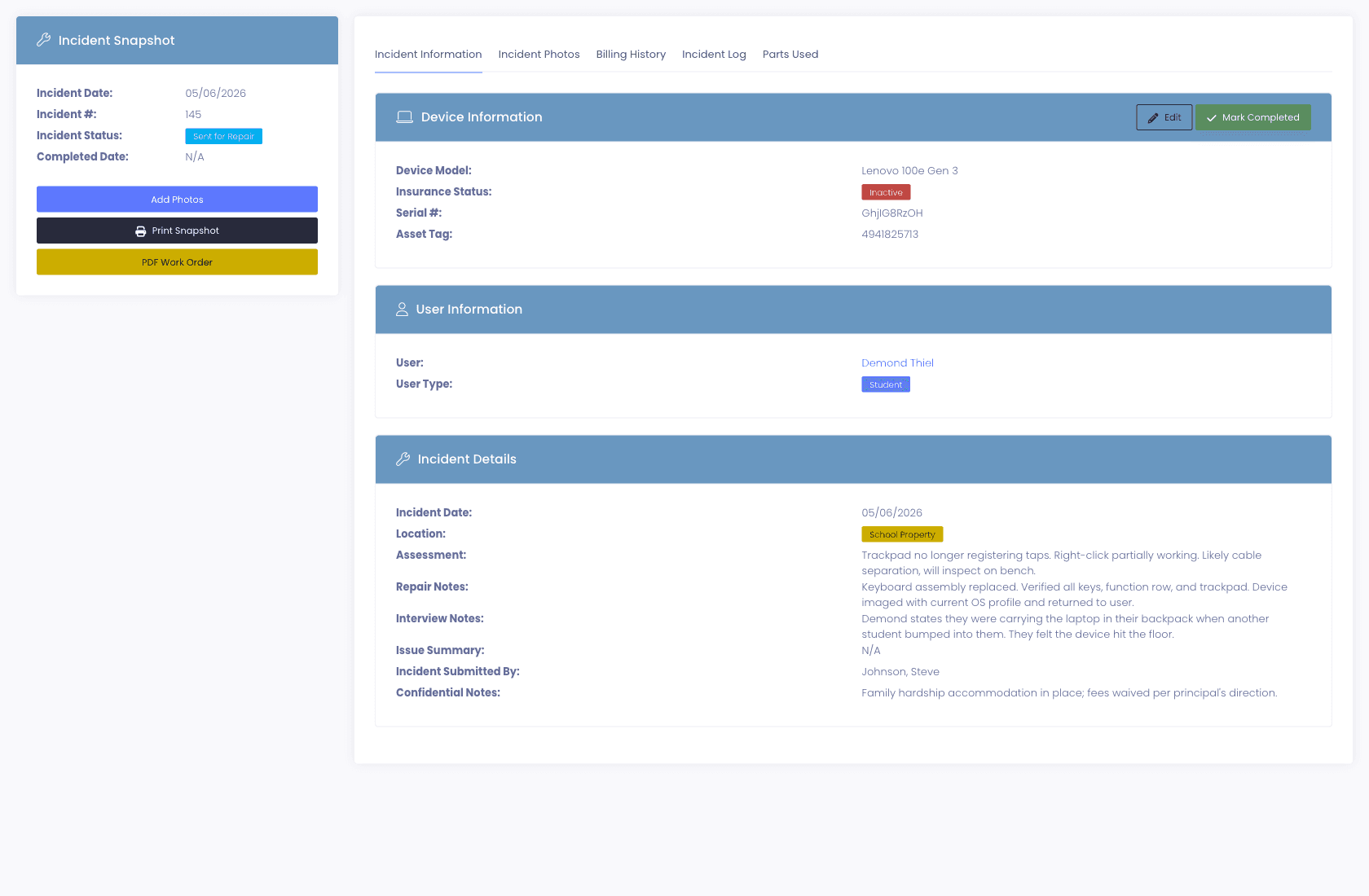
- 3Step 3 of 7
Coverage is evaluated as of the incident date
This is the step most spreadsheets get wrong. Coverage is checked against the date the damage happened, not the date somebody gets round to processing it. A claim filed in June against a March incident is priced on what the student had in March. Manufacturer warranty, third-party insurance, and AppleCare+ are held as separate records with their own dates and rules, because conflating them is how a district pays twice.
- Insurance status and coverage on the incident date both shown on the incident
- Warranty, insurance, and AppleCare+ tracked independently, never as one field
- A device already covered does not quietly get billed to the family
Manage1to1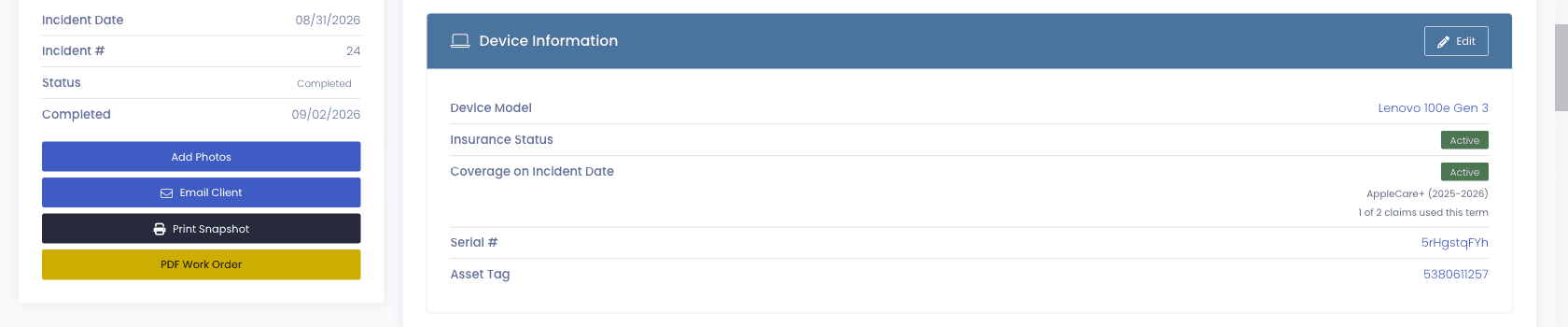
- 4Step 4 of 7
The policy split is calculated in front of you
Applying insurance walks the policy rules, the percentage absorbed, the maximum coverage, and the co-pay, and computes what the policy pays against what the family owes. The arithmetic happens on screen at the moment of the decision rather than later in a reconciliation spreadsheet that only one person understands.
- Percentage absorbed, coverage maximum, and co-pay applied from the policy
- Free and reduced eligible students can be waived by rule rather than by memory
- The resulting split is recorded on the incident, so the calculation is auditable
Manage1to1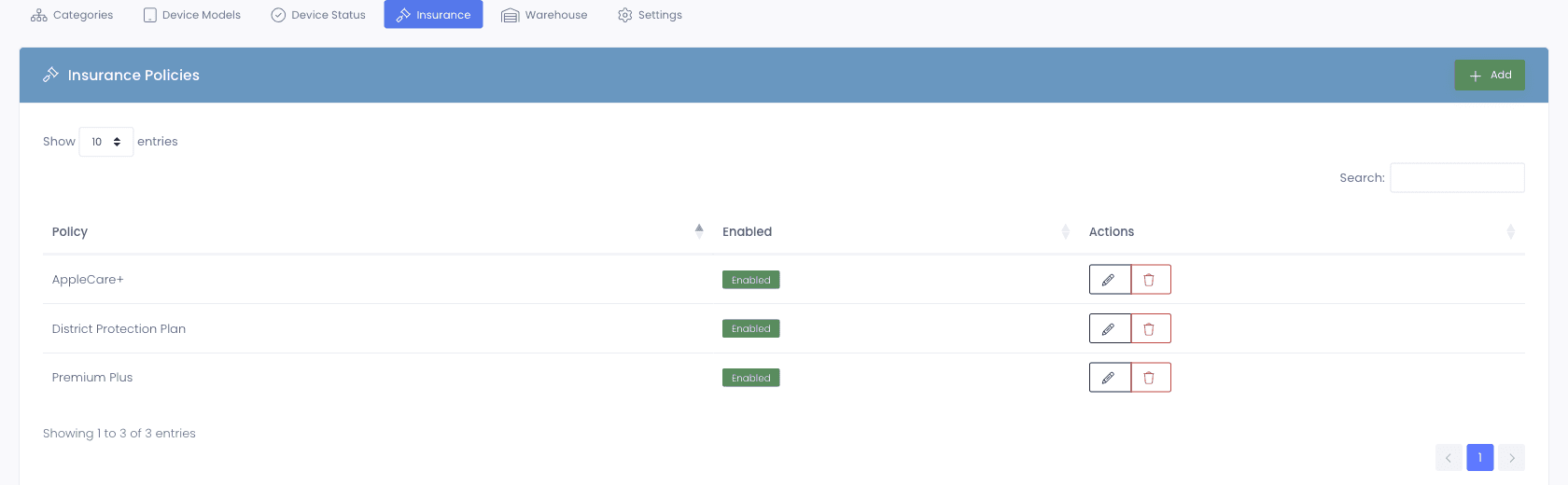
- 5Step 5 of 7
The invoice is raised from the incident
The family charge is generated from the incident that produced it, so the invoice and the evidence stay connected. Anyone looking at the device can see the damage, the coverage decision, and the amount billed without leaving the record or asking the business office to look something up.
- Invoice line items trace back to the incident that created them
- Billing history is visible on the incident and on the device
- Emails to families are templated and sent from the platform
Manage1to1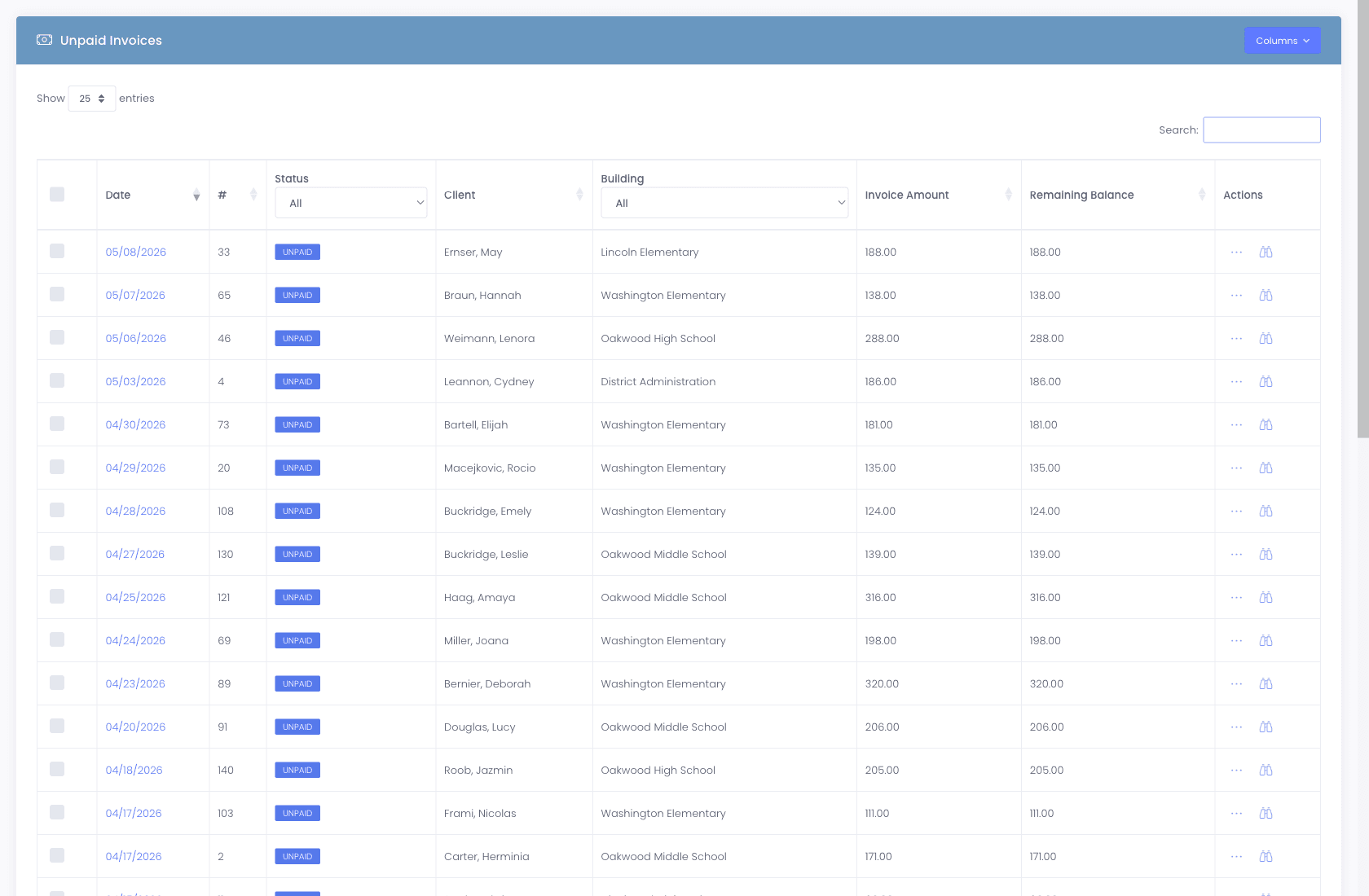
- 6Step 6 of 7
Families pay online, where they already pay the district
The charge is only recovered if paying it is easy. Guardians see the invoice in the parent portal and pay it through the same kind of online payment your district already uses for cafeteria, athletics, and registration fees, so there is no new account for a family to create and no separate system for the business office to reconcile. That removes the usual reason damage charges go uncollected, which is rarely refusal and almost always friction.
- Payment runs through your district payment platform rather than a new merchant account we ask you to open
- Guardians pay in the portal they already use, with no separate login to remember
- Payments post back against the invoice automatically, so the help desk and the business office see the same status
Manage1to1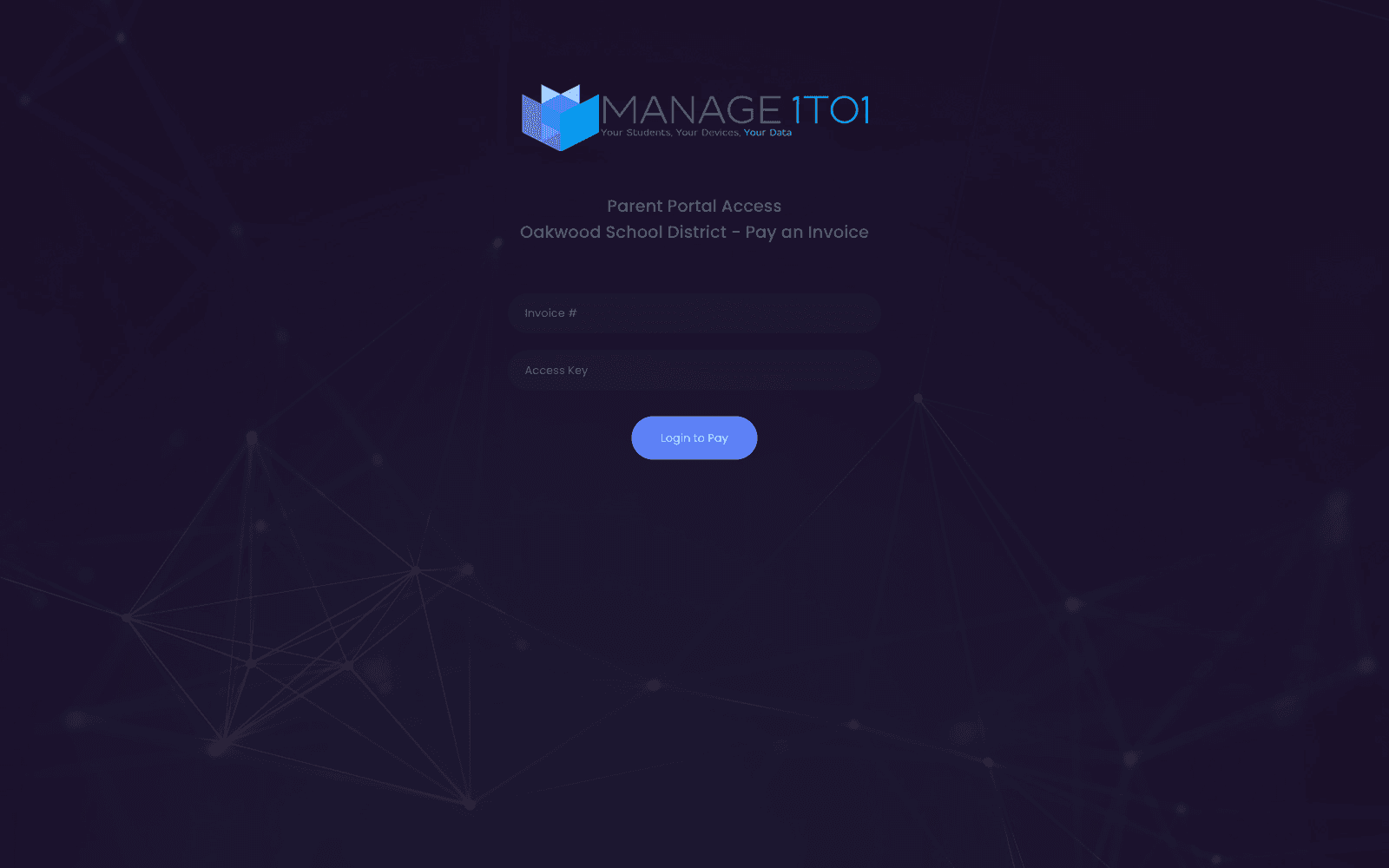
- 7Step 7 of 7
Repeat damage surfaces before the third device
A student on their third cracked screen is a different conversation from a student on their first, and it should not depend on a technician remembering. Per-flag thresholds badge the user once their incident count crosses the line you set, and feed a report the administration and business office can pull without asking IT.
- Thresholds are set per damage flag, so accidental and negligent damage count separately
- The badge appears on the user profile where a technician will see it at checkout
- A dedicated repeat offenders report is available on demand
Manage1to1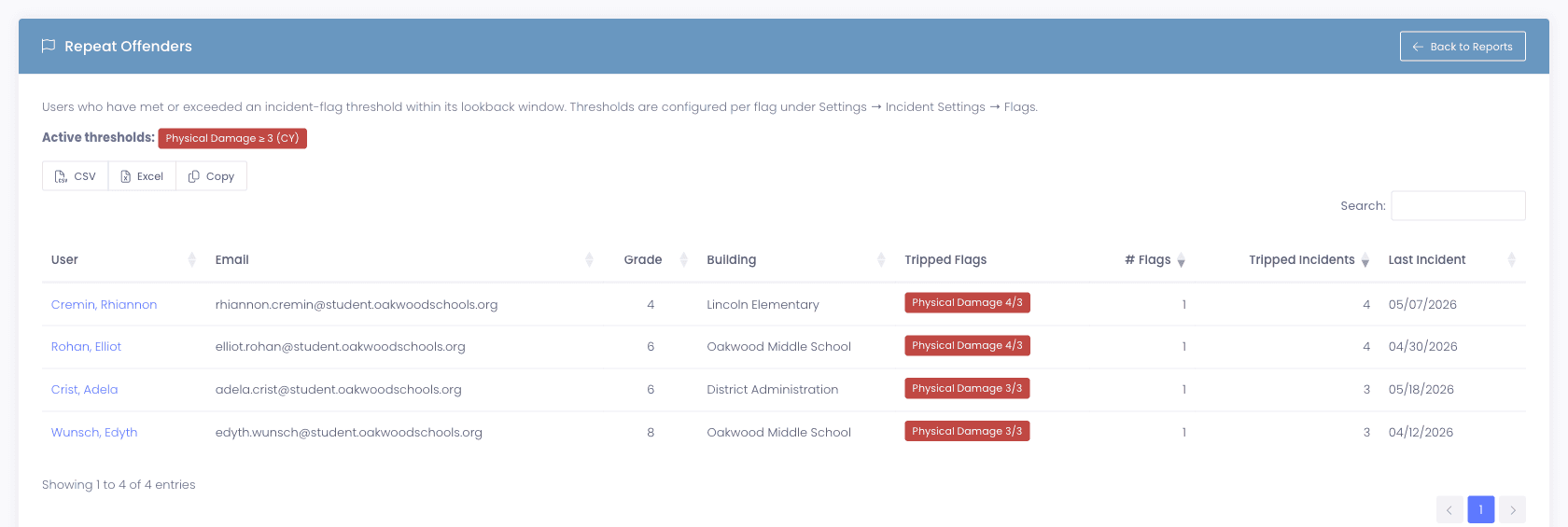
What changes
One record, from the cracked screen to the paid invoice.
None of the seven steps involves exporting from one system and importing into another. That is the whole point. The reason districts under-recover damage is almost never that they lack a billing tool, it is that assembling the evidence costs more staff time than the charge is worth.
- A disputed charge is answered from one screen: the photo, the assignment on that date, the coverage decision, and the calculation
- Coverage is applied as of the incident, so the district stops paying for repairs it was entitled to claim
- The business office can see whether a charge was paid without asking the help desk
- Repeat damage becomes a conversation you can have early, with the record to support it
- Nothing depends on one person remembering how the spreadsheet works
The capabilities behind this
FAQ
Common questions.
- The invoice generates from the incident rather than being typed separately, so the charge, the evidence, and the coverage decision stay connected. Districts keep the decision itself in human hands, because whether to charge a particular family is a judgment call involving circumstances a rule cannot see. What is automated is the arithmetic and the paperwork, not the decision.
- Applying the policy walks its rules, the percentage absorbed, the coverage maximum, and any co-pay, and computes the split between what the policy pays and what the family owes. Both figures are recorded on the incident, so the calculation can be explained to a parent or an auditor months later without reconstructing it.
- By keeping the three coverage types apart. Manufacturer warranty, third-party insurance, and AppleCare+ have different rules and different dates, and treating them as one field on a spreadsheet is the single most common way districts pay for repairs they were entitled to claim. Each is a separate record on the device with its own status badge, and coverage is evaluated as of the incident date rather than the processing date.
- Yes. Waivers apply by rule rather than depending on somebody remembering at the point of invoicing. Eligibility can arrive from your SIS through OneRoster metadata mapping, so the status stays current with the nightly sync instead of being maintained as a separate list.
- No. Guardians pay in the parent portal they already use for the device program, and the payment runs through an online payment platform rather than a merchant account we ask the district to open. In practice most districts are already collecting cafeteria, athletics, and registration fees the same way, so this is the payment route families are used to. Tell us what your district runs today and we will confirm the fit before you commit to anything.
See the whole chain
Watch a cracked screen become a paid invoice.
Ask us to run this exact workflow end to end in a demo, on sample data, so you can see where your current process would have lost the thread. Our team is entirely former K-12 IT, so tell us how you handle damage today and we will tell you honestly whether this is an improvement.