
Every device comes back in the same two weeks. Then somebody asks how many you have.
Collection is the only point in the year when the whole fleet moves at once, and it is immediately followed by the one question a technology director cannot answer approximately. The two are the same job: if collection produces a record, the count is already done when June ends.
Where it breaks today
The count is not a reporting task. It is the residue of how you collected.
Districts tend to treat collection and the annual audit as separate projects, one in June and one in July. They are not. The audit is just an attempt to reconstruct what collection already knew and failed to write down. Every device handed across a table without being scanned becomes a line in a spreadsheet that somebody has to chase in August, usually the one person who understands the spreadsheet.
- Devices are collected in bulk and recorded later from memory, so the record is already approximate by the time it exists
- Damage found at intake gets a sticky note, and the chance to bill for it expires over the summer
- Nobody knows which devices never came back until the count is run, by which point the student has left
- Loaners and spares are counted twice or not at all because they were never in the same list
- The number reported to the business office is defensible only because nobody asks how it was reached
The workflow
How it actually runs.
- 1Step 1 of 7
Start by knowing what is actually out, by grade
Collection planning starts with the list nobody maintains: which devices are still checked out, and to whom. A prebuilt export produces exactly that, devices still assigned to users broken out by grade level, which is how collection is scheduled in practice because it runs grade by grade and building by building.
- A prebuilt Missing Devices export lists devices still checked out to users by grade
- Checked In Report shows the inverse, what should already be in stock
- Both export to CSV, so the building secretary running a table has a working list
Manage1to1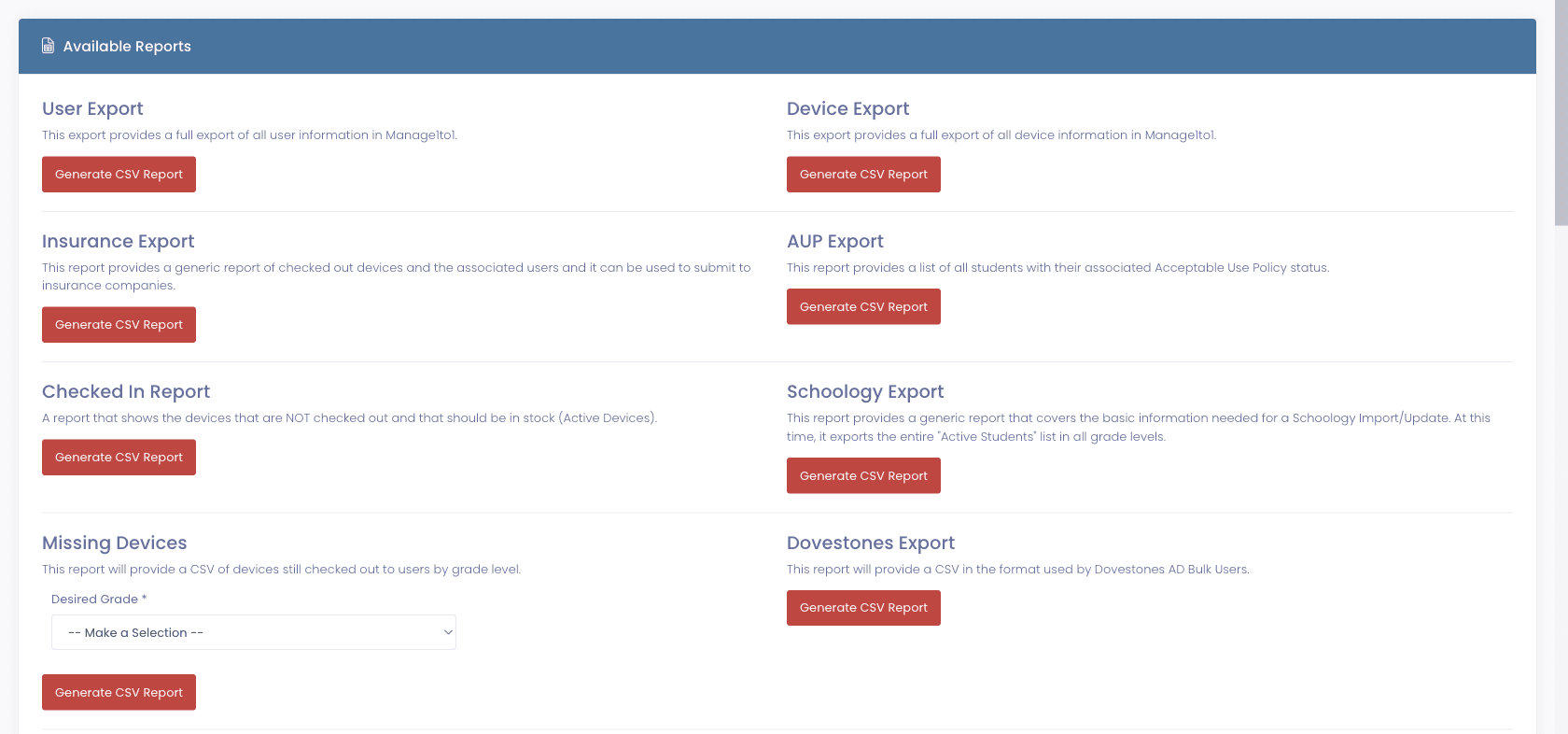
- 2Step 2 of 7
Clear the loaners before the crowd arrives
Loaners are the population most likely to go missing in June, because they were never the student’s own device and nobody feels ownership of returning one. Chasing them in the week before collection is far cheaper than finding them in the count afterwards, when the student has already left for the summer.
- Active loaners with return dates, overdue tracking, and bulk extend on one screen
- Dashboard widgets for at-a-glance counts and loaners still to collect
- Each loaner still links back to the ticket that caused it, so the context survives
Manage1to1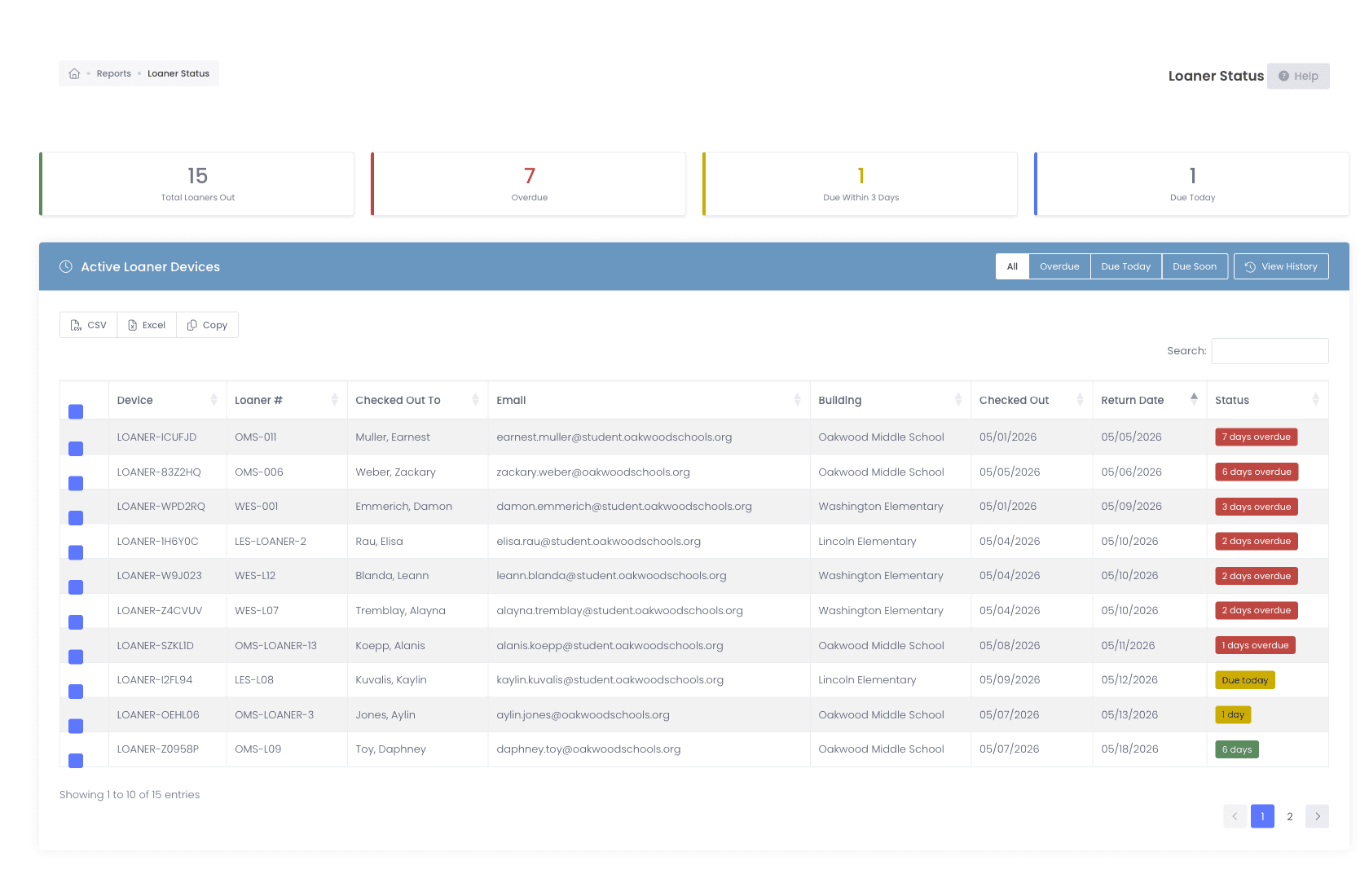
- 3Step 3 of 7
Collect by scanning, not by tallying
The difference between a collection week that produces a record and one that produces a spreadsheet is whether the device was scanned as it crossed the table. Check-in is a scan field designed for exactly that, and a phone camera works as the scanner, so a table in a gym does not need a laptop and a tethered USB reader to keep the queue moving.
- Rapid Check-In takes an asset tag or serial and clears itself for the next device
- Any phone with a rear camera scans the barcode, so collection points are not tied to hardware
- Bulk operations handle whole-grade returns rather than one device at a time
- 4Step 4 of 7
Damage found at the table becomes an incident, not a sticky note
Intake is the one moment the device, the student, and the damage are all in the same place. An incident opened there carries the photos and the assignment while both are still true. Defer it to August and the evidence is gone, the student has moved on, and the charge quietly becomes something the district absorbs.
- The incident attaches to the device record, so it survives the year rollover
- Photos captured at intake are what a disputed charge turns on months later
- Coverage is evaluated as of the incident date, so a June intake is priced correctly
Manage1to1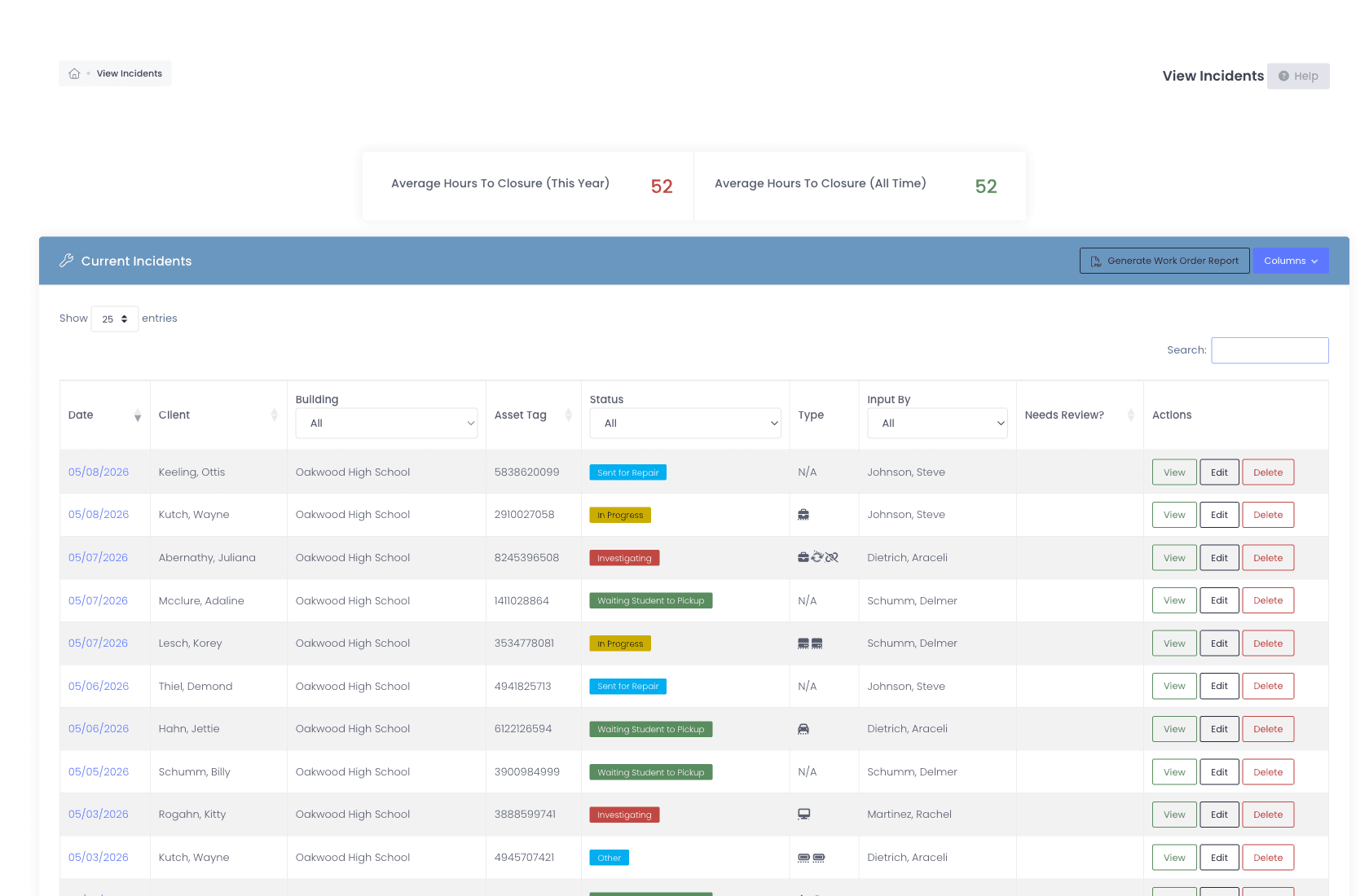
- 5Step 5 of 7
Verify the devices nobody handed you
Not every device comes across a table. Carts, spares, staging stock, and the machines that never left a classroom still have to be accounted for. Rapid Verify records that someone physically laid eyes on a device without checking it in or out, and the Stale filter surfaces everything nobody has scanned inside your chosen window, which is the gap between what you collected and what you own.
- Verifying updates Last Seen without changing checkout state
- The Stale filter surfaces unseen devices at 3, 6, 12, or 18 months, or a window you set
- Per-building thresholds mean each campus is measured against its own target
Manage1to1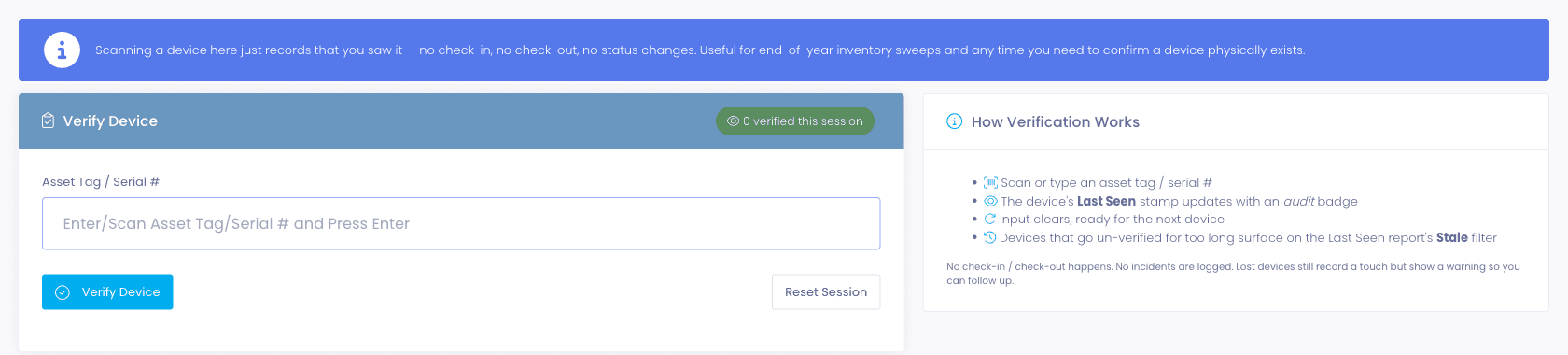
- 6Step 6 of 7
Roll the year over once collection is settled
Rollover graduates seniors, marks them inactive, moves them to a graduated building, and increments every remaining grade and the school year itself. One detail matters more than it looks: student and guardian import automation is switched off as part of the run, so a scheduled sync cannot overwrite the freshly rolled roster before next year’s files are loaded. Re-enabling it is deliberately a manual step.
- Seniors graduate, are marked inactive, and move to a graduated building
- Grade levels and the school year increment across the remaining roster
- Roster imports pause during the run so a nightly sync cannot undo it
Manage1to1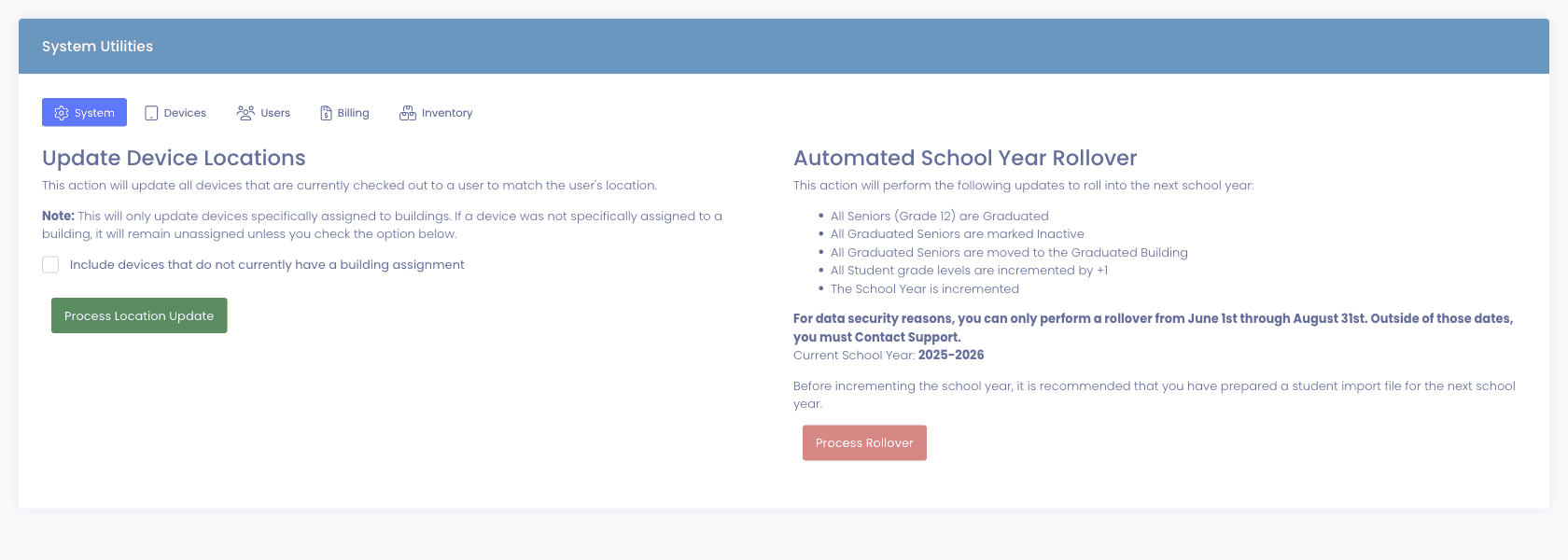
- 7Step 7 of 7
Turn the count into next year’s budget ask
The fleet is never more accurately known than in the week after collection, which makes it the right moment to cost the refresh. With a useful life and replacement cost set per model or category, the same inventory becomes a dated, dollar-figured replacement forecast, filterable by building. That is the version a business office will act on, and it is available in June rather than the following spring.
- Refresh forecast by year with projected spend and estimated remaining value
- Filter by building so each campus can be budgeted separately
- Battery health from the MDM flags the devices that will fail before their replacement date
Manage1to1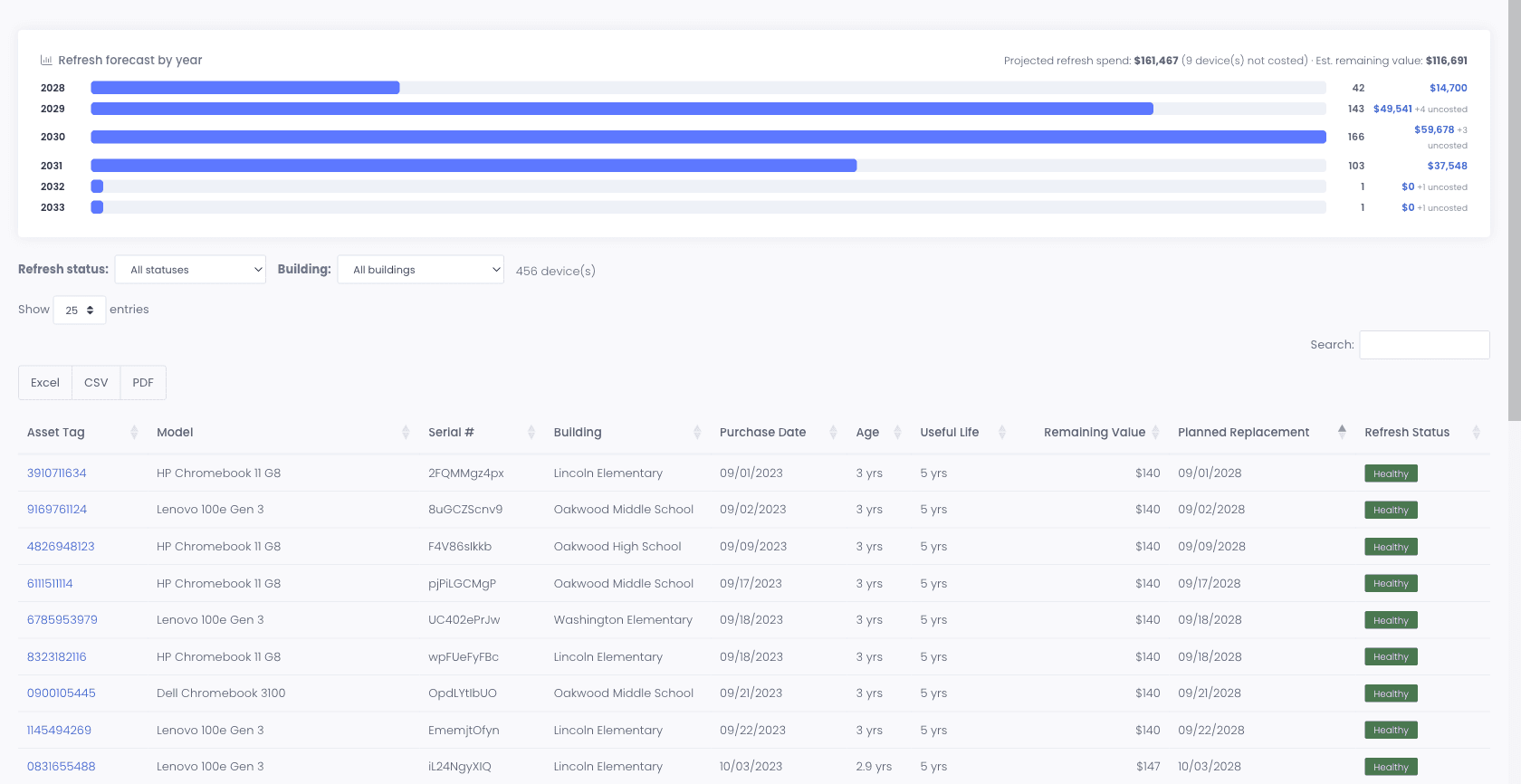
What changes
June ends with a number you can defend and a plan you can fund.
None of this adds work to collection week. It replaces the work that used to happen afterwards, when somebody spent August reconstructing what a scan would have recorded in a second.
- The audit is finished when collection finishes, because collection was the audit
- Damage is billed while the evidence and the student are both still available
- Devices that never came back are known in June, not discovered in September
- The count reported to the business office was built one verified scan at a time
- The summer refresh is costed from the most accurate inventory you will have all year
The capabilities behind this
FAQ
Common questions.
- The collection itself is governed by how many tables you can staff, not by software. What changes is everything after it. If each device is scanned as it crosses the table, the record is complete when the last table closes, and the annual audit is already done. Districts that collect in bulk and record afterwards typically spend the following weeks reconstructing it, which is where the week people remember as the audit actually goes.
- A prebuilt export lists devices still checked out to users by grade level, so the gap is visible during collection week rather than discovered in the count afterwards. That timing matters: chasing a device while the student is still in the building is a different task from chasing one in September after they have moved on.
- During. Intake is the only moment the device, the student, and the damage are all in front of you at once. An incident opened at the table carries photos and the assignment while both are still true, and coverage is evaluated as of that date. Deferred to August, the evidence is gone and the charge usually becomes something the district absorbs.
- Carts, spares, staging stock, and classroom sets still have to be accounted for. Rapid Verify records that a technician physically saw a device without checking it in or out, and the Stale filter surfaces everything nobody has scanned within your chosen window. That is how the difference between what you collected and what you own gets closed.
- Rollover graduates seniors, marks them inactive, moves them to a graduated building, and increments grade levels and the school year. Student and guardian import automation is switched off during the run so a scheduled sync cannot overwrite the rolled-forward roster before the new year files are uploaded, and turning it back on is deliberately manual.
Before next June
Plan collection now, not in May.
Tell us how many devices you collect and across how many buildings, and we will show you what the week looks like when the scan is the record. Our team is entirely former K-12 IT and every one of us has run a collection week, so we will be honest about the parts software does not make easier.