
May 28, 2026 · Manage1to1
How K-12 Districts Move From IncidentIQ or One to One Plus to Manage1to1
Learn how K-12 districts switch from IncidentIQ or One to One Plus to Manage1to1. See what it really takes to migrate your device management system.
Your renewal quote came in and the number moved up thirty percent. Or the modules your district has been using for two years suddenly require an upgrade tier you didn't budget for. Maybe your evaluation committee is already three weeks into an RFP and the questions keep circling back to the same thing: what does it actually take to switch?
That frustration is real, and it is not unique to your district. Hundreds of K-12 technology directors have called us after exactly that moment.
Here is what the migration actually looks like.
Why Districts Move From IncidentIQ or One to One Plus
The decision to evaluate an IncidentIQ alternative or a One to One Plus alternative rarely starts with the platform itself. It starts with the contract.
Cost transparency breaks down at renewal.
Most districts do not know what they are paying per student until they are already inside a multi-year agreement. IncidentIQ typically requires a quote to get pricing, and in the quotes school districts have shared with us, the per-student cost varies considerably depending on which modules are included and which tier the district falls into. When renewals come up, the number that appears is not always the number the district expected.
Our pricing is published online. There are no hidden tiers.
Modular pricing creates budget surprises mid-contract.
IncidentIQ is built as a modular platform. That design is not inherently bad, but it means that features a district assumed were included, such as asset management, help desk, and incident management, may sit in separately purchased modules depending on the original contract. When a district wants to add a feature, they often discover it requires an upgrade, not just a support ticket.
Our platform is all-inclusive at one published per-student rate. Every feature, including warranty tracking, inventory audit, repeat offender tracking, reporting, user management, the self-service portal, and insurance tracking, is included.
Ownership changes affect renewal terms.
IncidentIQ received a strategic growth investment from JMI Equity in 2021 (Source: company press release) and a further strategic investment from Cove Hill Partners in 2024 (Source: company press release). It is growth-equity-backed. That is not an accusation, outside investment is normal, but external ownership and the eventual-exit timelines that come with it are worth factoring into a five-year planning window.
We are ESOP-owned. There is no private equity involvement. The people making product decisions are the same people answering your support calls.
Setup and training fees add cost that never shows up in the headline number.
In the contracts districts have shared with us, setup and implementation fees are a common line item in both IncidentIQ and One to One Plus agreements. Those fees can be substantial, particularly for larger districts. We do not charge setup fees or training fees. The price on the pricing page is the price.
Those problems are upstream of the platform itself. But the platform you switch to should make the migration straightforward enough that switching is a two-week project, not a year-long one.
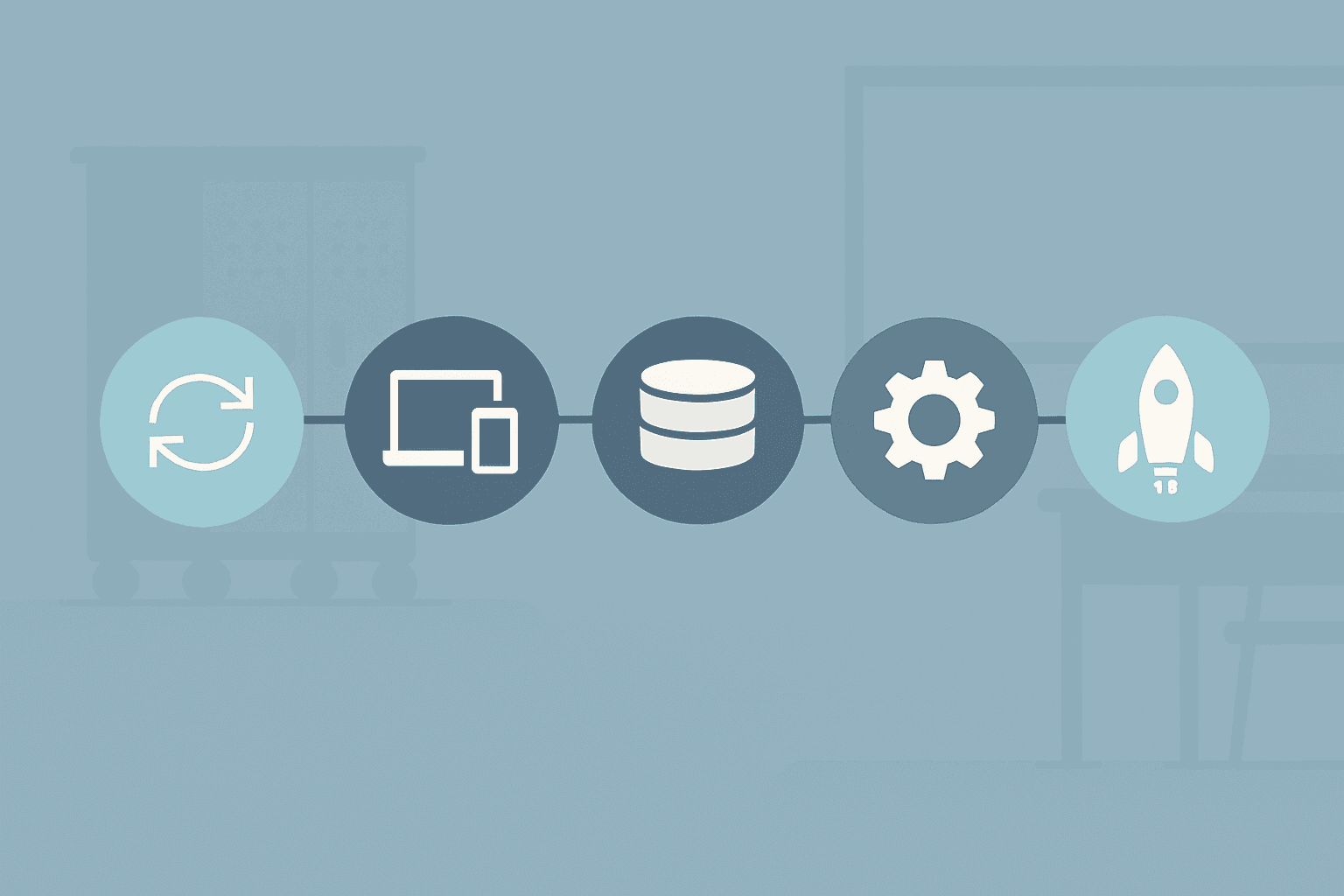
The Five-Step Migration Process
Districts that approach migration as a multi-month project are usually overcomplicating it. Here is the actual sequence, with realistic timelines for each step. If you want the full data-side checklist of what to export before you start, we walked through it in The K-12 Device Management Migration Data Checklist.
Step 1: Sync Users From Your SIS (Days 1 to 3)
We connect live to PowerSchool, Infinite Campus, Skyward, ClassLink Rostering, and OneRoster. On day one, your implementation contact walks you through the SIS connection. Student and staff records pull in automatically, including building assignments, grade levels, and user roles.
For most districts, this step takes one to three days, most of which is calendar time waiting on your SIS admin to confirm the API credentials. The actual configuration work is under an hour.
You do not need to build or clean a spreadsheet. The SIS connection handles the initial user population and keeps it current on a scheduled sync cadence.
Step 2: Sync Devices From Your MDM (Days 2 to 5)
We connect live to JAMF Pro, JAMF School, Google Workspace (Chrome Device Console), and Apple School Manager. Device records, including serial numbers, model names, asset tags, and management status, pull directly from your MDM into the K-12 asset management database.
If your district uses more than one MDM across device types, those connections run in parallel. A Chromebook fleet managed through Google Workspace and an iPad fleet managed through JAMF Pro can both be live in your account at the same time.
This step typically takes two to four days, again mostly calendar time. The MDM connections are standard configurations, not custom builds.
Step 3: Import Historical Asset Assignments and Incident History via CSV (Days 3 to 7)
This is the step districts worry about most, and it is more manageable than it looks.
Your current platform, whether IncidentIQ or One to One Plus, has a reporting or export tool. Most platforms let you export a full asset roster with assignment history, incident records, and user associations as a CSV or Excel file. That export is your migration package.
We have a CSV import wizard that accepts that file. The wizard maps your column headers to our data fields. Asset records, historical assignments, incident history with notes, and lease data can all come over in a single import session.
The import itself takes an afternoon for most districts. The time-consuming part is pulling the export from your current platform and reviewing it for obvious data quality issues before you upload. A district with 5,000 devices can realistically complete this step in one to two days of actual work time.
Step 4: Configure Workflows, Templates, and Building-Level Settings (Days 5 to 10)
This is where your district's specific setup gets built. Ticket templates for common request types. Incident flags for categories your district tracks, such as cracked screens, lost devices, or repeat incidents. Inventory audit thresholds by building. Notification rules for when a device hits a certain incident count.
Our support team works through this configuration with you in a series of short sessions. Most districts finish this step in three to five business days. If your workflows in your current platform were well-documented, the mapping goes faster because the concepts translate directly.
Step 5: Go Live (Day 10 to 14)
By the end of week two, most districts are processing real tickets and check-ins on the new platform. The two-week estimate holds for districts between 1,000 and 20,000 devices. Larger or more complex districts may take three weeks. Districts with a single building and a straightforward device program can be live in five to seven business days.
The total timeline from signed agreement to live production is typically ten to fourteen calendar days.
What About Historical Data? The Question Districts Ask First
"We have three years of ticket and incident history. Are we losing it?"
You are not losing it. The CSV import process described above brings over your historical records. What you can typically bring over includes asset records with serial numbers and asset tags, historical assignment records showing which student had which device, incident history with notes and dates, lease and insurance records, and invoice data if your current platform tracks it.
A few things are worth being honest about. Rich-text formatting in old notes, such as bold text, bullet lists, or inline images, may not survive the CSV round-trip intact. The note content will be there, but the formatting may flatten to plain text. File attachments, such as damage photos or scanned forms stored in your current system, depend on whether that platform exposes them in its export. In most cases they do not, which means those files need to be manually archived separately before you shut down the legacy system.
The practical recommendation is a parallel-run period of one to two weeks. During that window, both platforms are live. New tickets and check-ins go into the new platform. If a staff member needs to look up an incident from eighteen months ago, they do that lookup in the legacy system. After the parallel period, you shut off the legacy platform and your historical data lives in the new platform going forward.
This approach removes the pressure of a hard cutover. It also gives your team a chance to build confidence in the new platform before the old one disappears.
Training the Team Without Burning a Week
We do not charge for training. That is not a promotional line. There are no training packages, no onboarding tiers, and no billable hours for walkthroughs. Self-paced documentation is available from day one, and live walkthrough sessions with our support team can be scheduled if your staff prefers guided learning.
The more practical point is this: technicians who have used IncidentIQ or One to One Plus are typically productive within a single afternoon. The workflow concepts are identical. Check-in and check-out, device assignment, incident creation, ticket submission, user lookup. The labels may be slightly different. The sequence is the same.
IT staff fatigue around tool changes is real, and it deserves to be taken seriously. But this is not a re-platforming project. Your team is not learning a new mental model for how device management works. They are learning where the buttons are. That is a half-day problem, not a professional development event.
The staff who resist the switch most tend to come around fastest once they see that the import brought over the history they care about and that the daily workflow did not change in any meaningful way.
Pricing You Can Plan Around
Our pricing is published online. Every tier, every included feature, the per-student rate. You can see it before you talk to anyone.
The cost estimator lets you put in your district's enrollment and device count and get a number. It takes about ninety seconds. That number does not change when you get to the contract.
This is worth emphasizing because the "quote required" pattern that most districts experience with IncidentIQ means the number they get at renewal is often different from the number they received when they first signed. In the renewal quotes districts have shared with us, that increase has sometimes been steep. We unpacked the full pattern in The Hidden Costs Most K-12 Device Management Quotes Don't Show You.
We may not be the cheapest option in every head-to-head comparison. There are smaller or thinner platforms that charge less. But the pricing you see on day one is the pricing you plan your budget around for the life of the contract. There are no setup fees, no training fees, and no per-module add-ons sitting behind a tier gate.
For a technology director putting together a multi-year budget proposal, predictability matters as much as the headline number.
What "Built by Former K-12 IT" Actually Means for Migration
We were built by former K-12 school district employees, and every person who works here came from that background. That framing is worth mentioning once, not as a credential, but because it changes what the support experience looks like during a migration.
When you ask whether lease IDs can be preserved during a CSV import, you are not talking to someone reading from a knowledge base article. You are talking to someone who has done that import, or who has managed a device program in a district of your size, and who understands why the lease ID matters for your insurance tracking workflow.
Large vendor support organizations tend to optimize for ticket volume and response-time metrics. A support team's K-12 background is not something that gets measured in an SLA. It shows up when your district has an edge-case question that doesn't fit a standard answer.
Our support team has done this migration on the other end of the phone, from inside a district, before. The difference in a migration conversation is immediate. You spend less time explaining what your district's process looks like and more time solving the actual configuration problem.
Frequently Asked Questions
Can we migrate mid-year, or do we have to wait for summer?
Mid-year migrations work fine. The SIS and MDM sync connections pull your current data, not a snapshot from last August. The CSV import for historical data works regardless of where you are in the school year. Most districts that migrate mid-year do so during a lower-volume window, such as a holiday break or a week with fewer help desk submissions, but it is not required. The two-week timeline holds regardless of the calendar.
What happens to our open tickets and incidents in our current platform when we cut over?
Open tickets in your legacy platform do not automatically transfer to Manage1to1. The recommended approach is to close or resolve outstanding tickets before the go-live date, or to let them age out in the legacy system during the parallel-run period. New tickets opened after your go-live date are created in Manage1to1. The parallel-run period described in the historical data section covers this transition gap.
Do you work with our existing MDM and SIS, or do we have to change those too?
You do not have to change either. We have live integrations with JAMF Pro, JAMF School, Google Workspace (Chrome Device Console), and Apple School Manager on the MDM side. On the SIS side, live connections exist for PowerSchool, Infinite Campus, Skyward, ClassLink Rostering, and OneRoster. If your district is already running any of those systems, the connection is a configuration step, not a custom build.
Will we lose our historical ticket data?
No. Historical data comes over via CSV import from your current platform's export tools. Asset records, incident history, assignment records, and notes can all be imported. File attachments and rich-text formatting may not survive the export process intact depending on what your current platform exposes in its CSV export, but the underlying records will be there.
How long does it really take, end to end?
Ten to fourteen calendar days for most districts. That assumes you have SIS API credentials ready, your MDM admin can confirm the connection in the first week, and someone on your team can pull the export from your current platform without waiting on a vendor support ticket. Larger or more complex environments may take up to three weeks. Districts with straightforward single-site setups have gone live in under a week.
Stop Re-Buying What You Already Had
If your renewal quote went up and your feature set did not, you are not buying a better product. You are paying more for the same one.
Our platform gives you asset management, incident management, help desk, reporting, user management, the self-service portal, warranty tracking, inventory audit, and insurance tracking in one place at one published rate. No modules. No setup fees. No surprises at renewal. You can review our security and compliance posture before you sign anything.
Start with the cost estimator to see what a switch would cost your district before you talk to anyone. Then look through the public demo to see the platform hands-on. If you are coming from IncidentIQ, the IncidentIQ alternative page covers the comparison in more detail. If you are coming from One to One Plus, the One to One Plus alternative page does the same.
The migration takes two weeks. The pricing does not change. The data comes with you.